
The MissionControl portal is only accessible to users with the SAAS Owner role.
In this article:
What are Customer Value Questions?
Customer Value Questions are custom fields that can be added to your company to be filled out during customer creation. This can be helpful when there are additional questions or data points you'd like to collect from your customers to be stored and managed on their customer information page. They can be added as one of two question types (listed below), and can be optional or required:
Available question types:
- Select Options (dropdown)
- Text Field
Where do Customer Value Questions Appear?
Once created, the questions will appear in two places:
- During customer creation
- Users will be asked to fill out the question fields on step one.
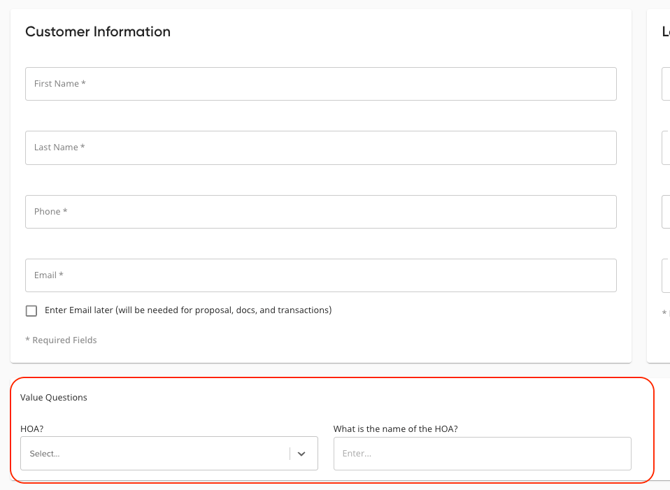
- Users will be asked to fill out the question fields on step one.
- On the customer page
- Customer Value Questions will also appear on the customer information page.
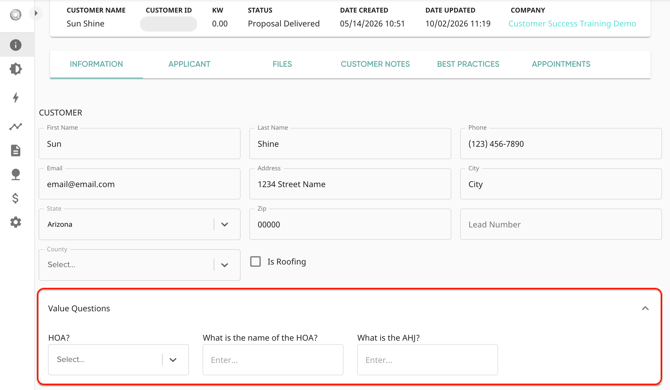
- Responses will display what was entered during customer creation, but can be edited at any time. Just edit the field and click Save at the bottom!
- Customer Value Questions will also appear on the customer information page.
Adding Customer Value Questions
- In the left side navigation bar, tap into 'Company', then click 'MissionControl'.
- If you'd like to edit one of your child or grandchild accounts, that can be selected in the top right corner.
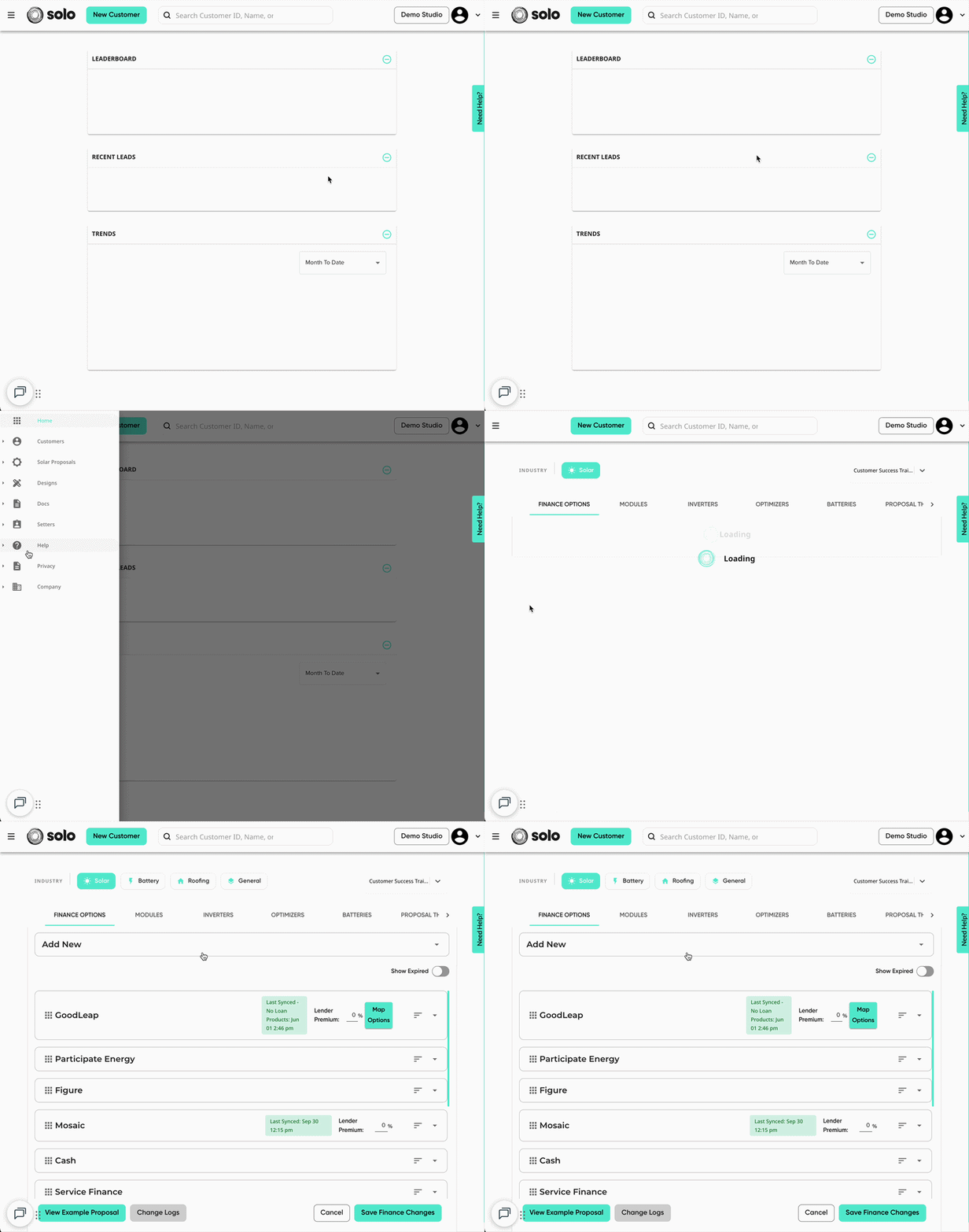
- Using the menu at the top, navigate to the 'Company Settings' tab.
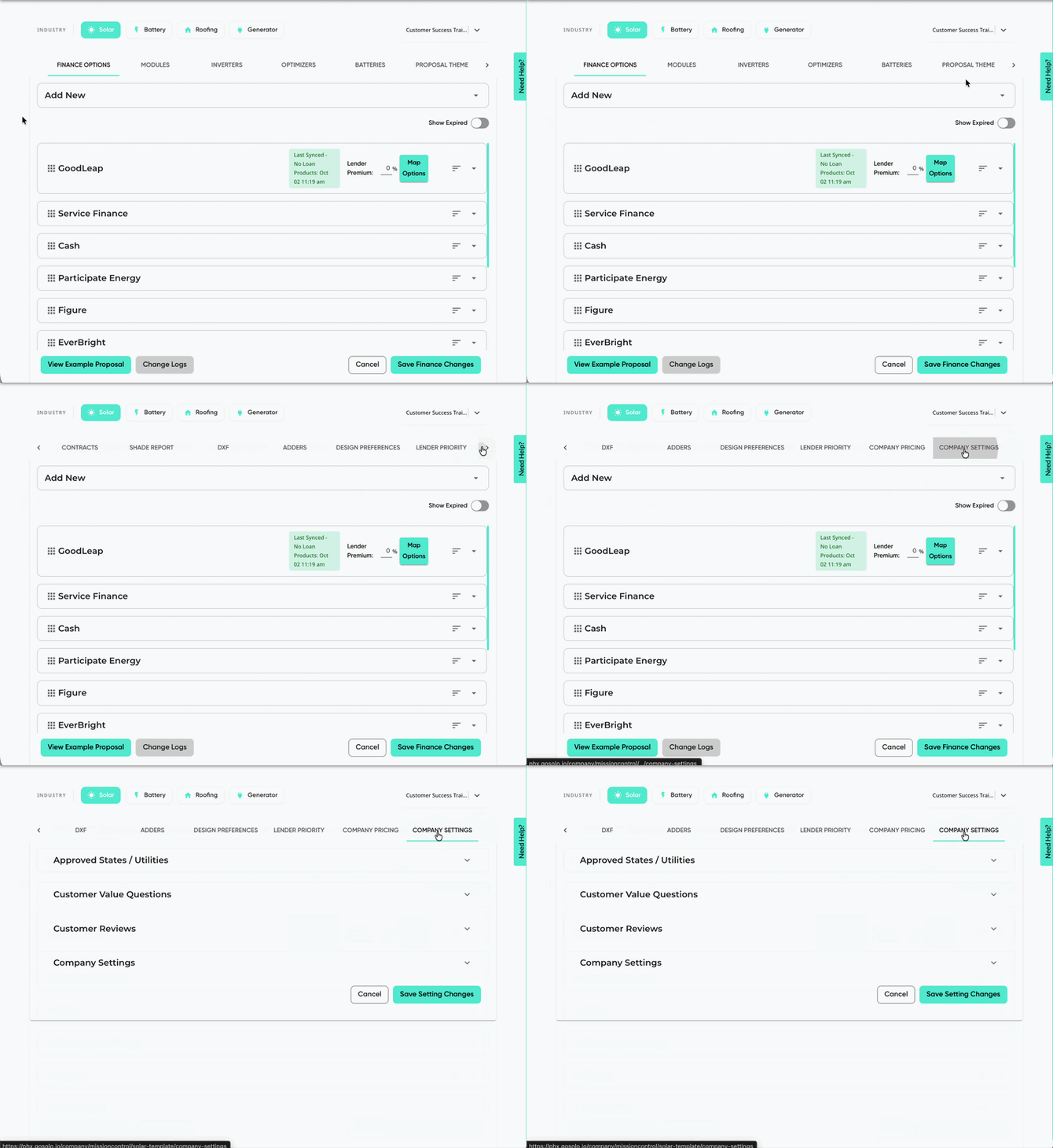
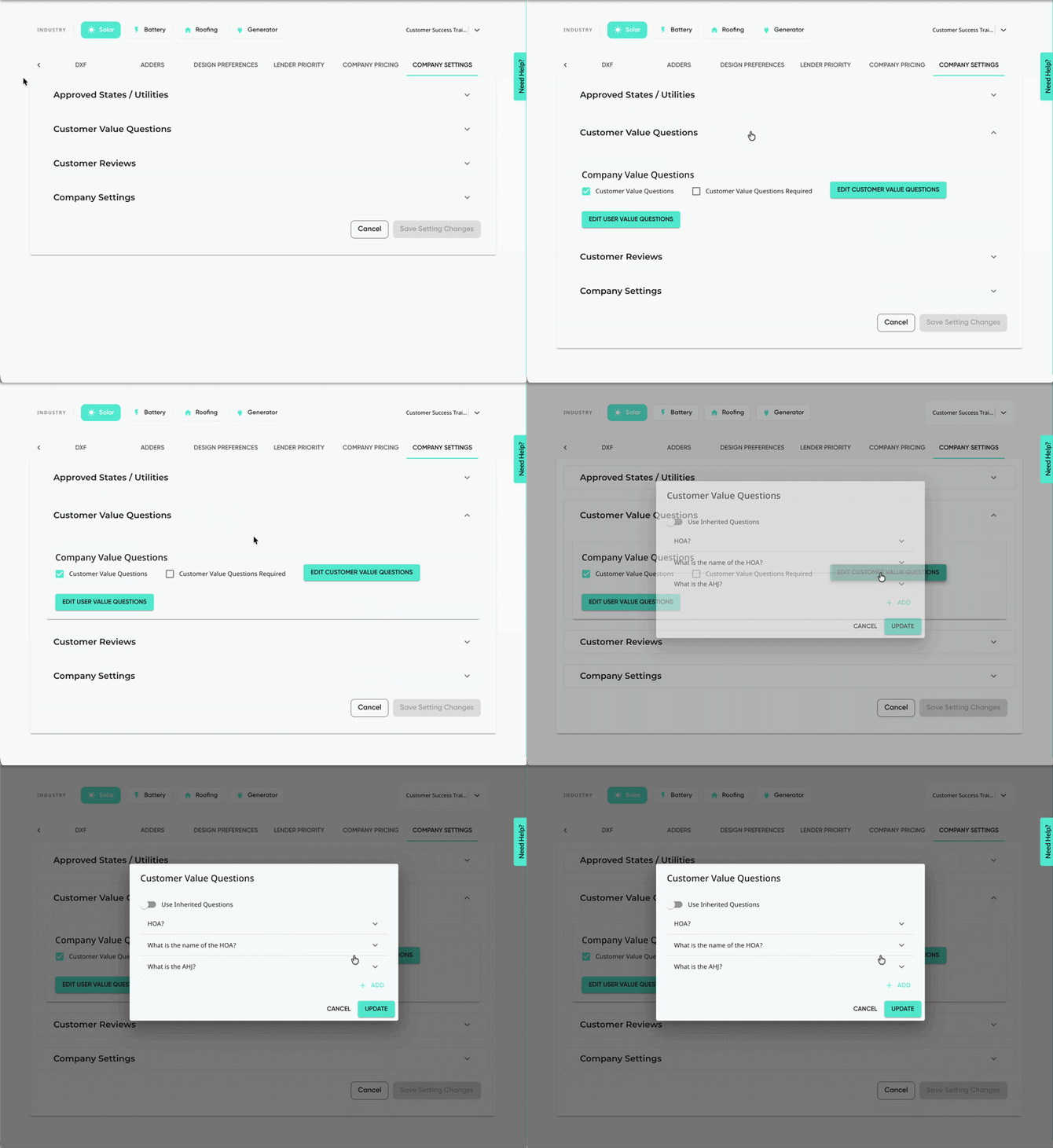
- Open the 'Customer Value Questions' dropdown, then click 'Edit Customer Value Questions'.
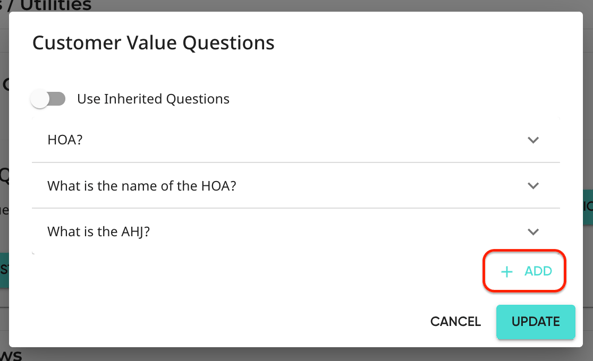
- Click the 'Add' button in the bottom right.
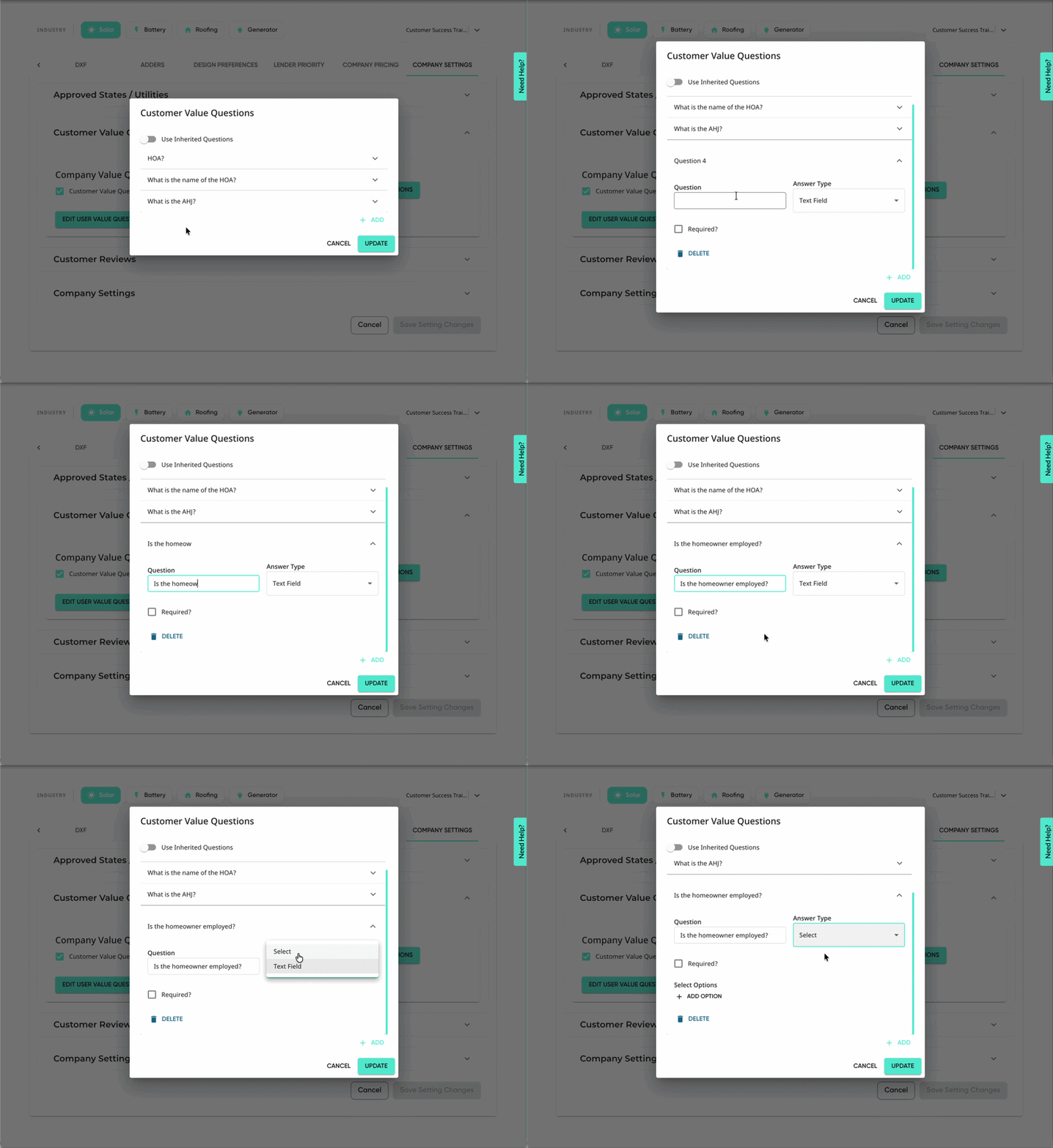
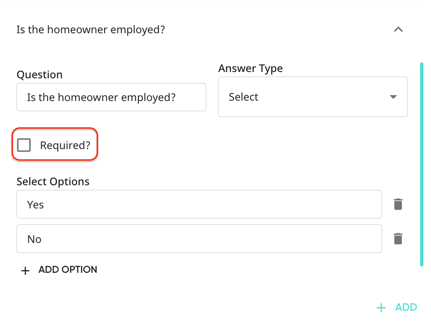
- In the 'Question' field, input the text for the question you'd like to ask. Then, select your 'Answer Type'.
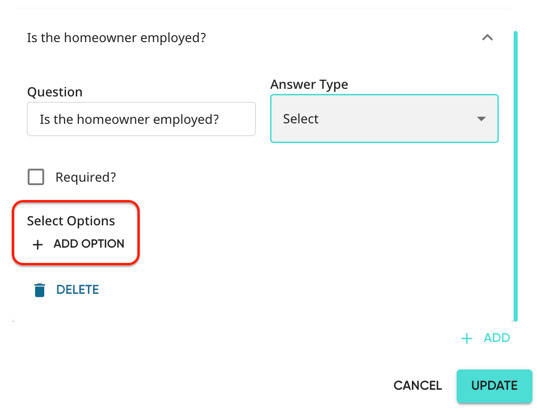
- If you chose the 'Select' question type, use the 'Add Option' to create dropdown options.
- If you'd like the question to be required, select the 'Required' checkbox.
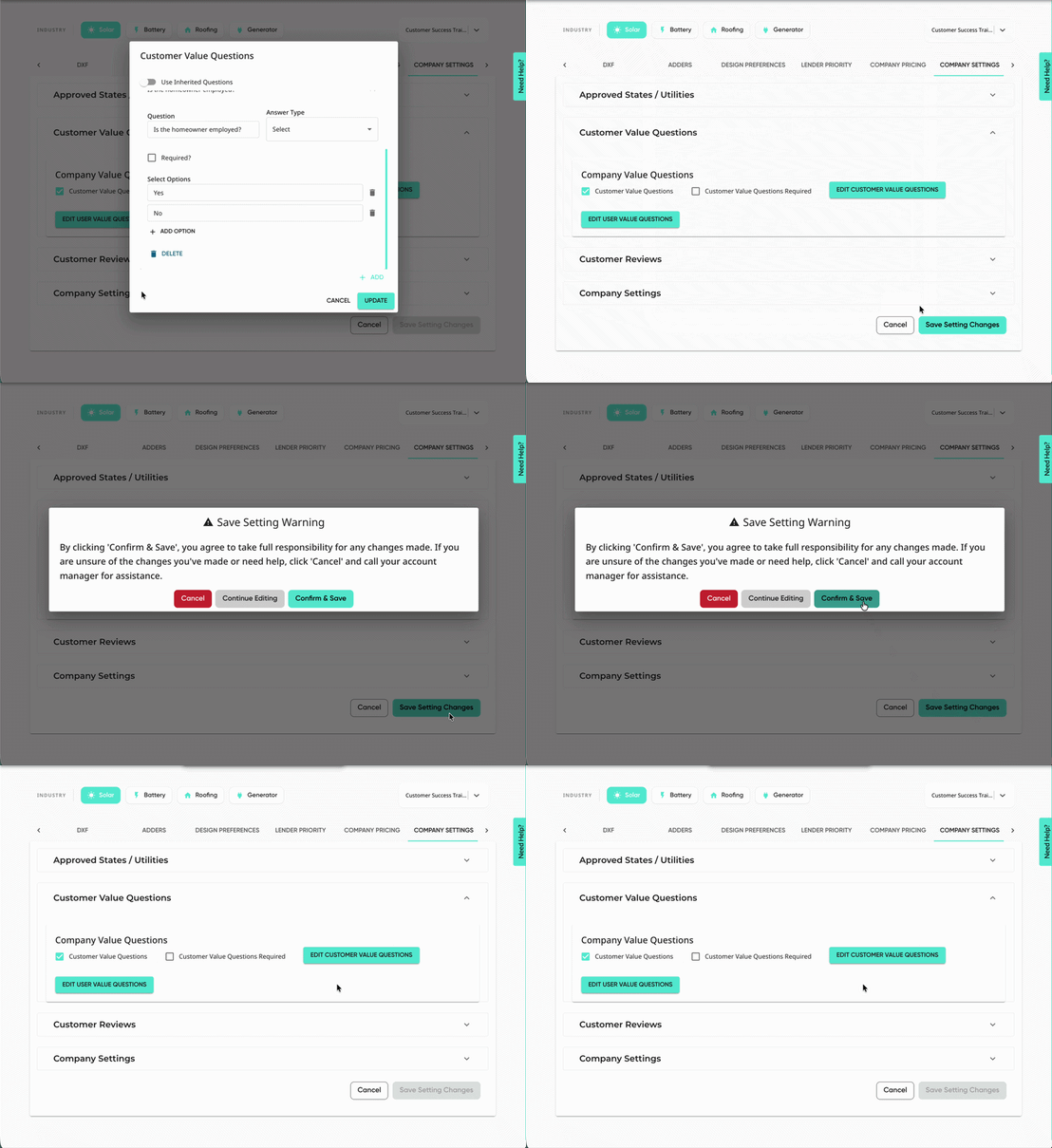
- Click 'Update'.
- Don't forget to save using the 'Save Setting Changes' button in the bottom right!
Value questions can also be added to roofing, battery, and generator proposal templates! Please contact your account manager or Customer Support for more information!