
Owner Feature Only!
This article covers two topics, click the links below to jump to the relevant section:
- Adding the Figure HELOC calculator to your proposals
- Removing the Figure HELOC calculator from your proposals.
Adding Figure to MissionControl
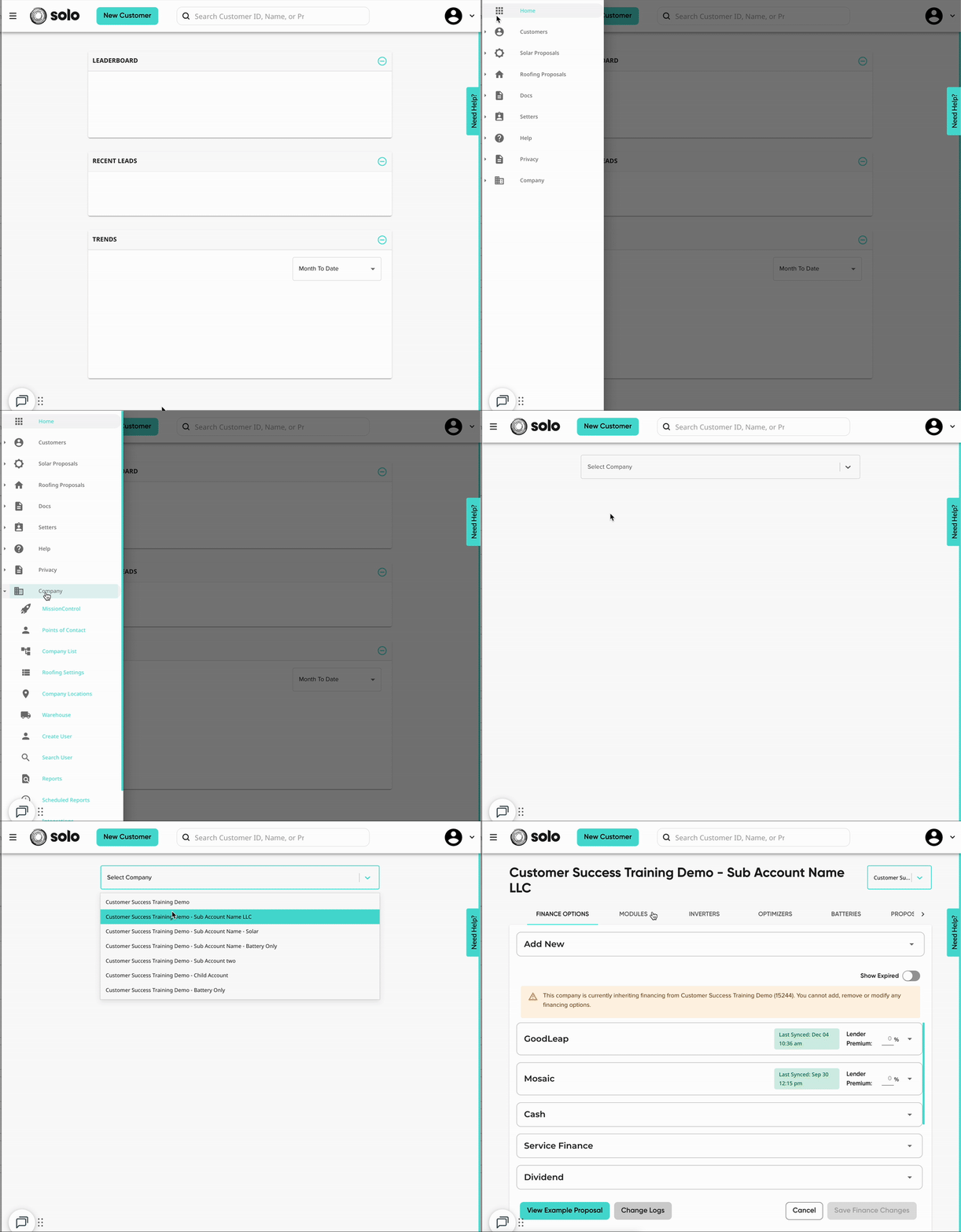
Figure can be added as a finance option in MissionControl, which can be done following these steps:
- Open your MissionControl Portal.
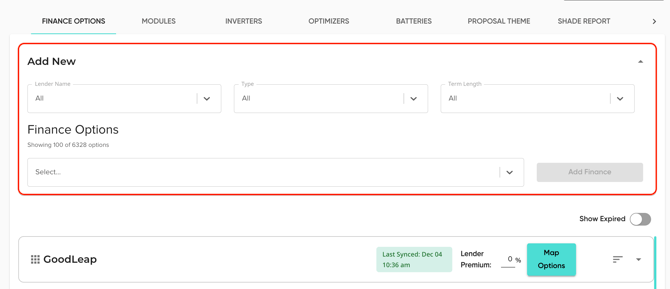
- Open the 'Add New' dropdown.
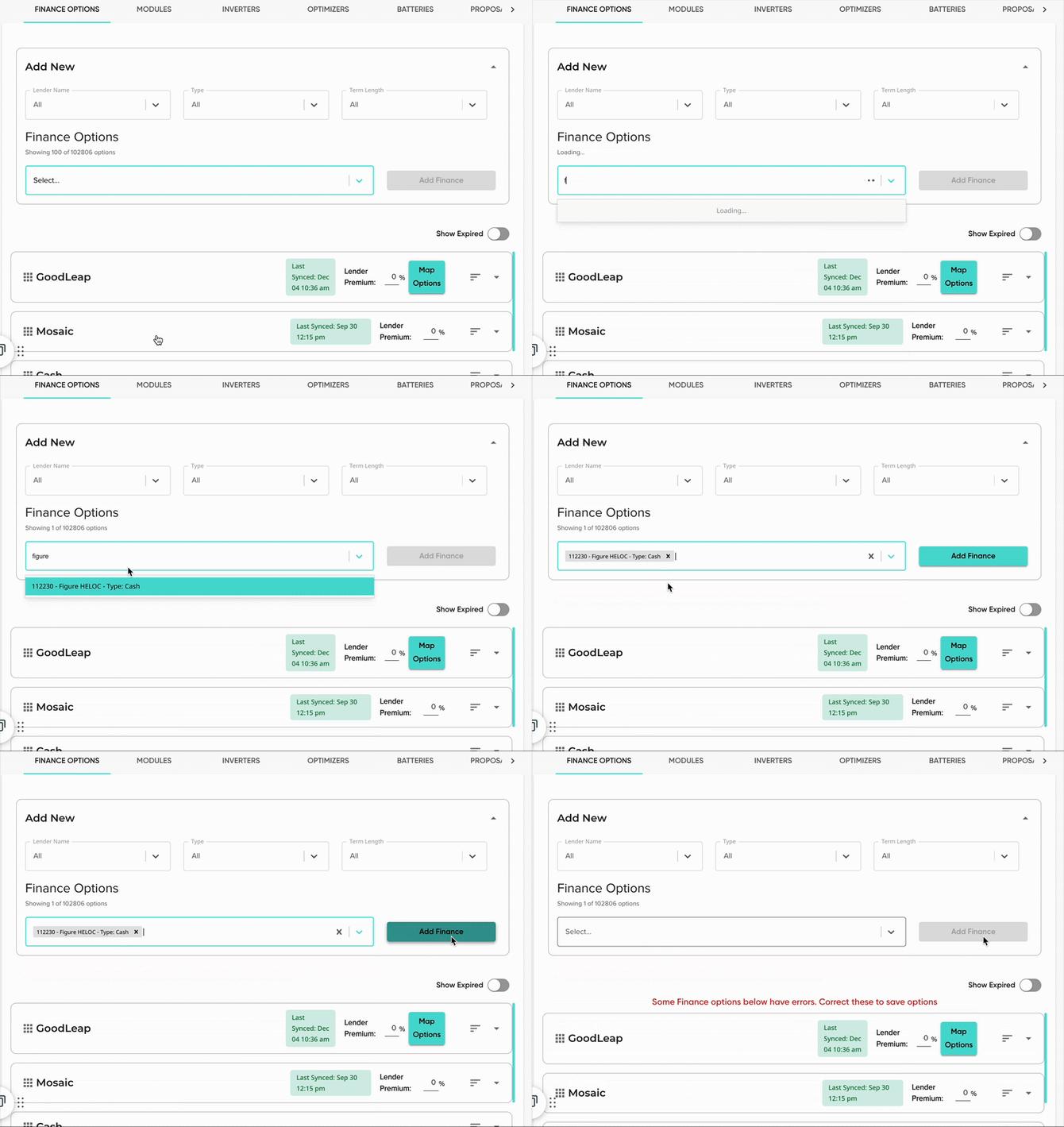
- Under 'Finance Options', search 'Figure'. There will only be one option, so select "Figure - HELOC".
- Click 'Add Finance'
- Don't forget to Save!
Removing Figure From MissionControl:
- Open your MissionControl Portal and select which company account you'd like to edit.

- Under 'Finance Options', scroll to find the 'Figure' dropdown.
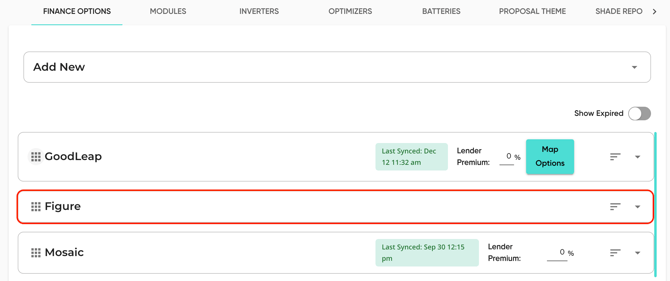
- For the finance option, "Figure - HELOC", click the deactivate toggle on the right.

- If you'd like to adjust the expiration date, click into the option editor.
- Learn more about live and expiration dates HERE.

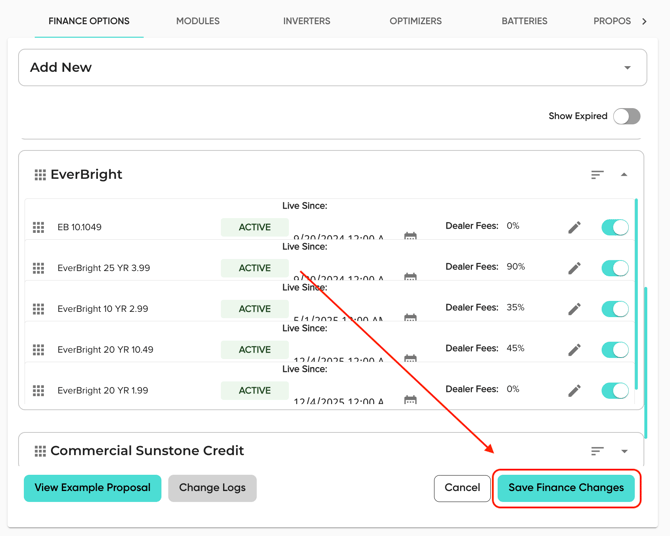
- Make sure to click 'Save Finance Changes'!