Creating a new customer account will take you directly to the Projects page and the 'New Project Request'. Learn how to create a new customer account here!
Otherwise, a new project request can be submitted for any customer from the Projects page of their account.
- In the 'Projects' tab of your customer, click 'New Project'.
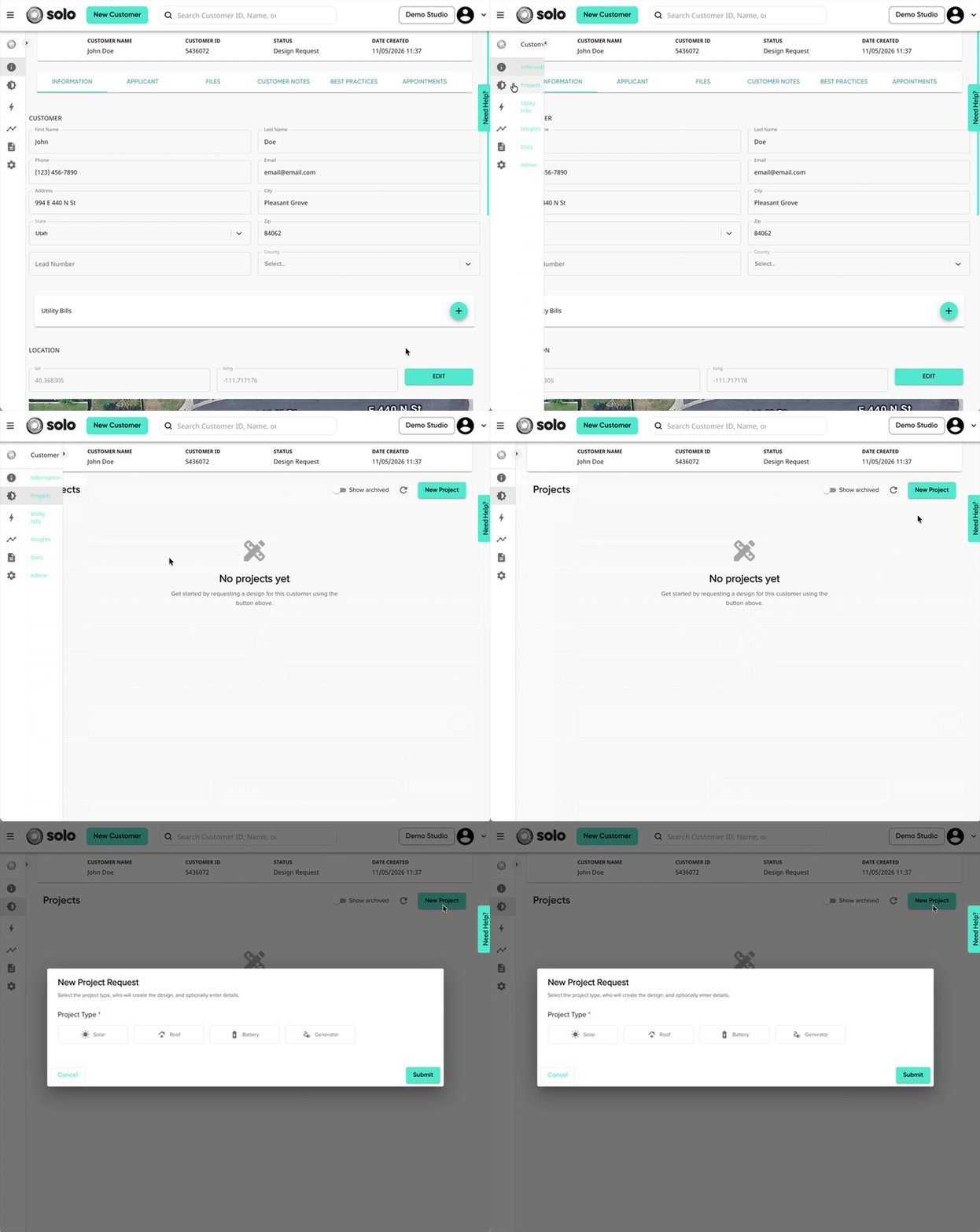
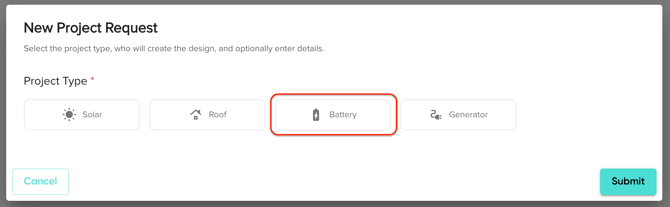
- Select 'Battery' as your project type.
- Click 'Create Proposal'. You will be redirected to a new page to complete the project request.
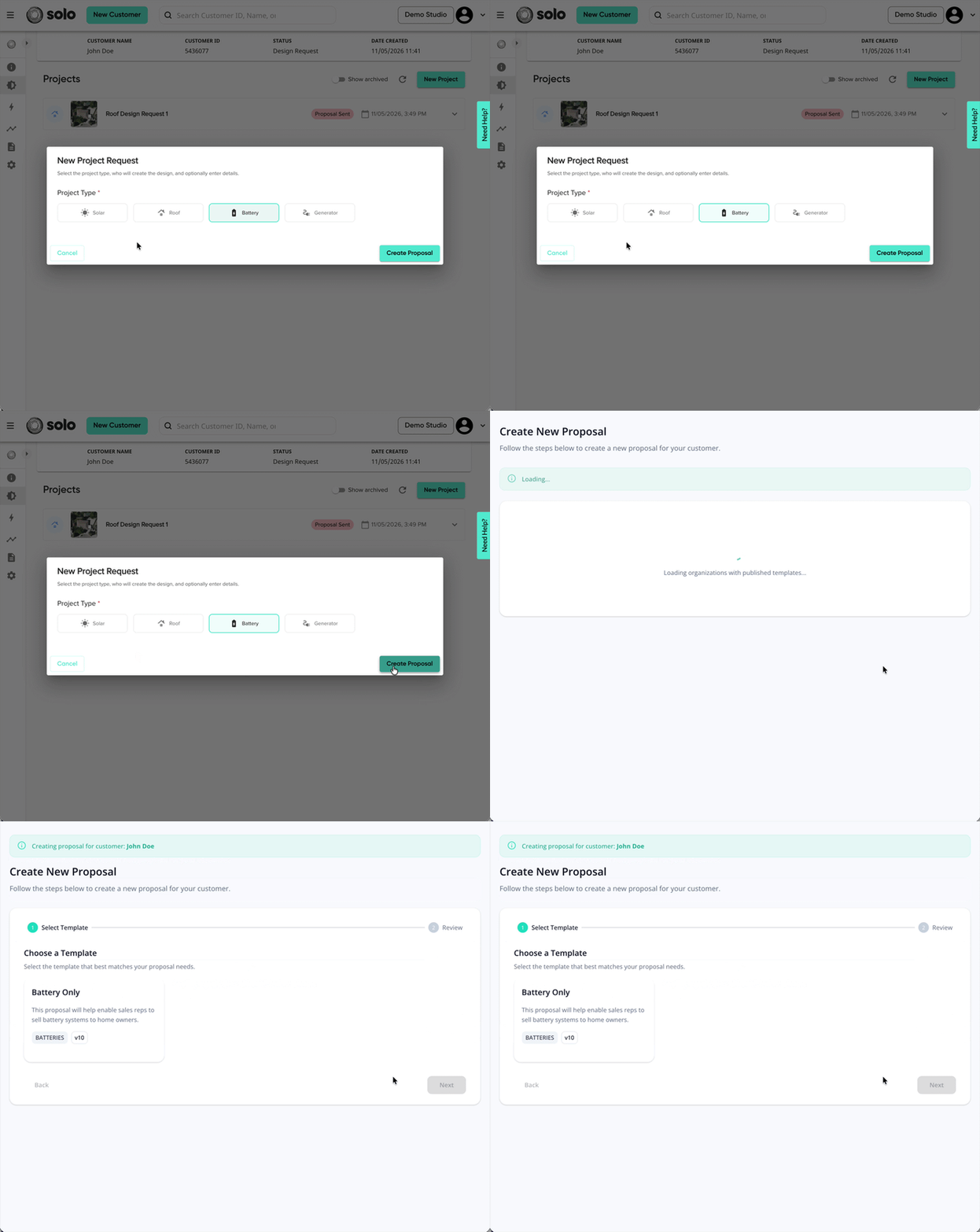
- Select which template you'd like for your proposal. Then, click 'Next'.
- If you're unable to see the template you'd like to use, please reach out to an Admin or Owner.
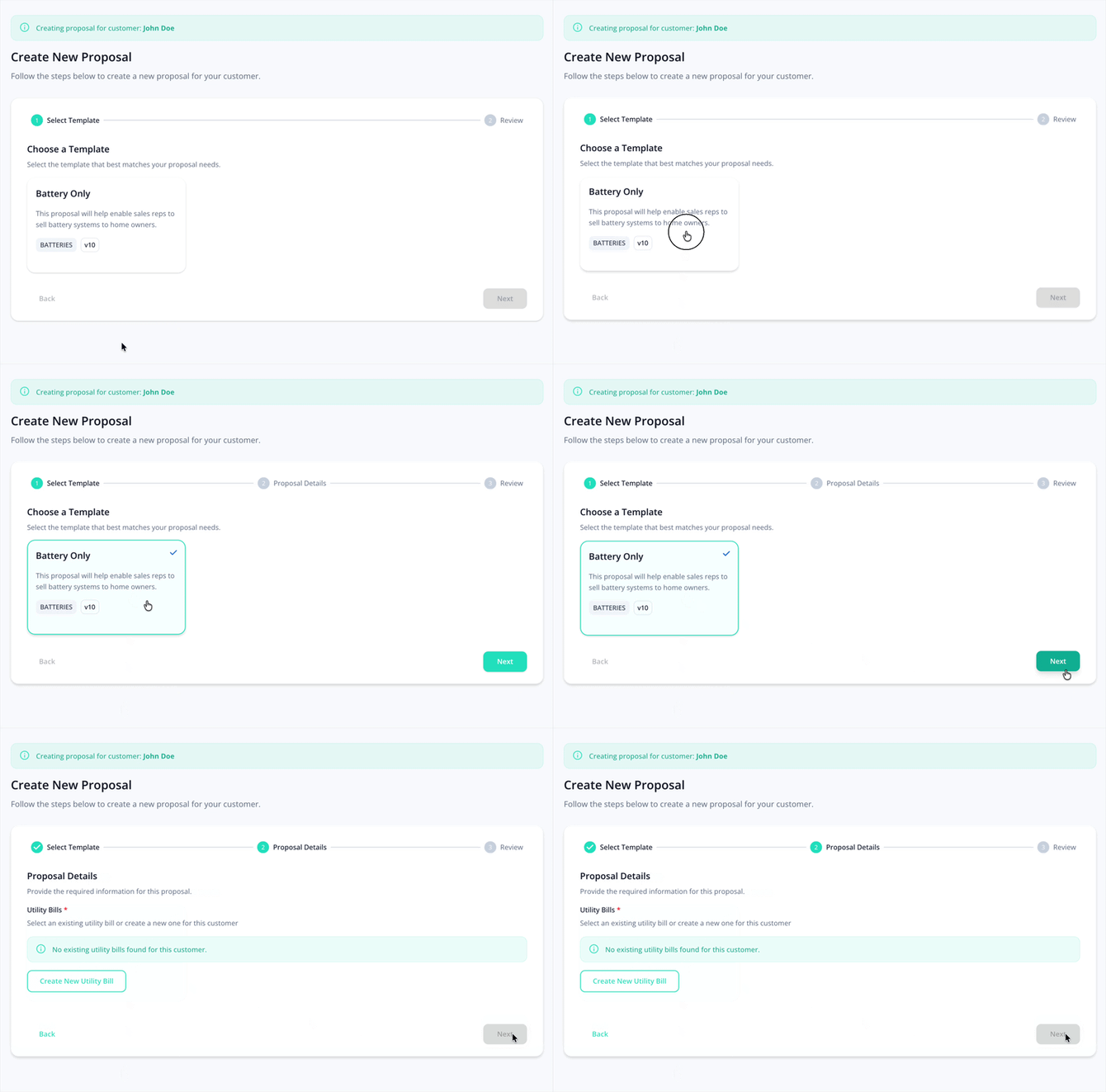
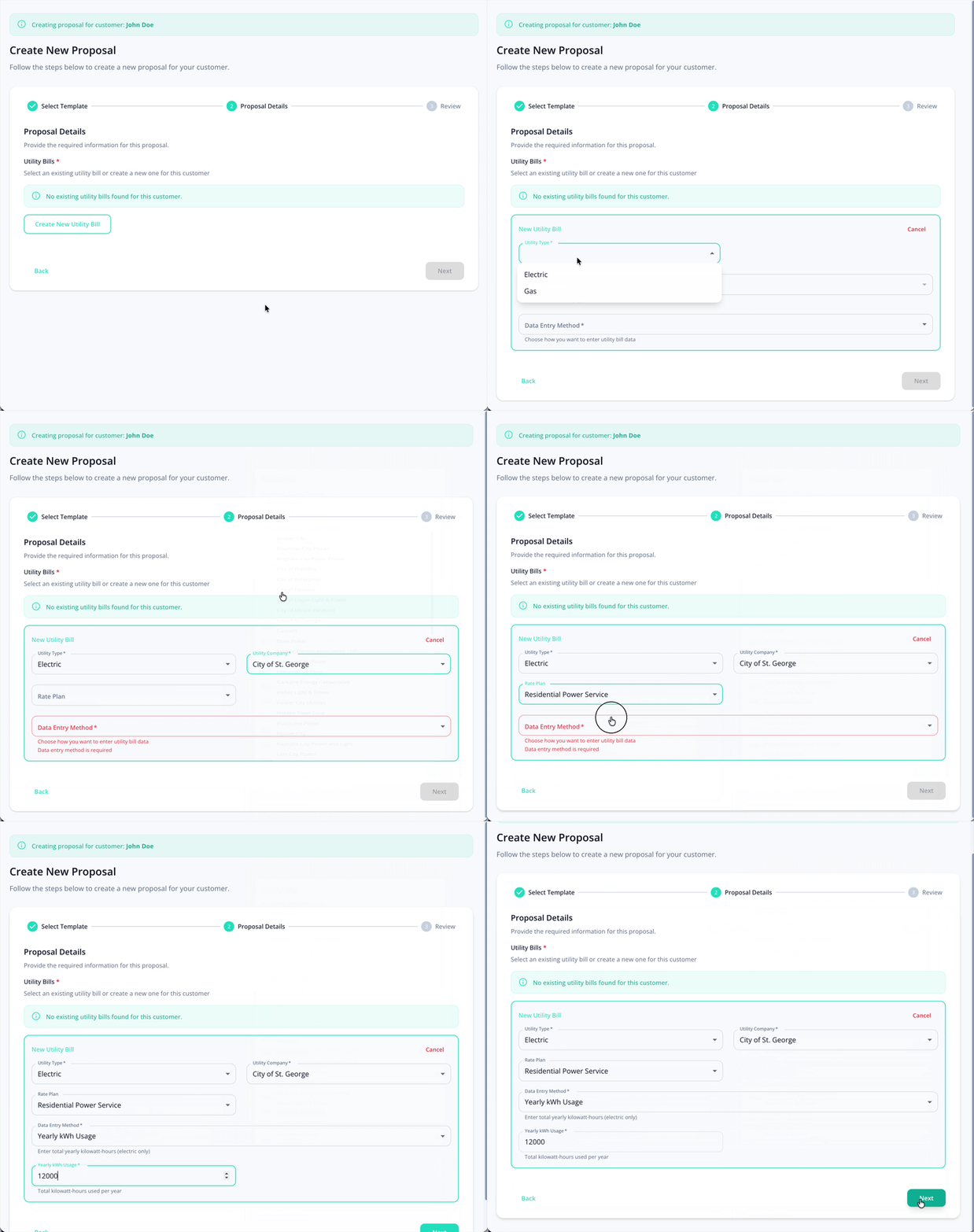
- Add your customer's utility bill information.
- Depending on your company's preferences, this section may or may not appear.
- This will help ensure battery savings calculations are accurate on the proposal.
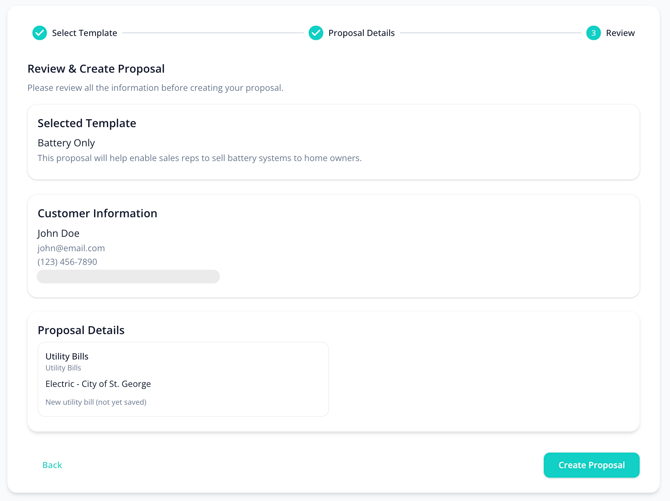
- Review your request information, then click 'Create Proposal'.
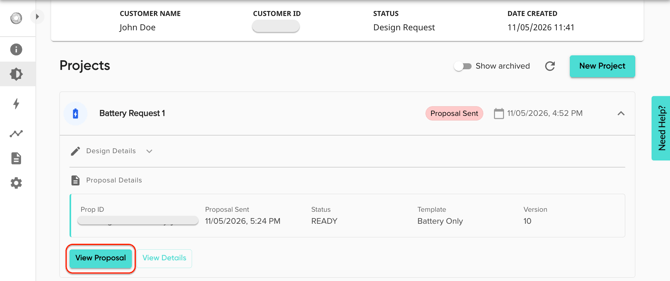
- You will be redirected back to the customer Projects page, where you can access your battery proposal. Just open the project's dropdown, then click 'View Proposal'.