Interested in getting started with our roofing proposals? Owners can schedule a demo here!
Creating a new customer account will take you directly to the Projects page and the 'New Project Request'. Learn how to create a new customer account here!
- In the 'Projects' tab of your customer, click 'New Project'.
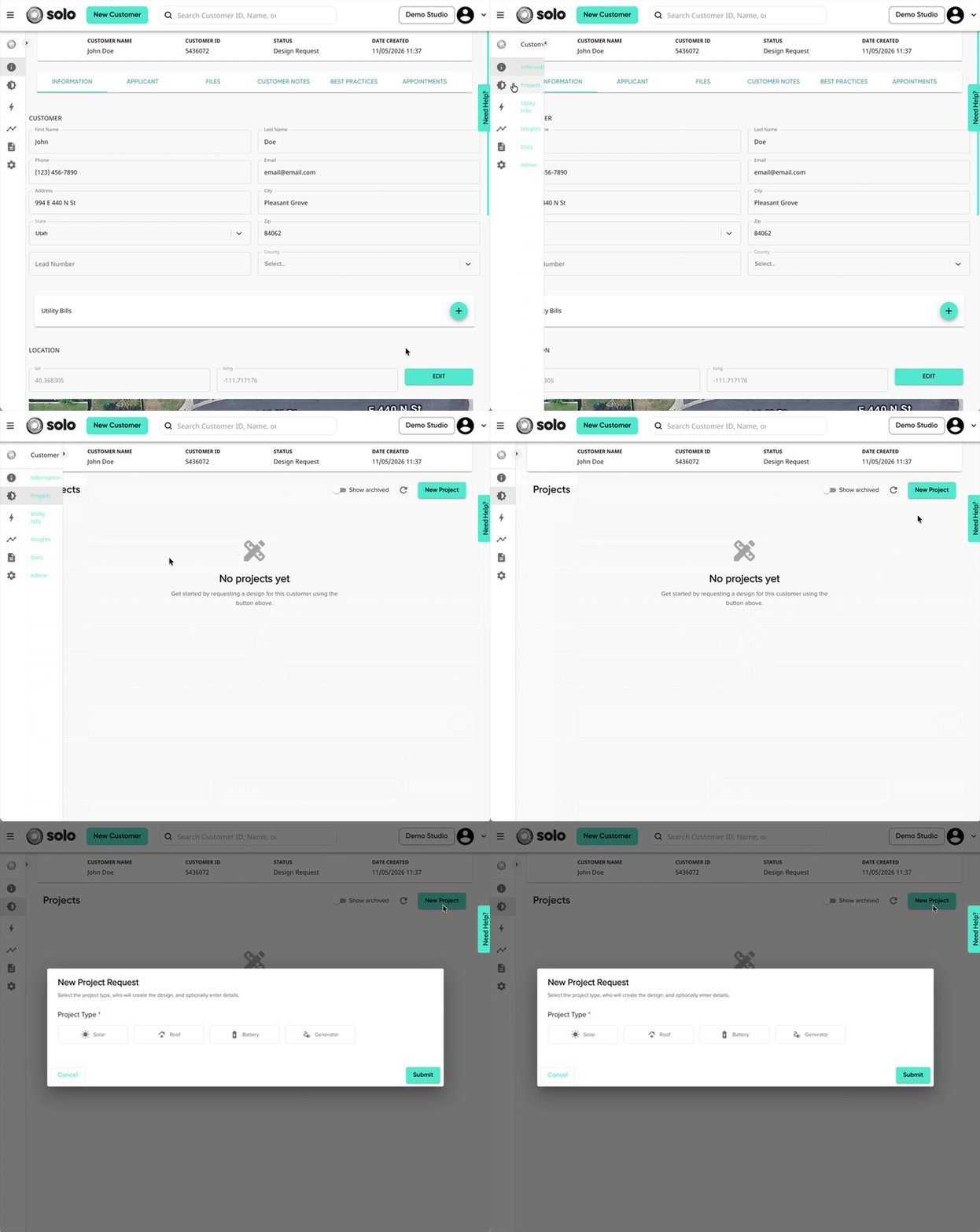
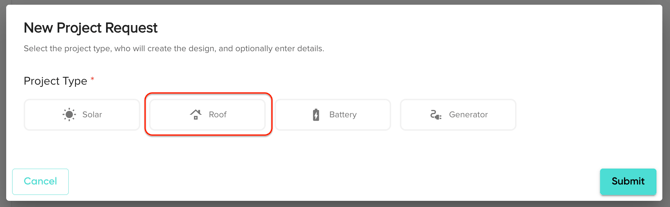
- Select 'Roof' as your project type.
- If you do not see this as an option, you may not be approved to use your company's roofing template(s), or your company may not have a roofing template. Please reach out to your manager.
- Select your preference for who will create the design then click 'Continue'.
- 'Assign to me'* will not enter the request into the Solo Managed Service queue, but will allow you to open Solo Studio to build the design yourself.
- 'Solo Managed Service' will enter the request into the Solo Managed Service queue to be created by a Solo Designer.
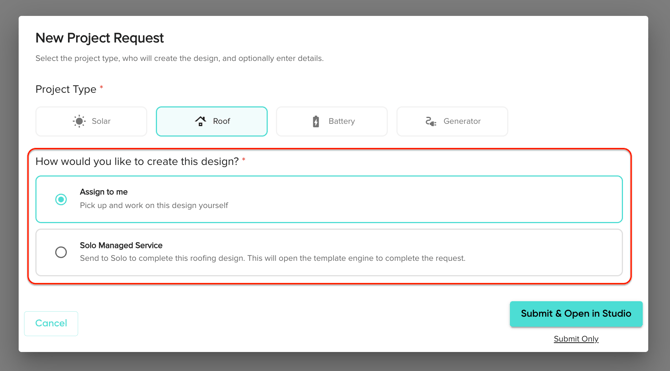 *This option is only available to users with the permission to use Roofing Studio.
- If you selected 'Solo Managed Service', you will be taken to a new page to complete the request. First, you'll select which template you'd like to use for this project.
- If you're unable to see the template you'd like to use, please reach out to an Admin or Owner.
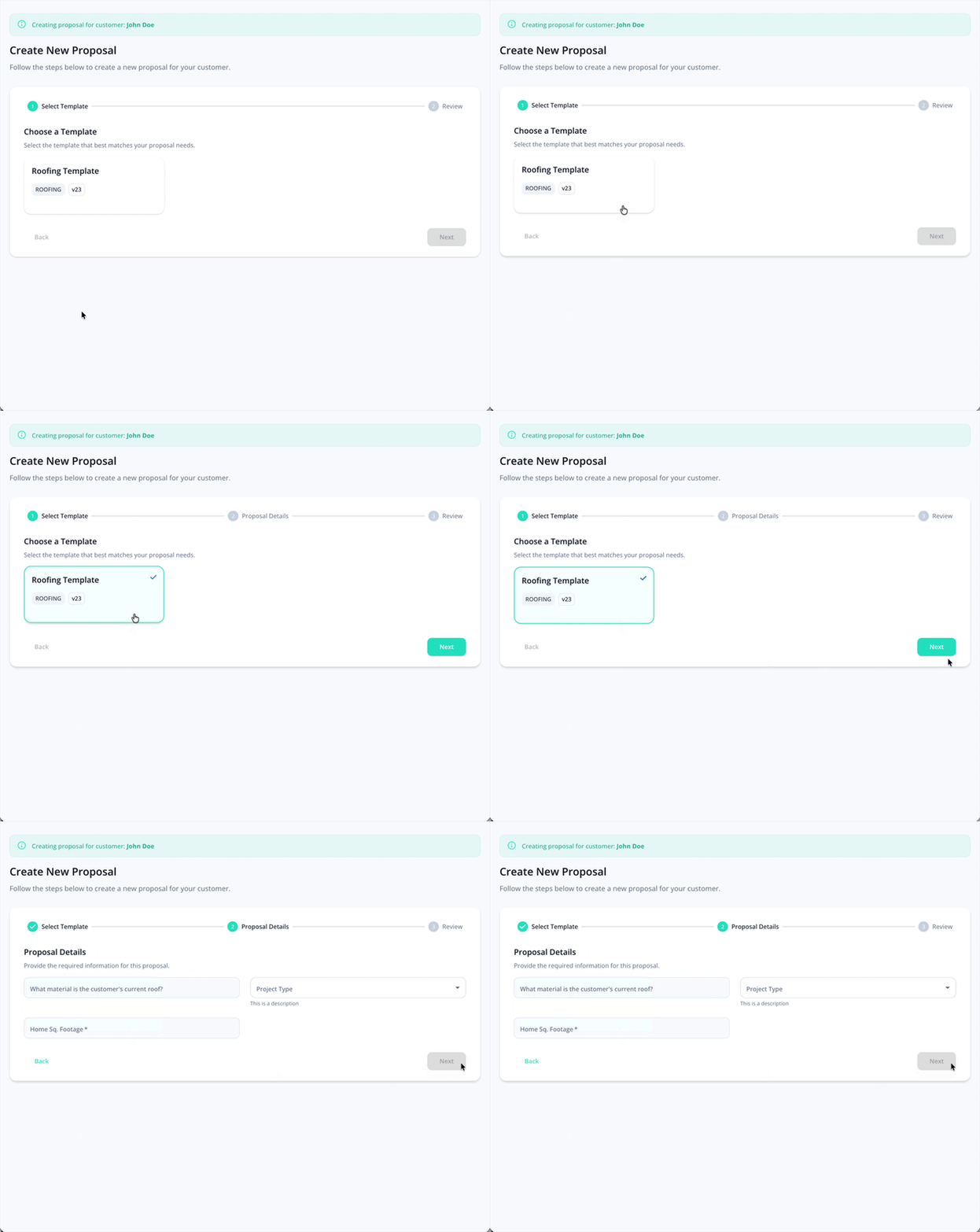
- If your company has created any additional sections for the template, complete those as well.
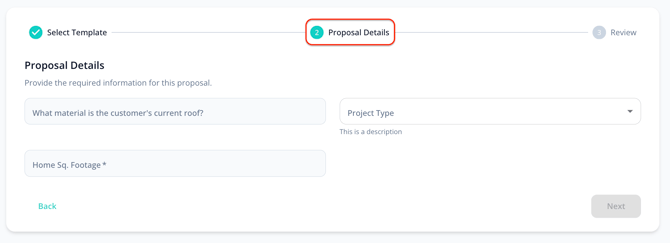
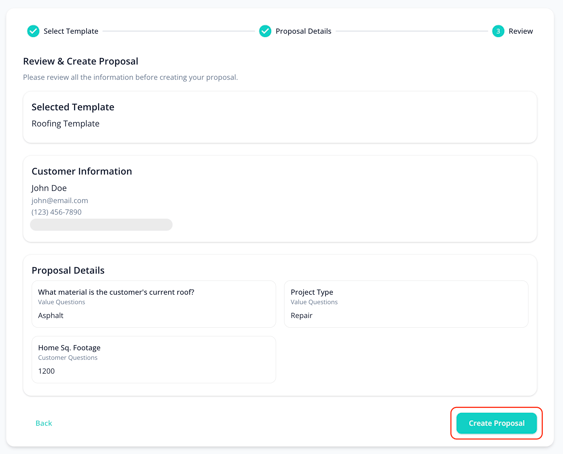
The questions in the image above are examples. Additional questions will vary by company and template. - Review your request information, then click 'Create Proposal'.
- You will be taken back to the customer projects page.
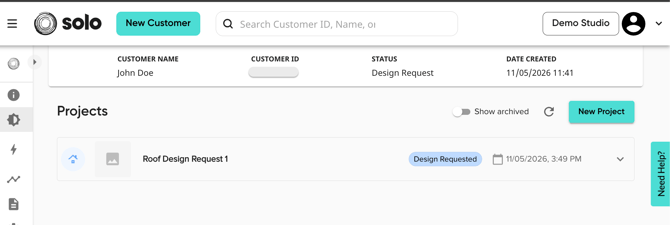
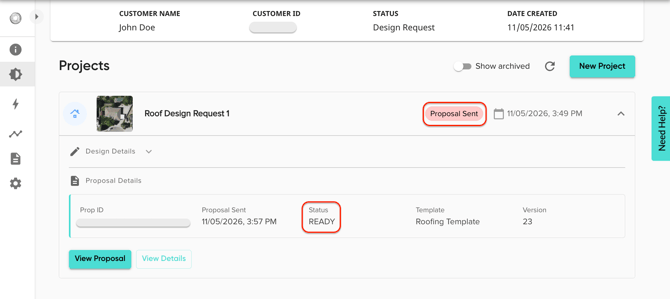
You'll know the proposal design is complete when the project status is 'Proposal Sent' and the proposal's status is 'Ready'. Refresh or reopen your proposal and the design will appear!