This tool is currently in beta and may not be available to all users. Please reach out to an admin or owner to see if your company is currently configured for this product.
Creating a new customer account will take you directly to the Projects page and the 'New Project Request'. Learn how to create a new customer account here!
Otherwise, a new project request can be submitted for any customer from the Projects page of their account.
- In the 'Projects' tab of your customer, click 'New Project'.
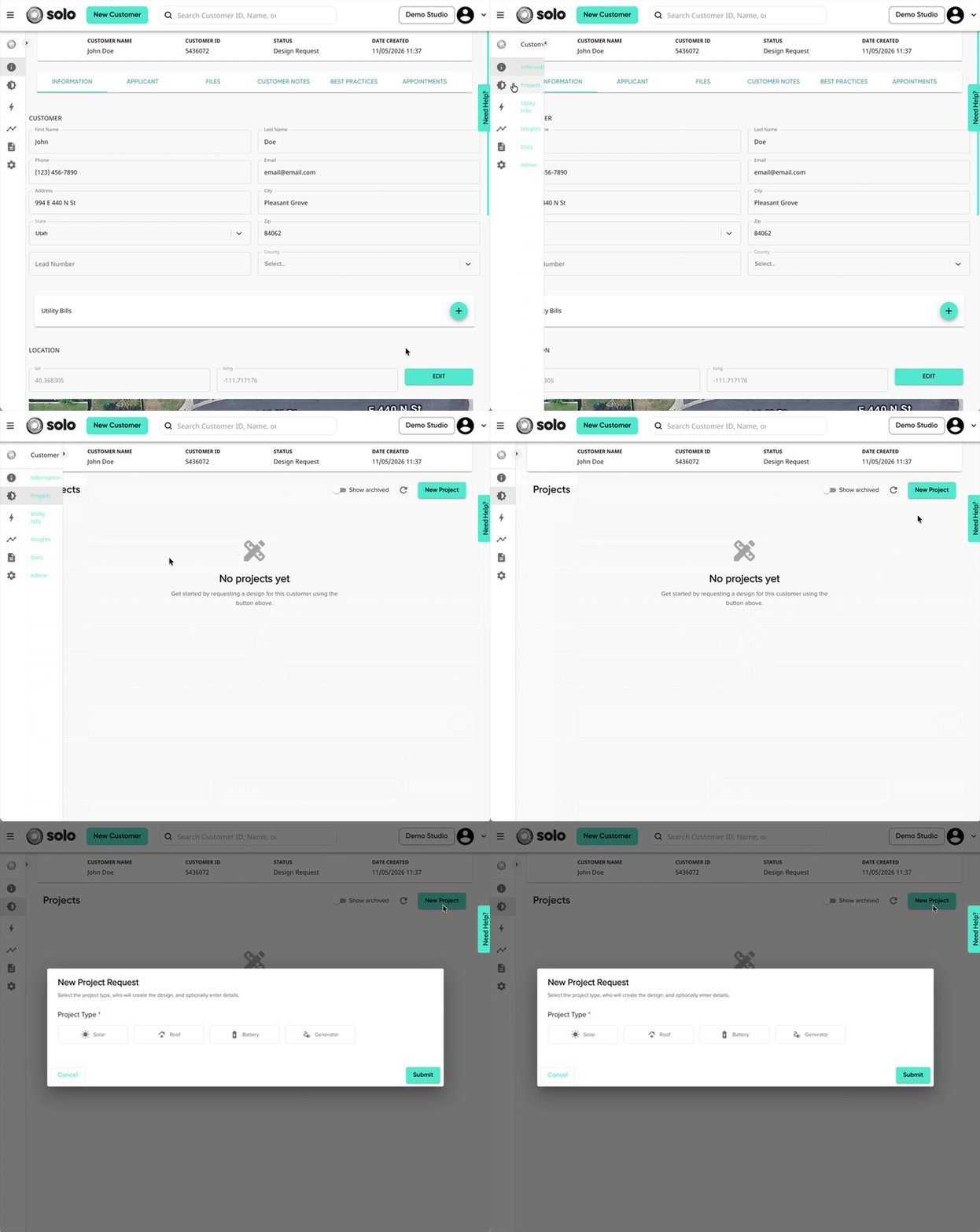
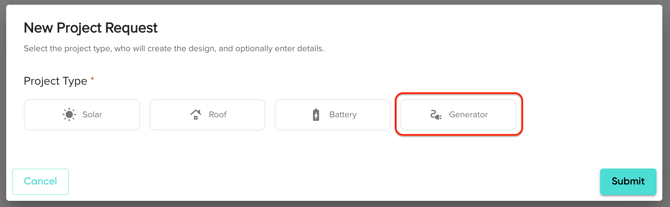
- Select 'Generator' as your project type.
- Click 'Create Proposal'. You will be redirected to a new page to complete the project request.
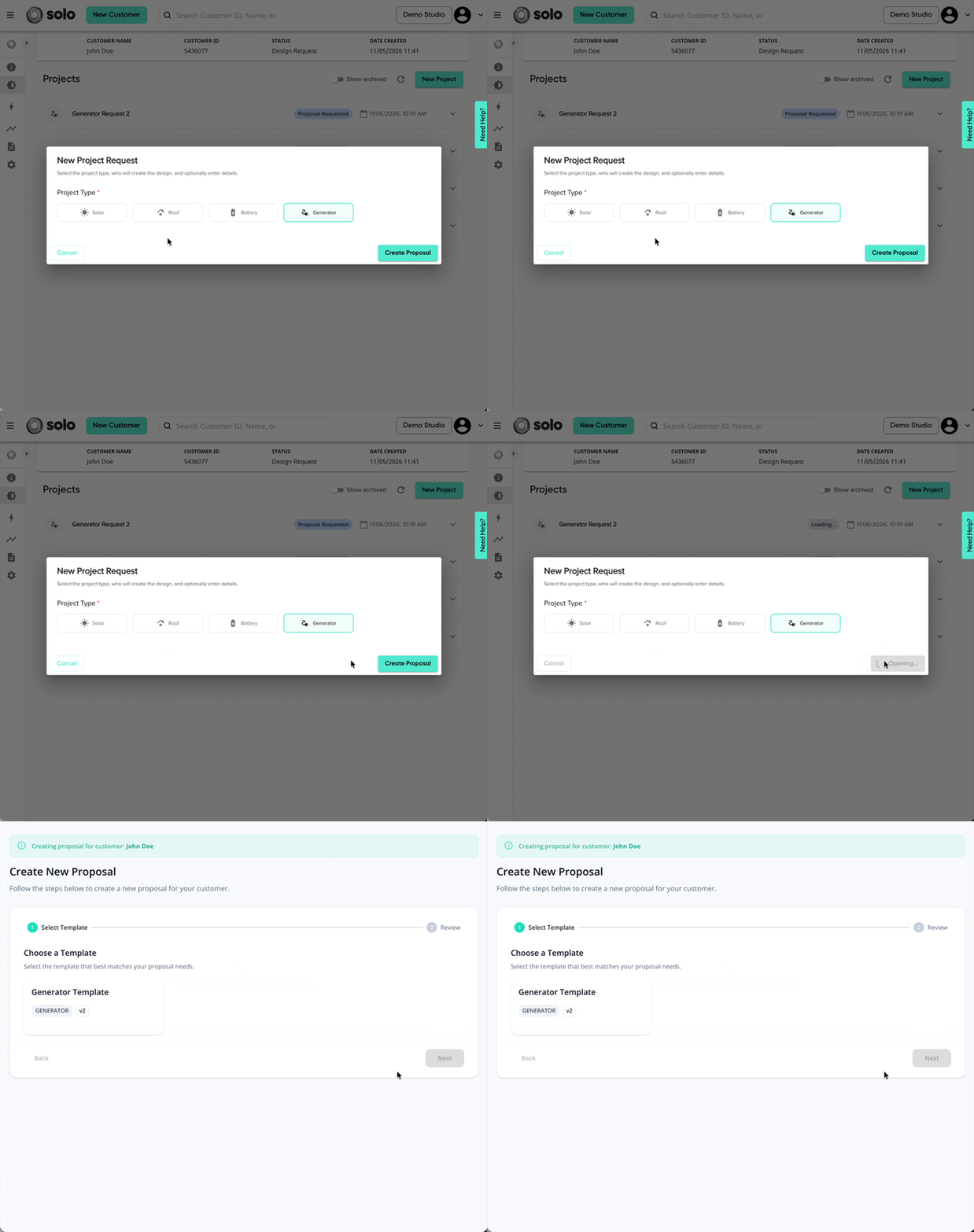
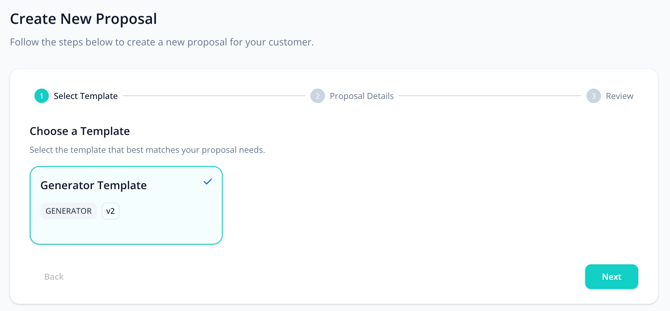
- Select which template you'd like for your proposal. Then, click 'Next'.
- If you're unable to see the template you'd like to use, please reach out to an Admin or Owner.
- If your company has created any additional sections for the template, complete those as well.
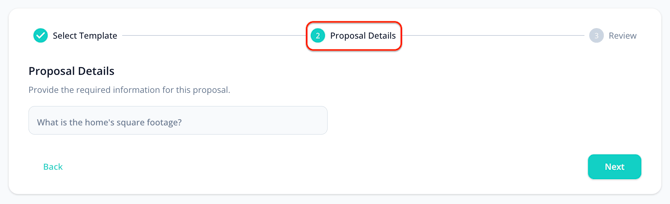
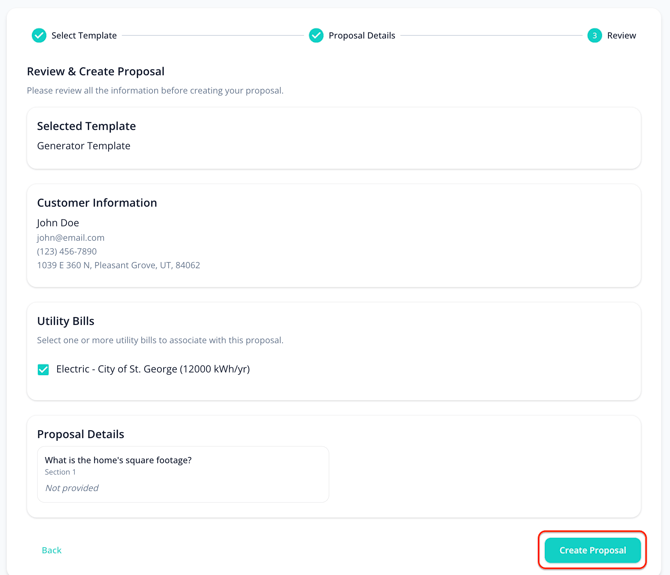
The question in the image above is an example. Additional questions will vary by company and template. - Review your request information, then click 'Create Proposal'.
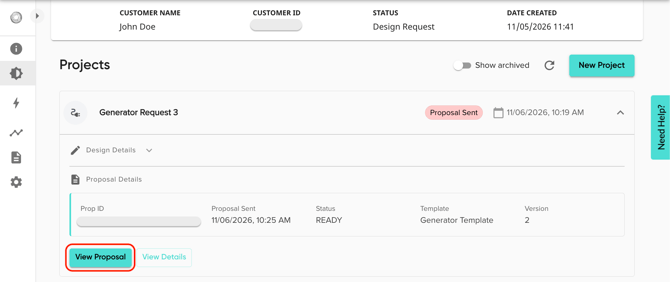
- You will be redirected back to the customer Projects page, where you can access your generator proposal. Just open the project's dropdown, then click 'View Proposal'.