
We’re excited to share the latest updates designed to make your experience in Solo smoother, smarter, and more accurate. Check out what’s new below—and don’t forget to reach out if you have any questions!
🛰️ Google Solar Imagery
Google Solar now is an option for an image source for designs!
🔄Updates in Mission Control
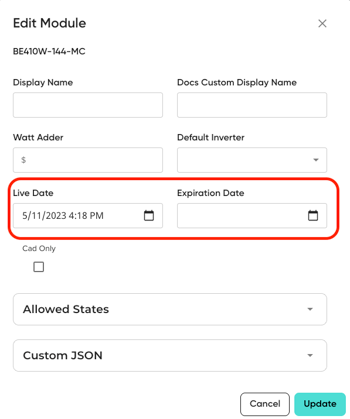
Live and Expiration dates are now both a setting option for all equipment options.
This functions similarly to how batteries is set up.
Standardized Equipment Activation
When “Add Equipment” is used, the equipment/finance options populate into MissionControl with the 'INACTIVE' banner and require manual confirmation via live date adjustment, adding dealer fees, adding pricing and then manually saving the MissionControl tab. This has been updated across the module, inverter, optimizer, and battery pages.
Standardized Equipment Drop Downs
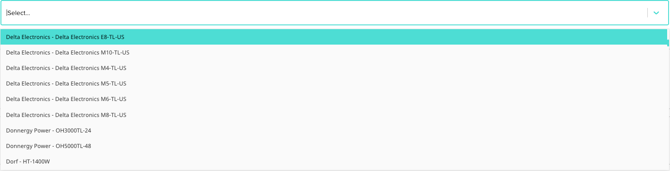
Previously, drop-downs in the module, inverter, battery, and optimizer pages showed different order and items when it came to the naming of the equipment. Now, the only manufacturer name and manufacturer part number will display in all equipment pages.
🔄 Data Grids Update
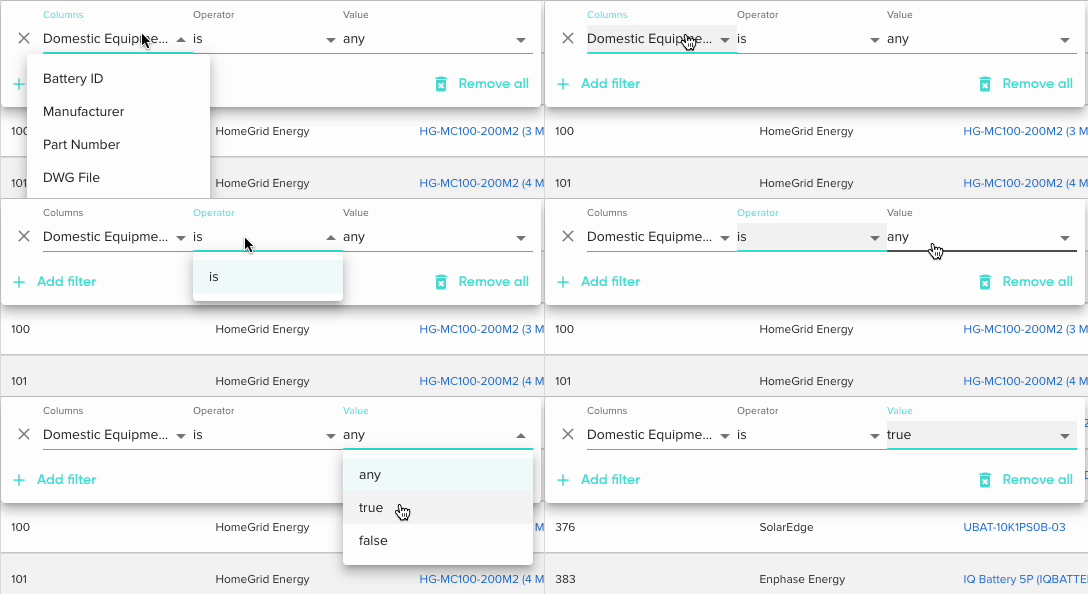
A “Domestic Equipment” filter and column to equipment search data grids have been added. This filter has been added to the module, inverter, battery, and optimizer searches.
2025 Year in Review 🎉
👤 New User Page
We launched a new user profile page. Take a new look here!
.gif?width=519&height=501&name=Untitled%20design%20(1).gif)
✒️DirectDesign 2.0
We updated user interface to have more accurate shade reporting, and tree modeling. DirectDesign 2.0 gives you more control and precision than ever before. Read all about what's included in DirectDesign 2.0 here!
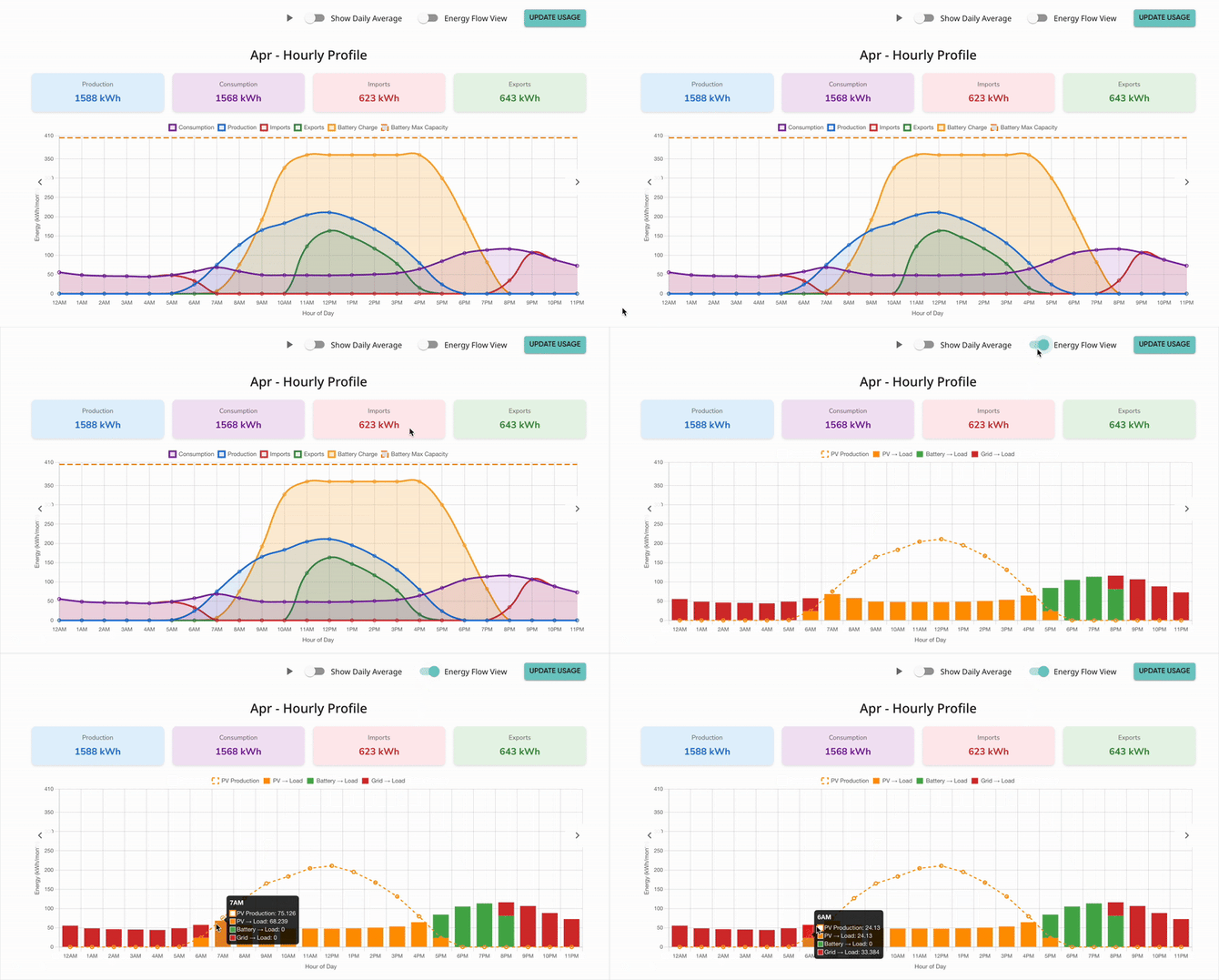
📈 New Graph Page
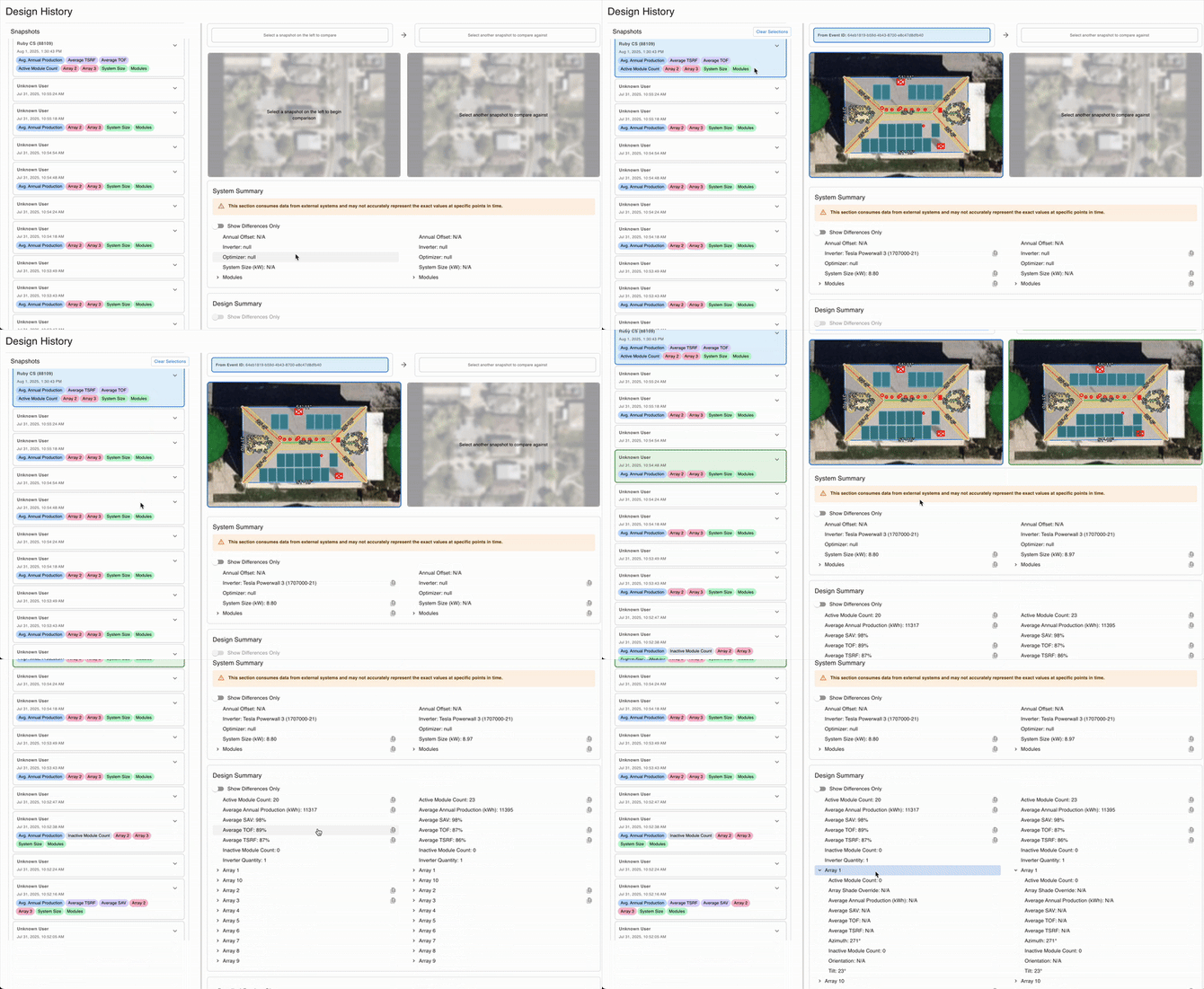
🕐 Design History Version Comparison
Users gained access to view and compare two versions of a proposal at the same time. With this update, you'll be able to review each saved version's equipment and design details, without having to switch back and forth!
📔 Data Grids
We enhanced both the design and functionality of Data Grid pages! These improvements allow for quick filtering and sorting, significantly boosting usability throughout the platform.
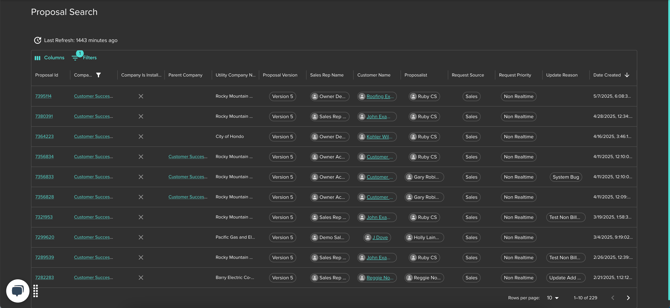
🔗 Data Grids: How They Work and Where You'll See Them
🔗 Navigating Through Data Grids
🔋 Battery Optimization Hub
We made big improvements to how you work with batteries in MissionControl and proposals!

🌞 Production Details
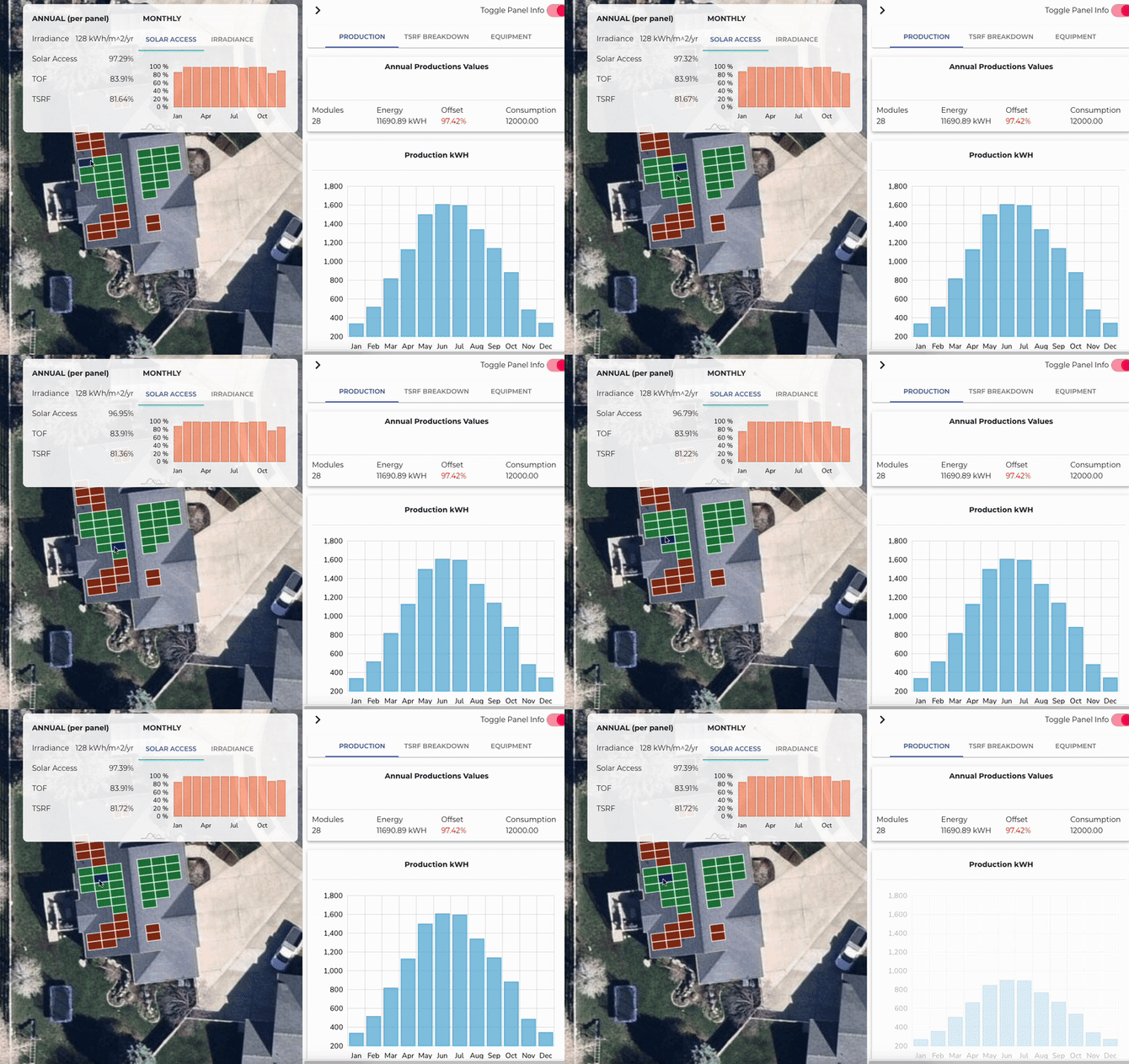
In the Production tab, users have the ability to view all production details in one place.
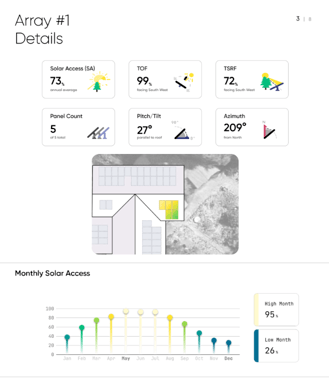
⛅ Shade Reports
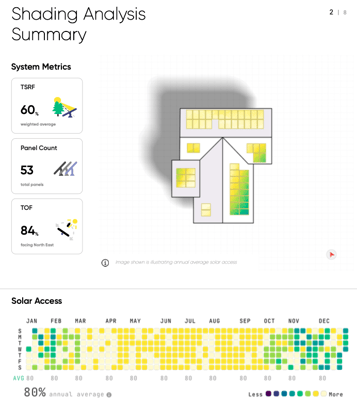
Shade Reports is a cutting-edge product designed to provide users precise shading detail and streamline incentive approval process.
⛑️ Professional Support
We introduced a new Professional Support tier for teams who want faster answers and more hands-on help.
Account owners or administrators can easily enable Professional Support by contacting our team directly!
✅ Solo Certified
We launched Solo Certified! The go-to place to take courses on all things Solo!
🔗 Sign up and take Solo Certified courses
🔮 What's Next for Solo?
Solo Studio
Solo Studio gives you complete design control, whether in-house or with our managed service and fully integrated with the proposal platform trusted by thousands of solar companies nationwide.
🔗 Join the Solo Studio Waitlist
Proposal Template Engine & Battery Only Proposals
The Proposal Template Engine will give users the ability to generate "instant" proposals that are not solar and do not have to go through the managed service.
🎉 As always, we’re here to support your success!
💬 Have questions about these updates? Explore the available walkthroughs and articles right here in the Help Center, or reach out to your Success Manager for personalized support.
We hope you enjoy the latest improvements & let us know what you think! 💖