This feature is currently in Beta and may not be available to all users. Please contact Solo Support or your account manager to learn more.
For a roofing proposal to be created from a solar proposal, you must have the following:
- A roofing template has been created for your company
- Your user has access to an available roofing template
If you're unsure if these conditions are met, please reach out to an admin or owner.
From the customer page, you're able to generate a roofing proposal from a delivered solar proposal. Follow these steps to learn how:
- Open the customer information page for the customer you'd like to generate a roofing proposal for.
- For help searching a customer, use this guide here.
- Using the sidebar, open the 'Projects' page.
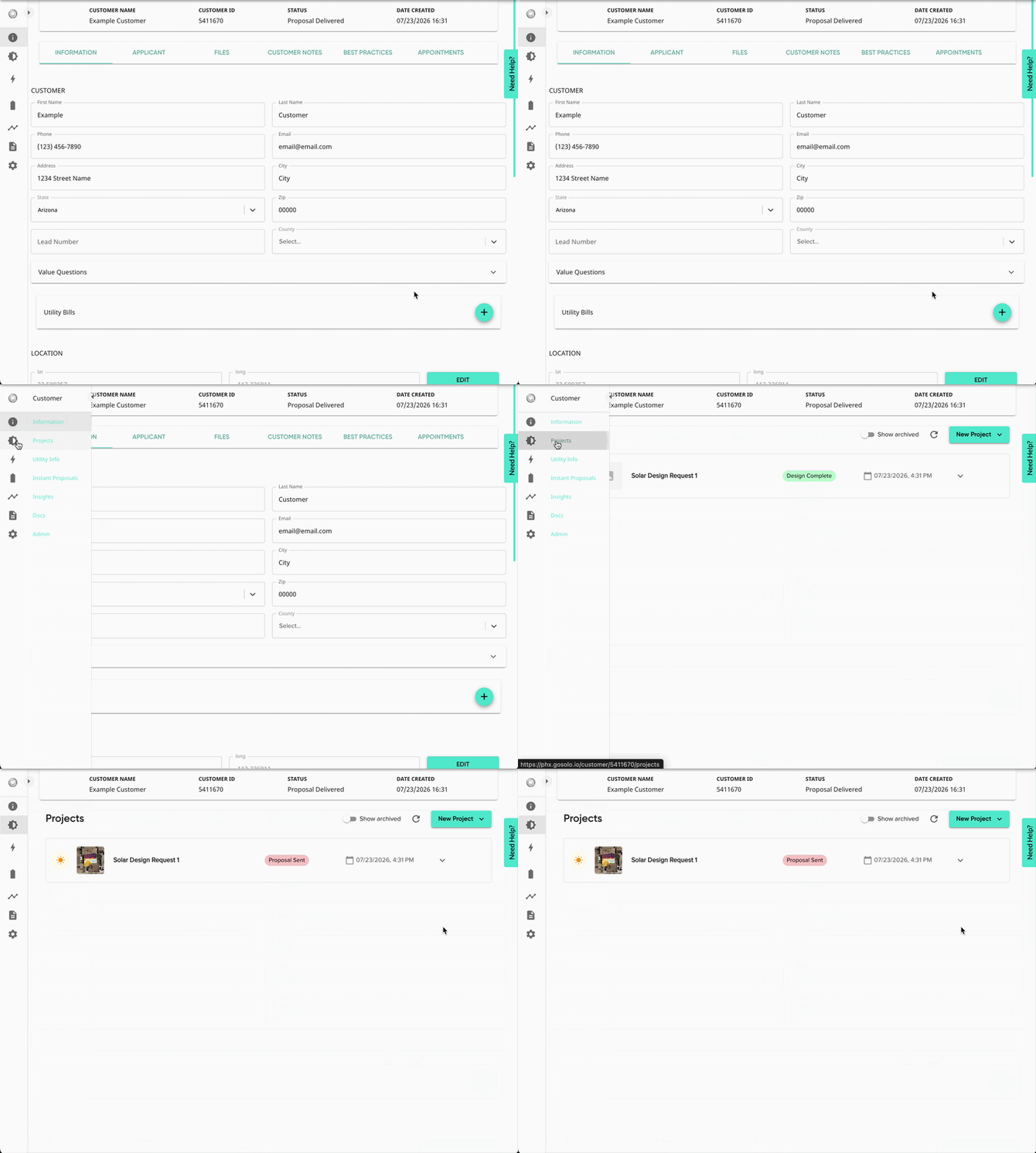
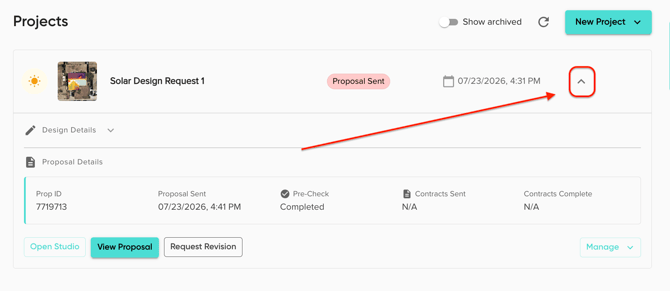
- For the design/proposal that you'd like to create a roofing proposal from, open the dropdown.
- Open the 'Manage' dropdown and click 'Generate Roofing Proposal'.
- This option will only appear for a project with the 'Proposal Sent' status.
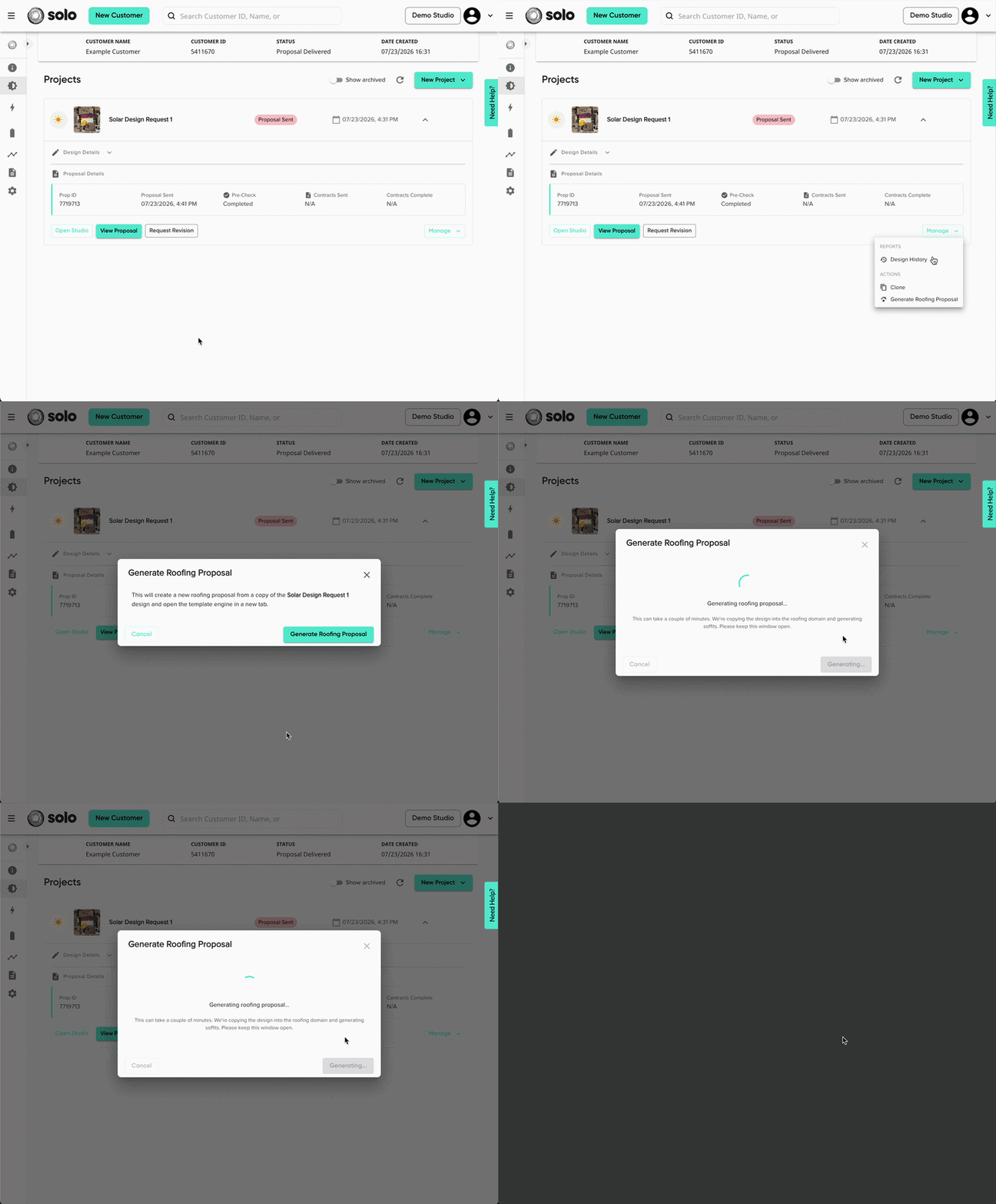
- This will open a new tab where you can select which template you'd like to use for the roofing proposal. Once you've selected your desired template, click 'Next'.
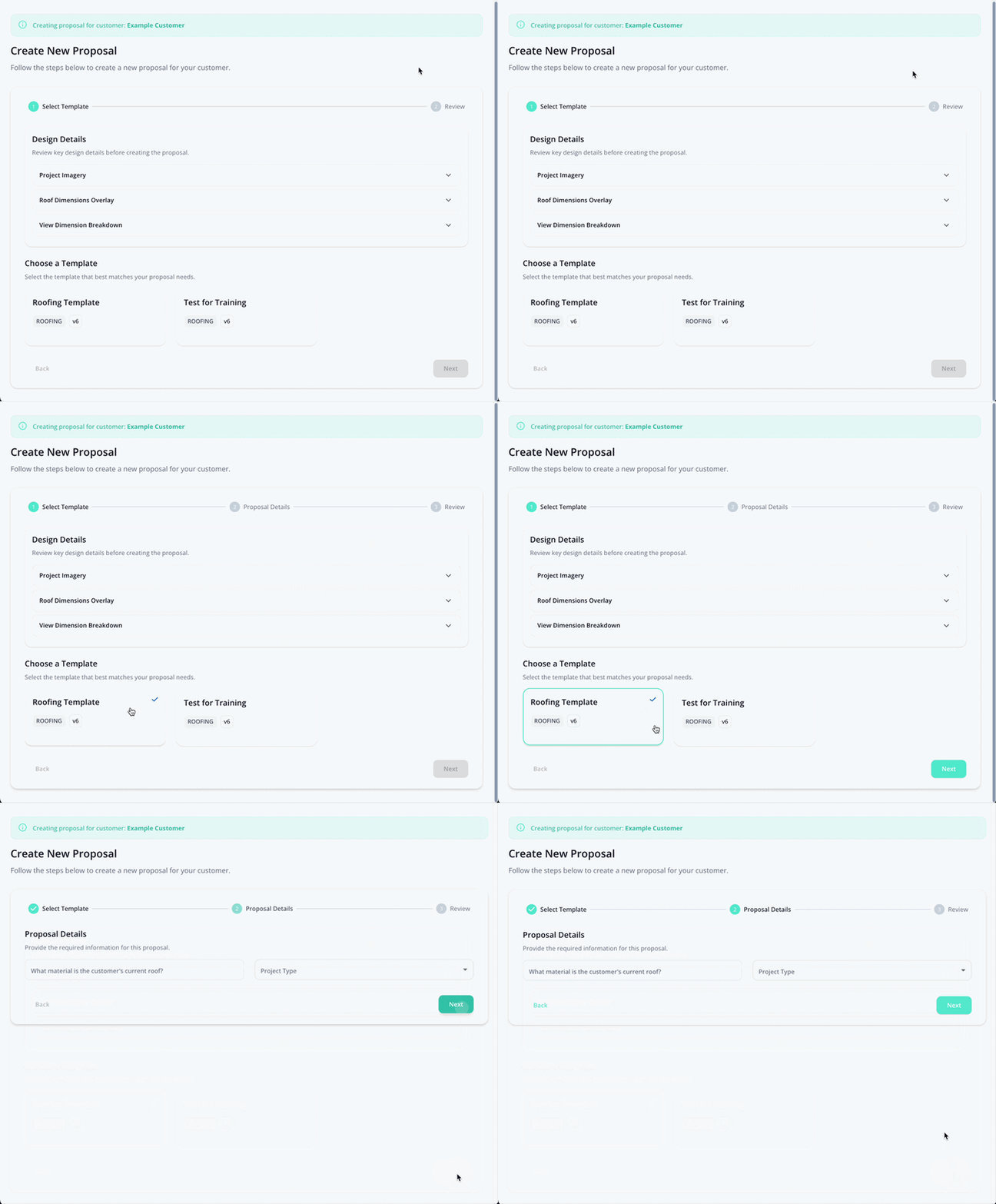
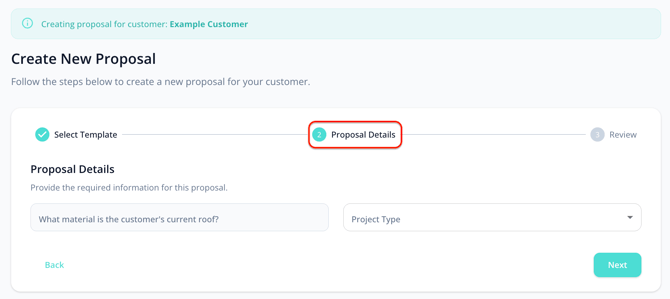
- If your company has created additional sections for this template, complete those as well. Then click 'Next'.
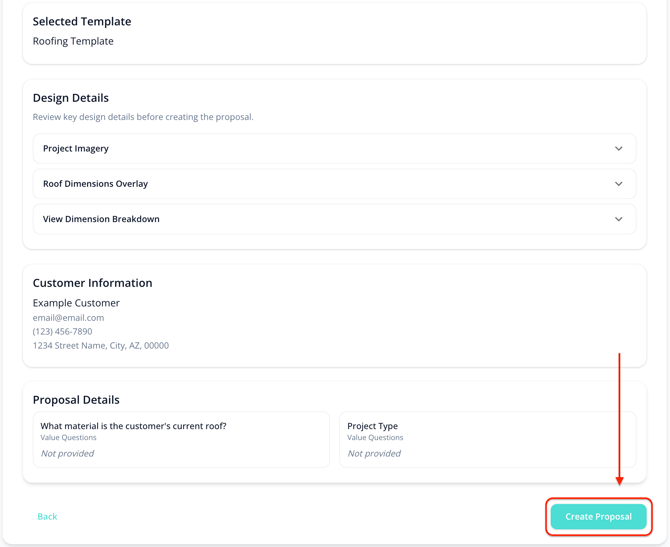
- Review the design and customer information.
- Click 'Create Proposal'.
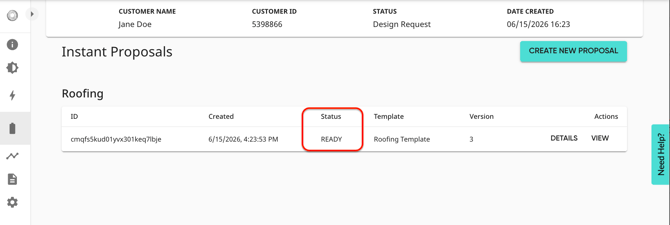
- This will take you straight to the 'Instant Proposals' tab of the customer page. While your roofing design is being is completed, you can still view the proposal by clicking 'View' on the right.
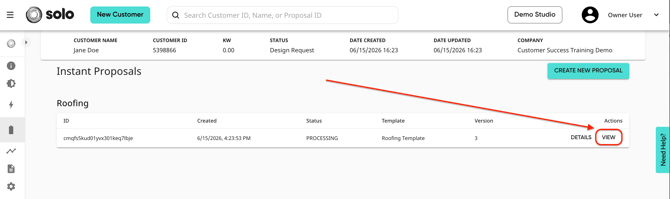
- You'll know the proposal design is complete when the proposal's status is 'Ready'. Refresh or reopen your proposal and the design will populate!