
The MissionControl portal is only accessible to users with the SAAS Owner role.
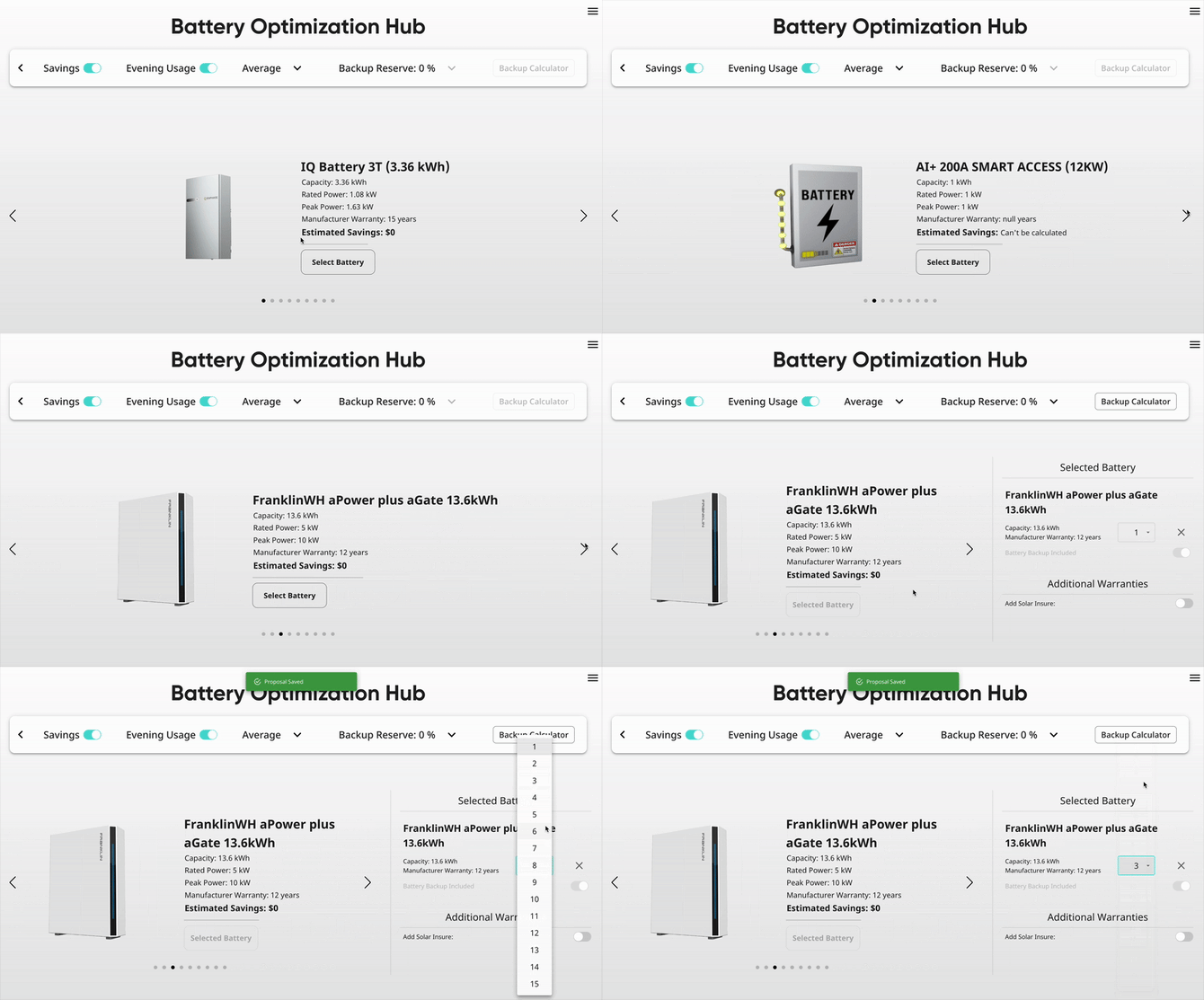
This section of MissionControl will control the battery options that you and your users see on your solar proposals. Batteries will be accessible from two places on the proposal:
The Battery Optimization Hub page:
And in the 'Equipment' section of the proposal sidebar:
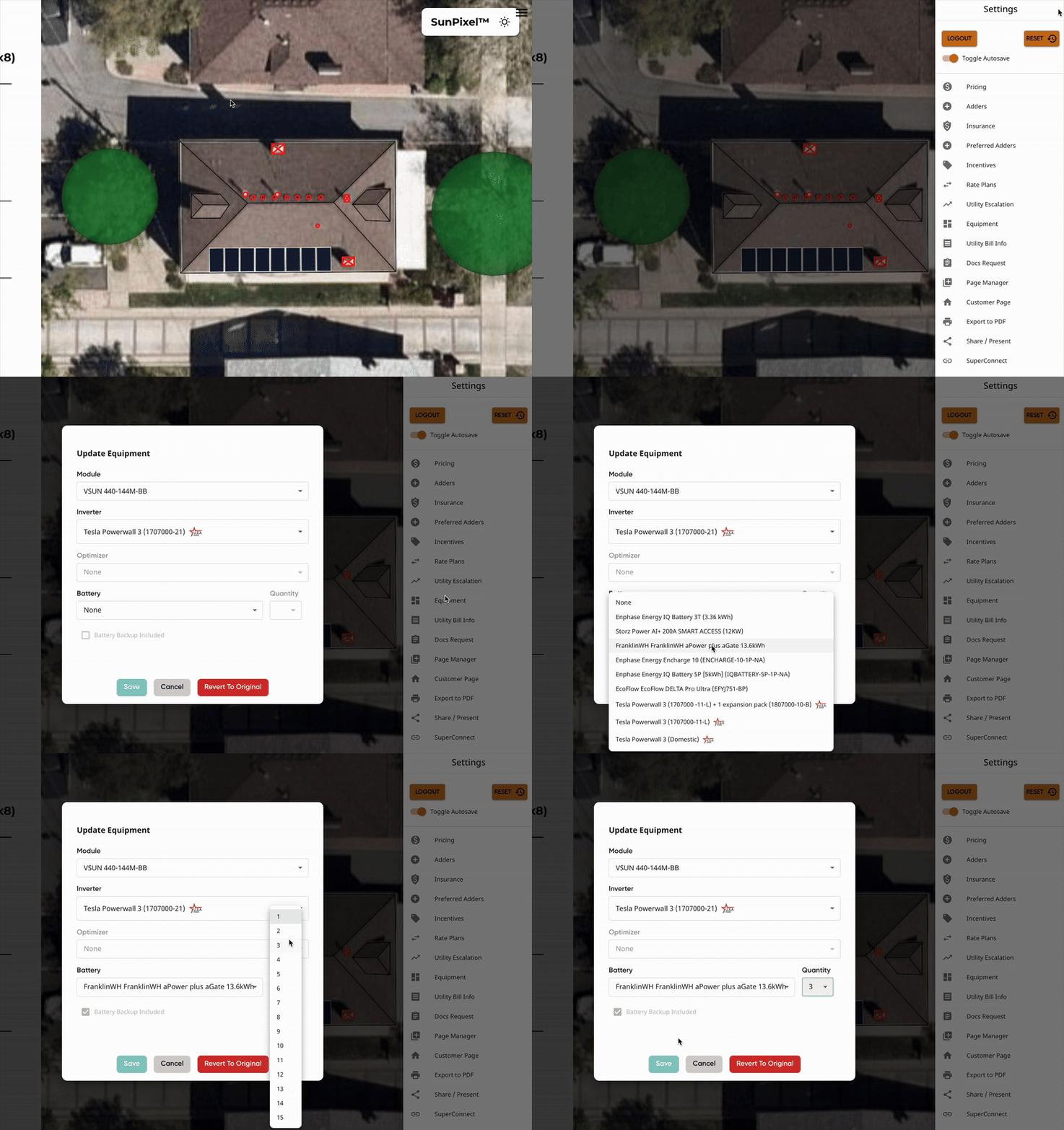
Solo's Equipment Database
Batteries are built out in our backend to include all the necessary date to accurately estimate your customer's savings values. This allows our proposals to dynamically estimate the benefits of adding a battery to your customer's system.
When adding options, you'll select from our pre-built options, all created according to the manufacturer's spec sheets.
Not seeing a battery option that you'd like to add? Feel free to contact our support team to get that added!
What is Available in MissionControl Battery Settings?
In MissionControl, you'll be able to add new options, customize the order they appear, and adjust the settings of each individual battery. This includes the option to edit the following:
- Display Name
- Max Battery Count
- Live & Expiration Dates
- Pricing
- Pricing for Backup and Non-Backup
- Input/Variable OR Fixed Pricing structures
- Promotion Pricing
- Additional Warranties
- Allowed States
Learn more about editing battery options in this article!
Resources
To make your experience with configuring your battery options in MissionControl as easy as possible, we have the following resources:
- Adding and Removing a Battery Option
- Editing Battery Settings
- Creating Additional Battery Warranties
- Updating Battery + Expansion Pack Quantities for GoodLeap TPO Proposals
- Requesting New Equipment
- Live & Expiration Dates
- Reviewing Your MissionControl Changes in an Example Proposal
- MissionControl Change Logs