
SAAS Owner Feature Only!
In MissionControl, there will be a place to customize settings for your Solo Studio tool. There are two sections to this article:
Click the links above to jump to the relevant sections.
Accessing Solo Studio Settings
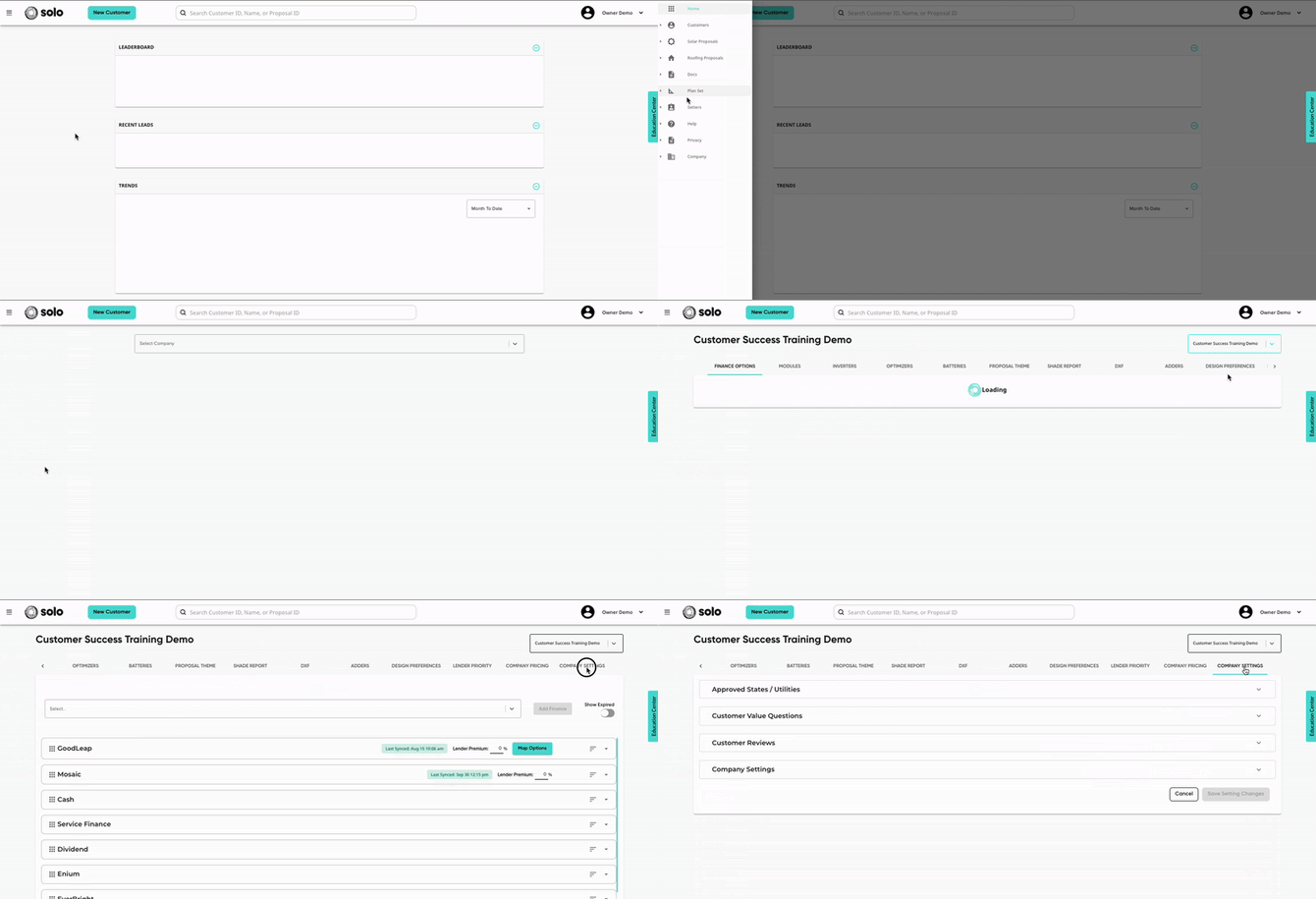
- Open MissionControl and navigate to the Company Settings section.
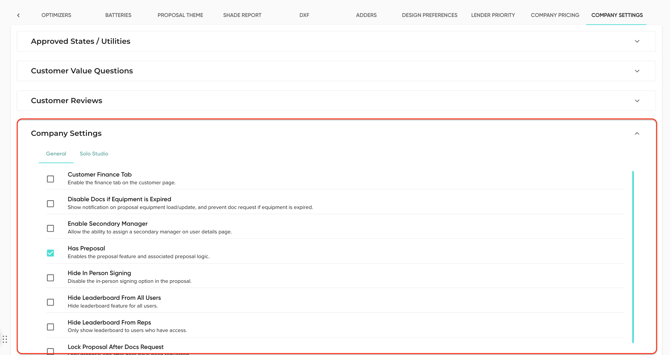
- Open the 'Company Settings' dropdown.
- Click the 'Solo Studio' tab.
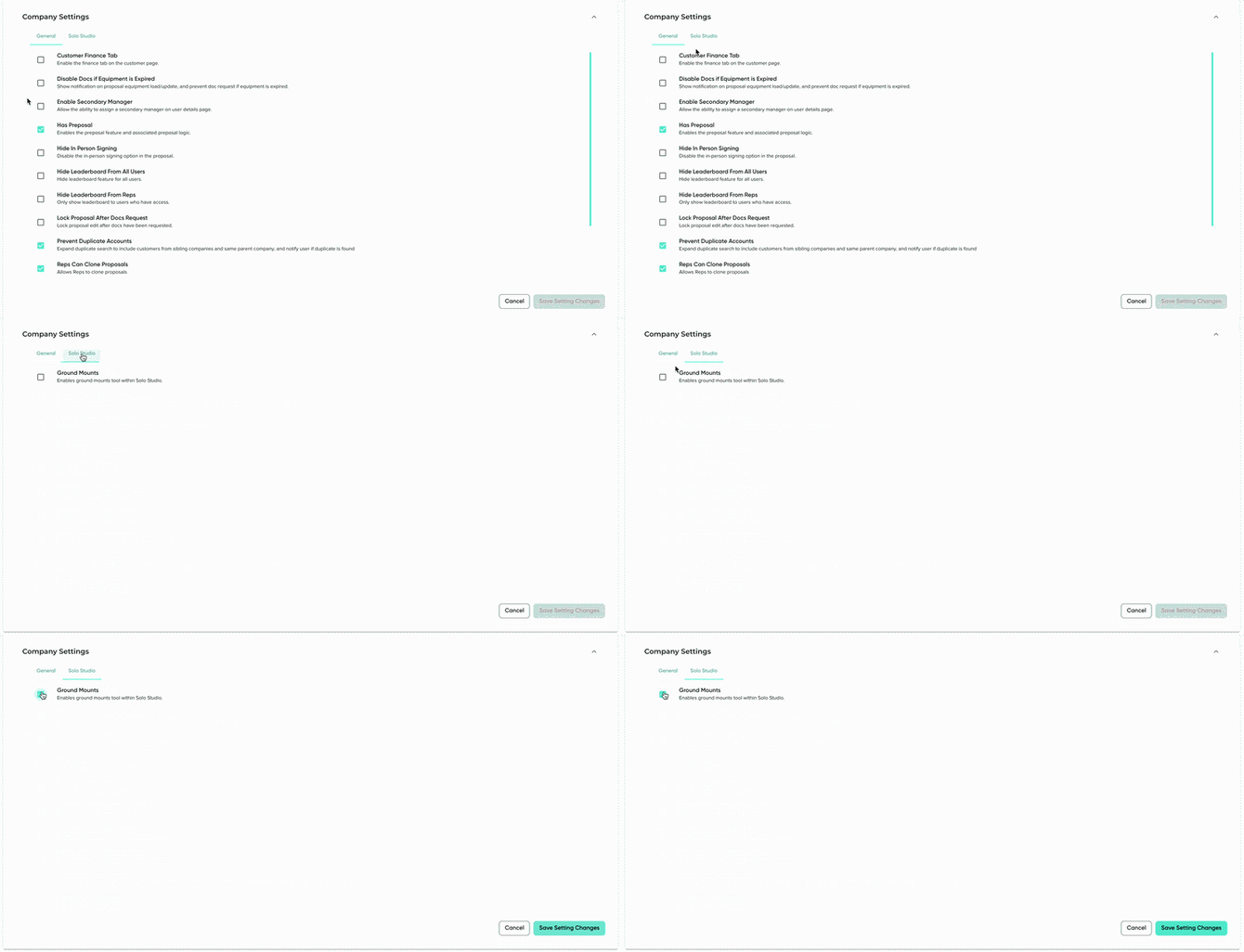
- Check on/off any settings you'd like to adjust.
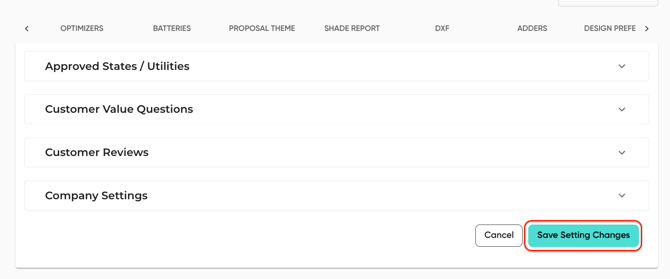
- Click 'Save Setting Changes' in the bottom right!
Available Solo Studio Settings
Ground Mounts - This setting allows your users to add ground mounts to the design in the Solo Studio tool. When toggled off users will not see the ground mount step in the design checklist.