
In this article:
When will a change order be needed?
If you've already submitted an application for your homeowner and would like to make changes to the information, such as contact information or design changes, you will need to process a change order.
How to Process an EnFin Change Order
A change order can be processed on an EnFin proposal by following these steps:
- On the Finance page of the proposal, quick the 'Qualify' button to open the customer's application modal.
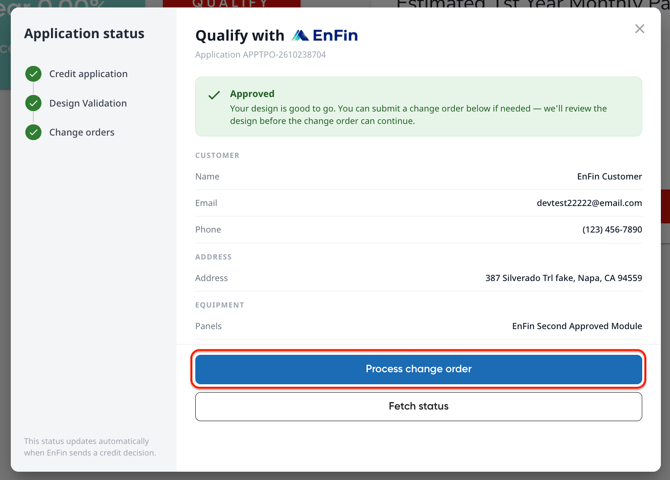
- Click 'Process Change Order'.
- Click 'Request Change Order'. The system will review the changes made to your customer's account/system, then will communicate with the EnFin portal to determine the need for a change order.
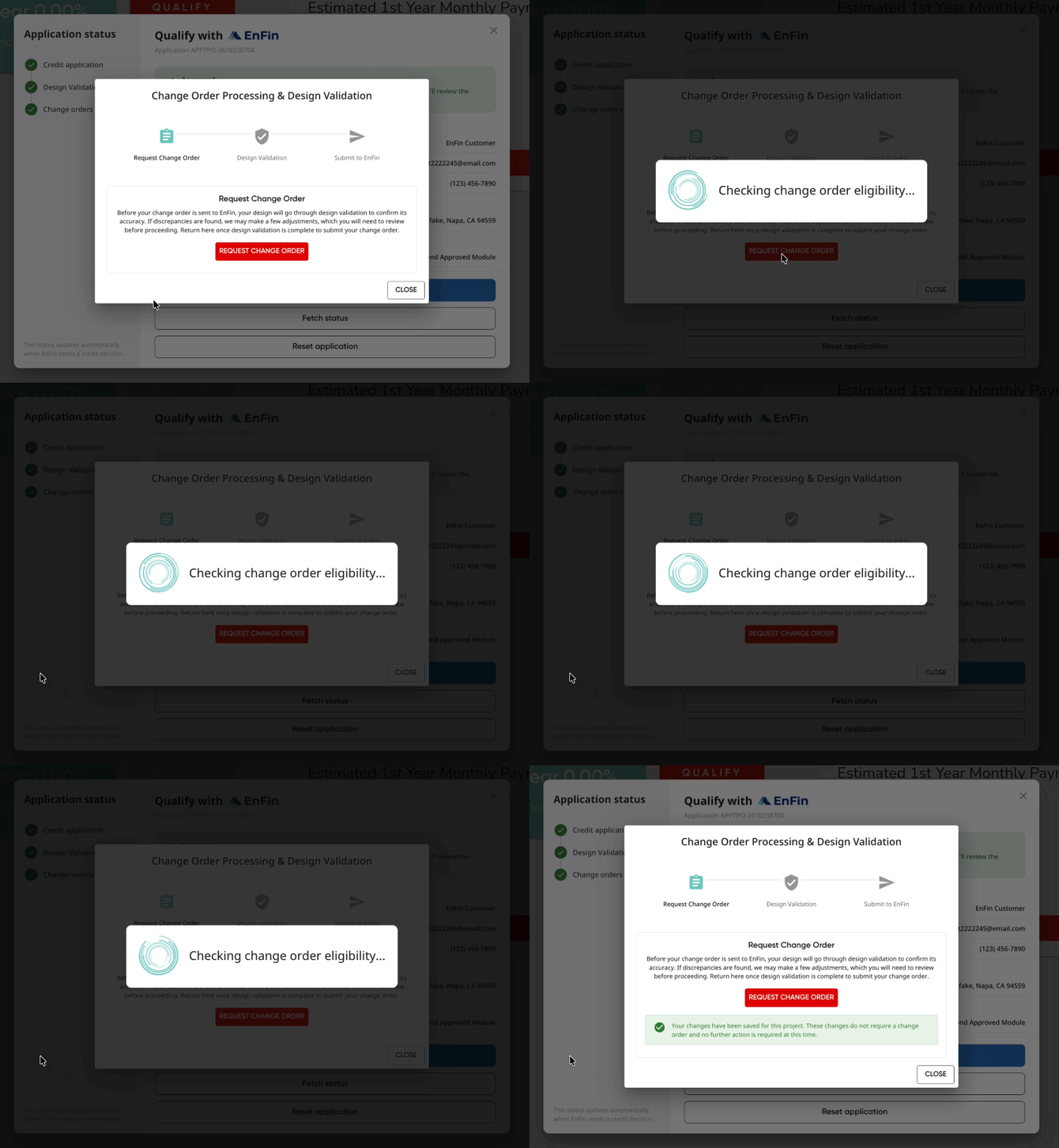
- Depending on the changes you made, a change order may not be needed or may be processed instantly. If you made changes to your design or production, your change order will require Design Validation.
Change orders required Design Validation may require additional steps. Please click here to learn more!