
For customers whose GoodLeap TPO deal includes a battery and expansion pack product, such as the Tesla Powerwall 3 + expansion pack, their project details in Origin will reflect the same quantity that is displayed in Solo. However, GoodLeap requires that all Solo proposals count a battery and its expansion(s) separately. For example, a battery and one expansion pack must show with a battery quantity of two.
To ensure your proposals accurately reflect this for GoodLeap TPO options, below is how you can update your batteries' settings in MissionControl:
Click the links above to jump to the relevant section.
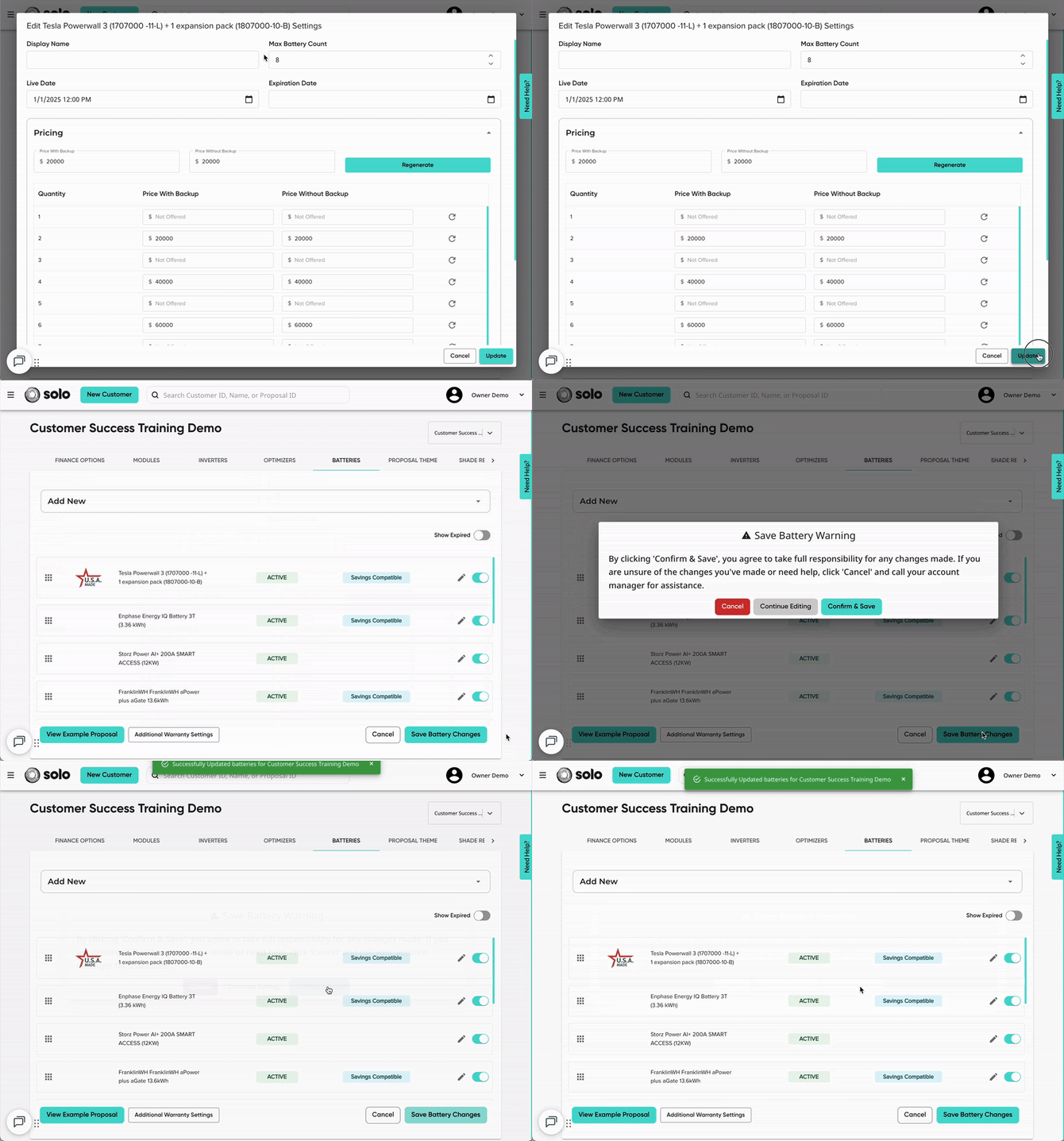
Batteries with ONE expansion pack
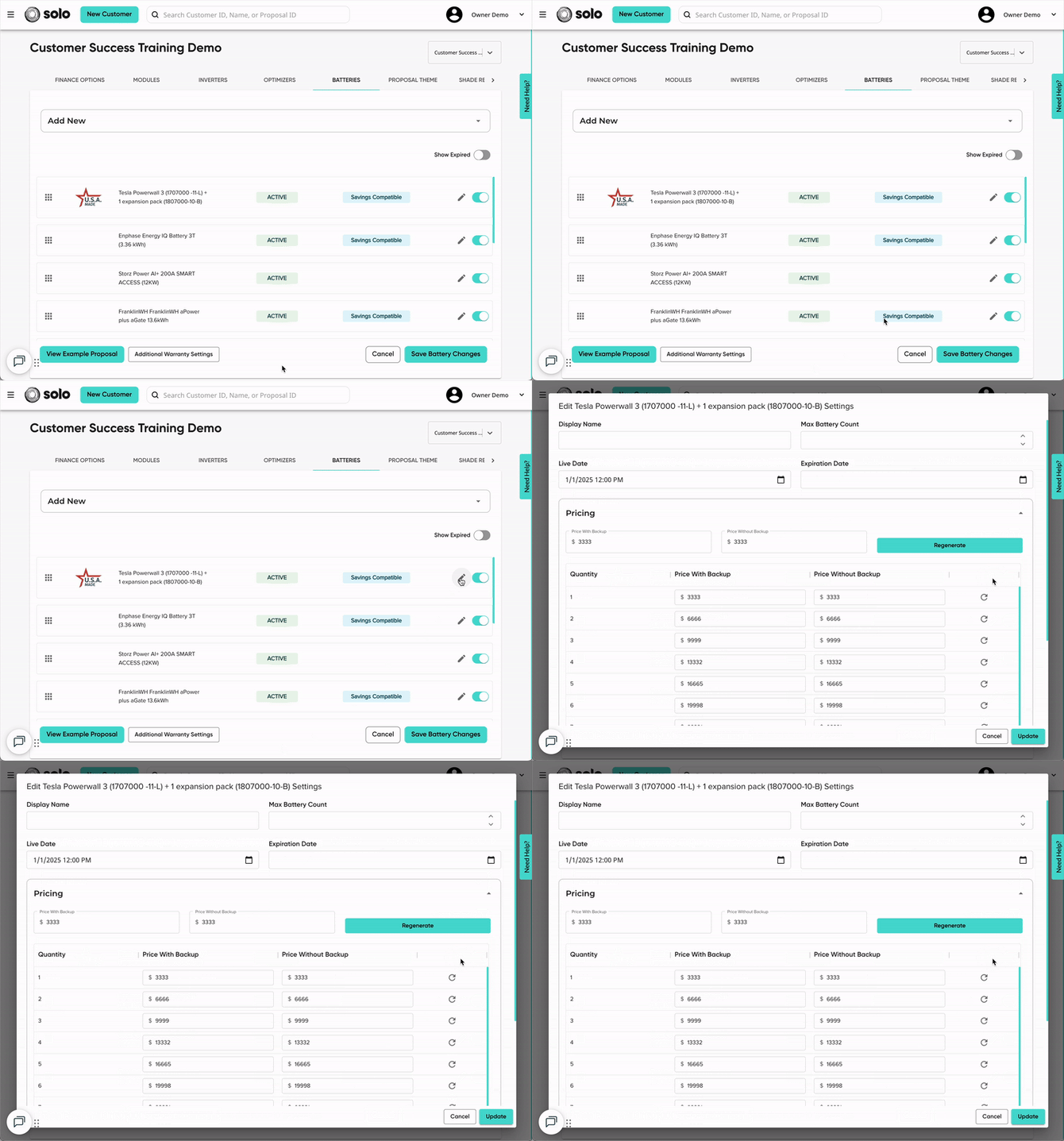
- In MissionControl, open the battery editor for the battery + 1 expansion pack model.
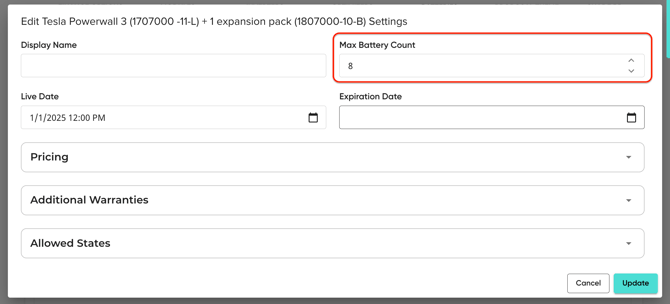
- In the 'Max Battery Count' field, update the value to be double the amount of combination units you allow to be sold.
- EX: if you allow for up to 4 combination units to be sold, you will update this to 8.
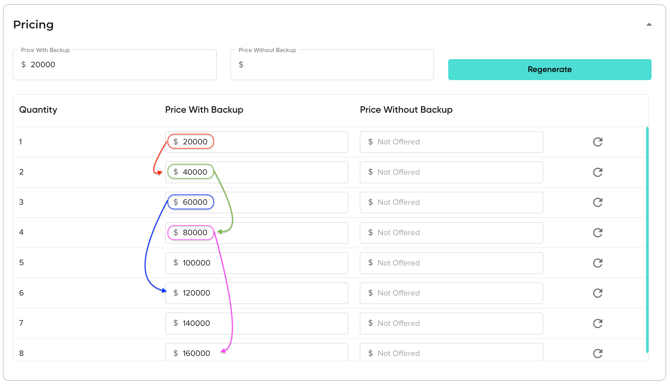
- In the 'Pricing' dropdown, you'll need to update the pricing to match the double quantities. This means that the pricing for quantity 1 will be moved to quantity 2, the pricing for quantity 2 will be moved to quantity 4, and so on.
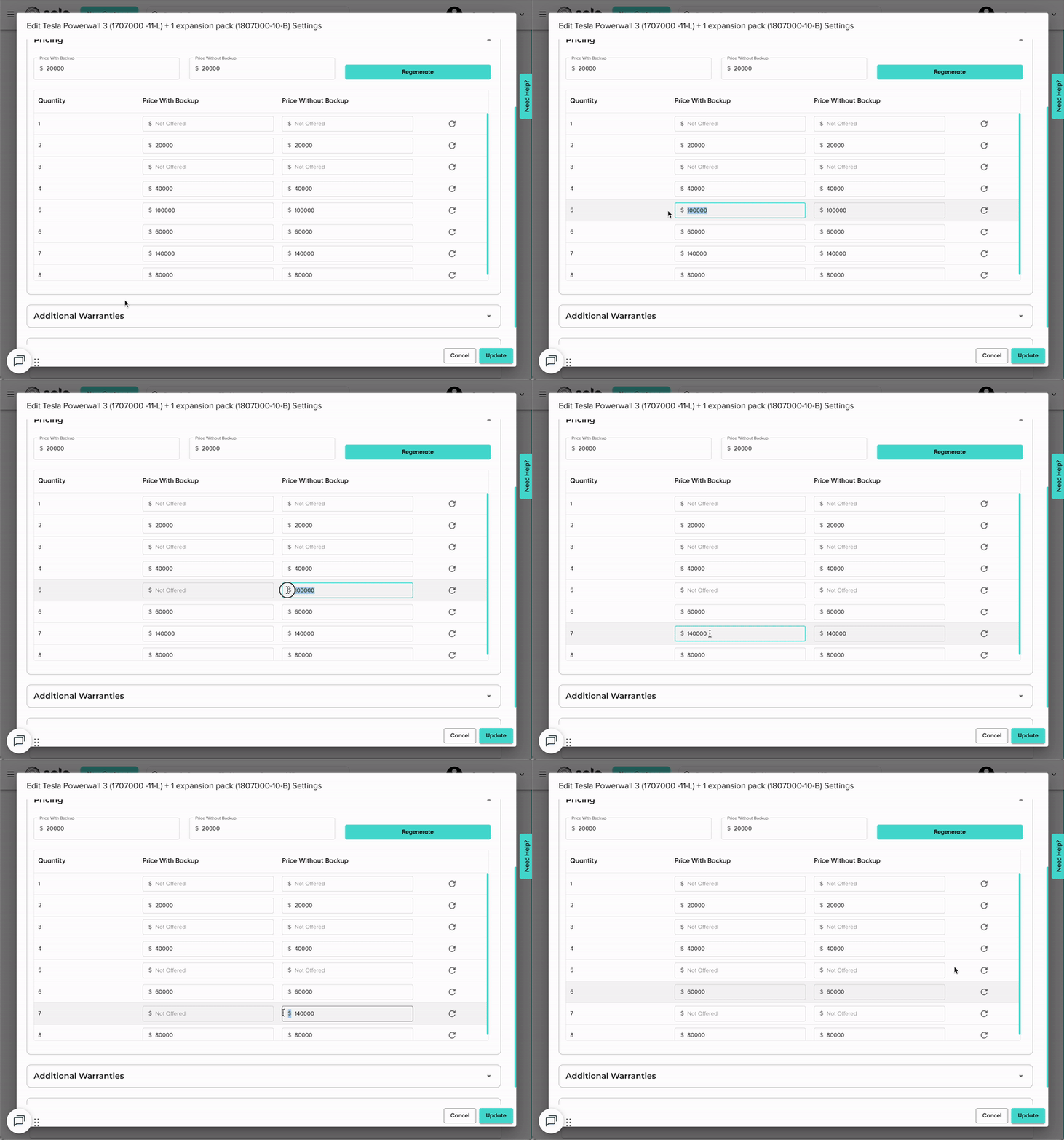
- Clear out the pricing for each odd quantity field (because GoodLeap treats this product as two batteries, we only want users to select multiples of two as their quantity).
- Don't put the value at $0, instead, clear it entirely so it says 'Not Offered' in the quantity field.
- Click 'Update' then 'Save Battery Changes'.
- You can now push change orders for any customer who need this quantity updated in the Origin portal.
Batteries with TWO expansion packs
- In MissionControl, open the battery editor for the battery + 2 expansions model.
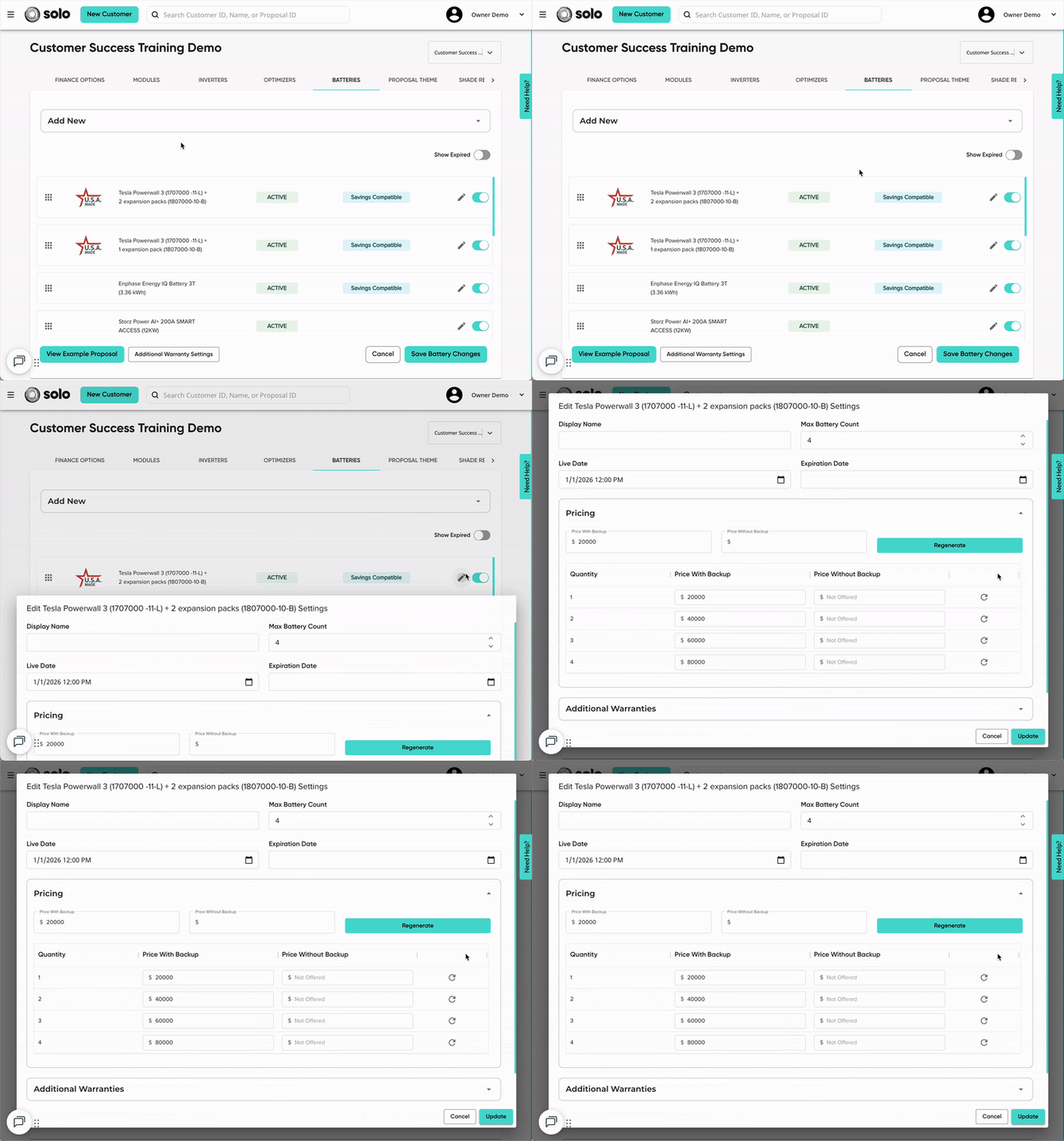
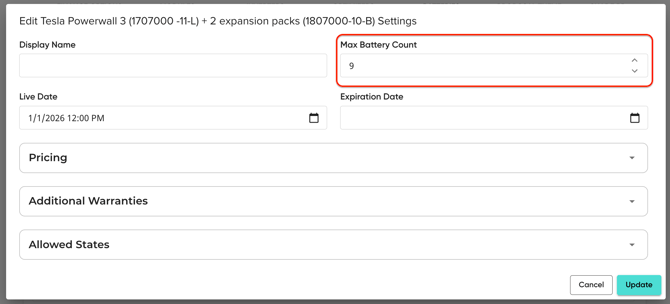
- In the 'Max Battery Count' field, update the value to be triple the amount of combination units you allow to be sold.
- EX: if you allow for up to 3 combination units to be sold, you will update this to 9.
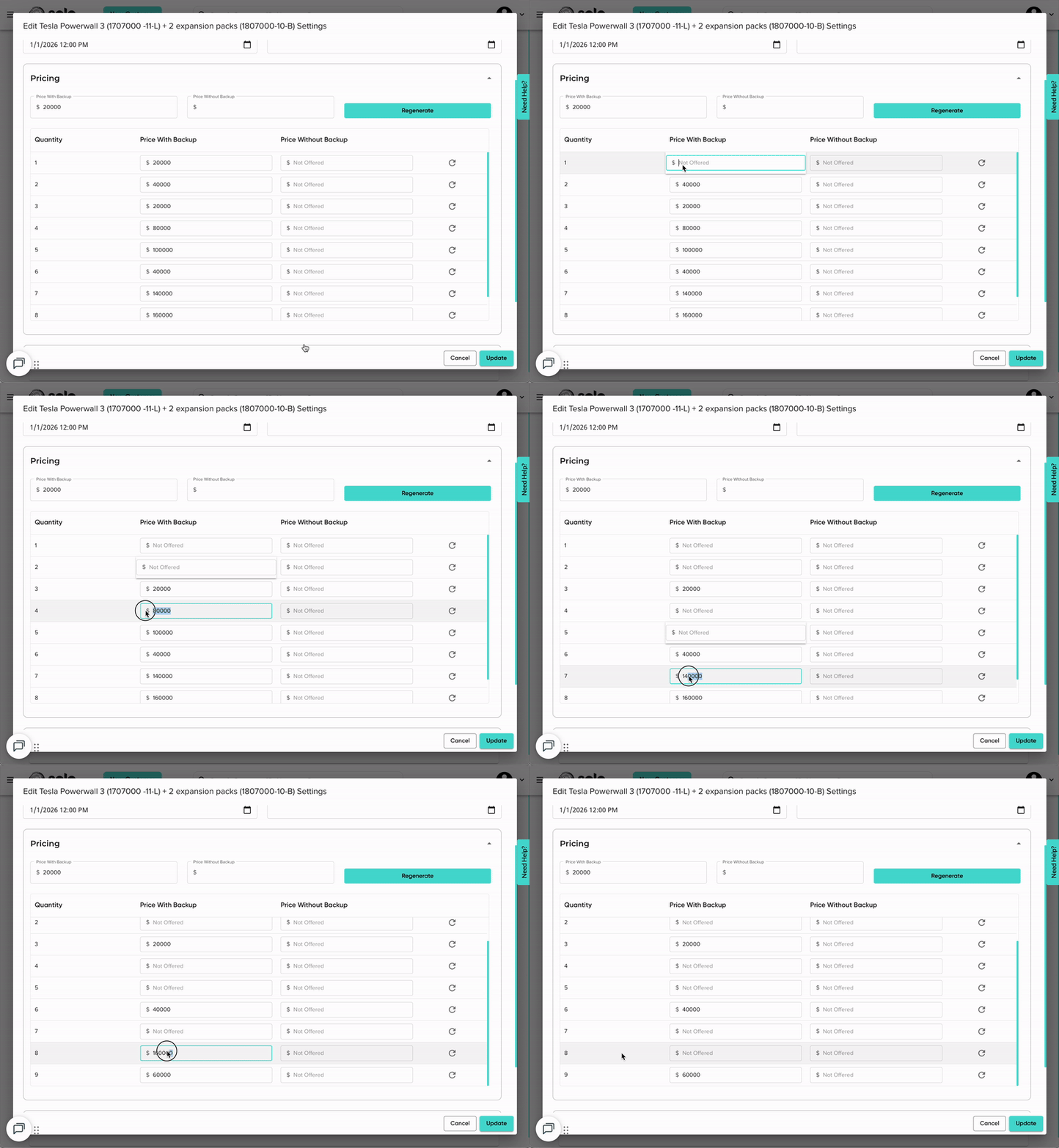
- In the 'Pricing' dropdown, you'll need to update the pricing to match the triple quantities. This means that the pricing for 1 will be moved to quantity 3, the pricing for 2 will be moved to quantity 3, pricing for 3 will be moved to quantity 9, and so on.
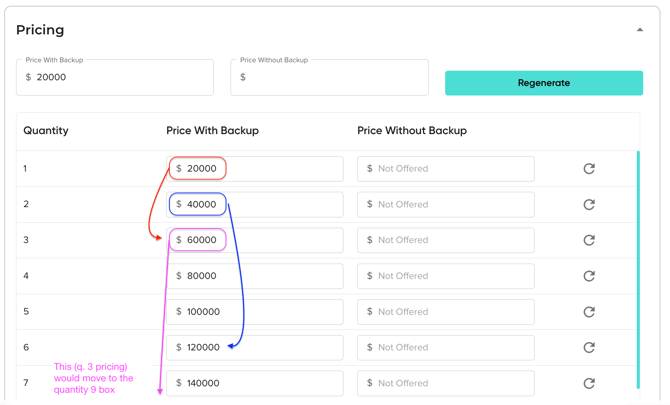
- Clear out the pricing for every quantity field except 3, 6, 9, and so on (because GoodLeap treats this product as 3 batteries, we only want users to select multiples of three as their quantity).
- Click 'Update' then 'Save Battery Changes'.
- You can now push change orders for any customer who need this quantity updated in the Origin portal.