
We're excited to share the latest updates designed to make your experience in Solo smoother, smarter, and more accurate. Check out what's new below — don't forget to reach out to use if you have any questions!
Set a Default Inverter in MissionControl
You can now set a default inverter option in your list of inverters in MissionControl! The default option will automatically be used on all Solo-created designs, and will be the first option users see in Solo Studio.
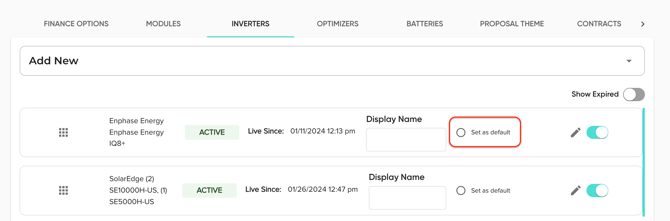
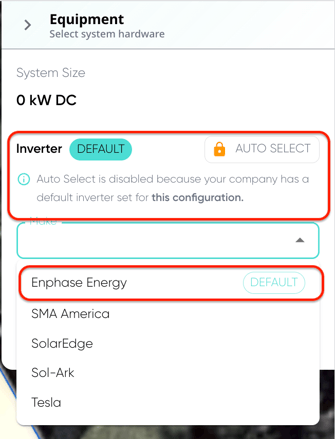
🔗 Owners, learn more about setting an inverter default here!
Updated Utility Rate Plan Verbiage Across All Proposals
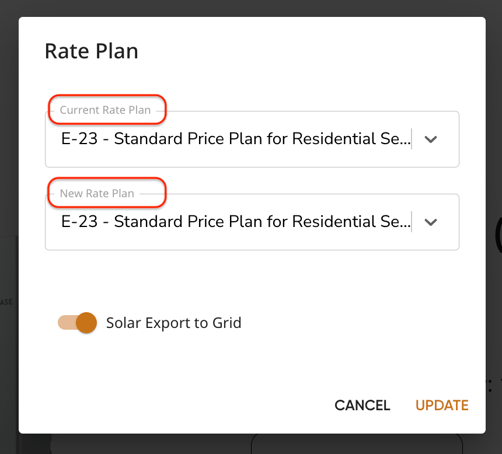
Previously, Solo proposals referred to rate plans as "Pre-Solar Rate Plan" and "Post-Solar Rate Plan". This verbiage has now been changed across the platform to the following:
- "Pre-Solar Rate Plan" → "Current Rate Plan" to refer to the utility rate plan used to calculate the customer's utility costs before the proposed project.
- "Post-Solar Rate Plan" → "New Rate Plan" to refer to the rate plan used to calculate the customer's utility costs after the proposed project.
📐Solo Studio
Studio in the Proposal
Replacing our DirectDesign tool, you will soon be able to access the Solo Studio design tool from within a completed proposal. This gives you more access to edit more aspects of your design, without having to request a revision or create a new project!
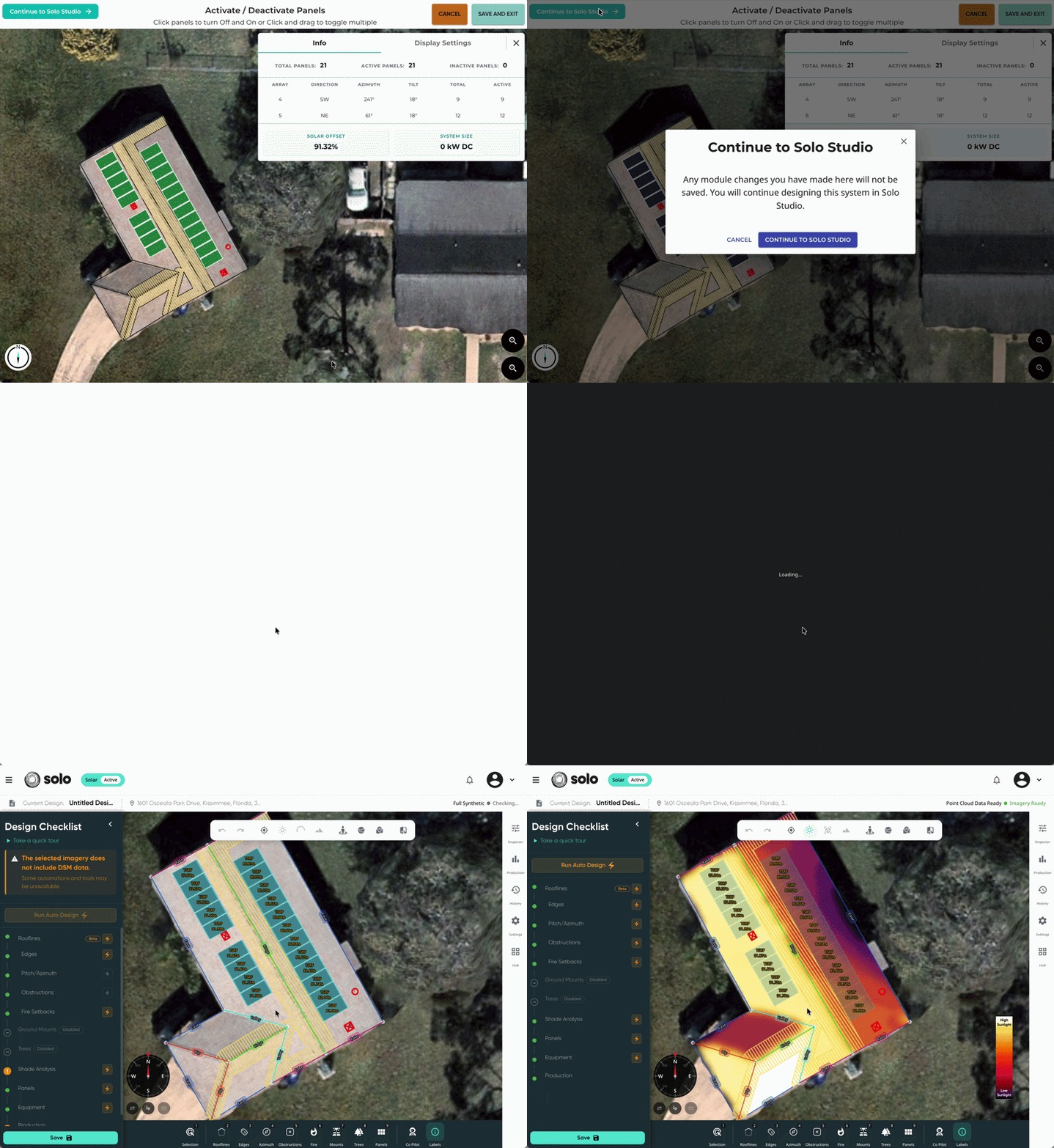
❓ Interested in Studio in the Proposal? Reach out to your account manager to learn more!
🔗 Want to learn more about Solo Studio? Click here!
Obstruction Behavior Improvements
We've refined the way obstruction behavior functions in Solo Studio, mostly in relation to what triggers new shade-analysis and production runs. Improvements include:
- The following triggers will force a new shade analysis and production run:
- Adding or removing an obstruction
- Enabling or disabling the obstruction step
- Disabling the obstruction step will not delete any existing marked obstructions.
- When obstructions are re-enabled, all previously marked obstructions return in their previous state.
- Renamed the toolbar label from "Obstacles" to "Obstructions".
Allow Production Run on Proposals Without Design Permissions
We've been updating the way Solo Studio design permissions are managed. With these changes, we've ensured that a user who does not have access to the design tool still has access to run production on their proposals.
🔗 Learn more about our upcoming permissions updates here!
📃 Template Engine
Roofing Reports
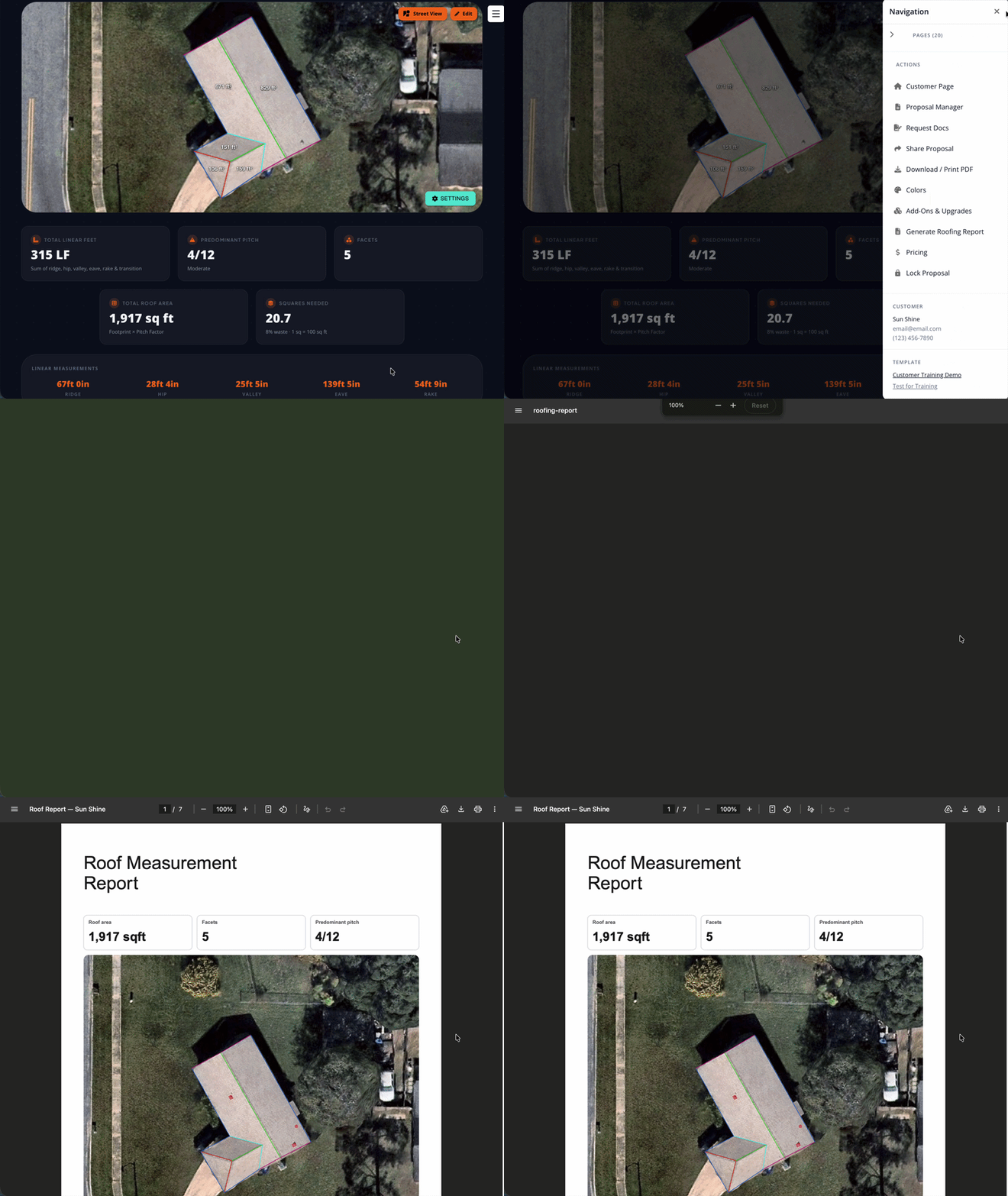
In the Solo Roofing proposal, you can now download a roofing report. This is a breakdown of the roof measurements including a roof diagram, length and area measurements, pitch breakdown, and structure summaries.
These are turned on automatically for roofing templates, and can be accessed from the roofing proposal sidebar.
Sunlight Home Improvement Financing
Those with a Sunlight integration on their proposals are now able to dynamically display and submit for Sunlight Home Improvement loans on Battery and Roofing proposals!
We've worked closely with Sunlight Financial to integrate their options accurately on the Solo proposals.
🔗 Want to integrate with Sunlight? Click here!
Palmetto LightReach Generator Lease
Solo's Generator proposals now feature the Palmetto LightReach generator lease integrated into the proposal financing. This is available for accounts that have a Palmetto integration and the options are available in their Palmetto portal.
🔗 Want to integrate your Palmetto portal with your Solo account? Owners can fill out this form!
Want to learn more about Battery Only, Generator, and Roofing Proposals? Link up with our team today!
🔜 Coming Soon!
Here are some upcoming updates that you can keep an eye out for!
Updated Projects UI & Utility Tab
Changes are coming to the customer page! In the next quarter, you'll see a new 'Projects' page to replace the existing 'Proposals' page! Here, you'll be able to seamlessly manage your customer's solar or roofing designs and proposals, from one place!
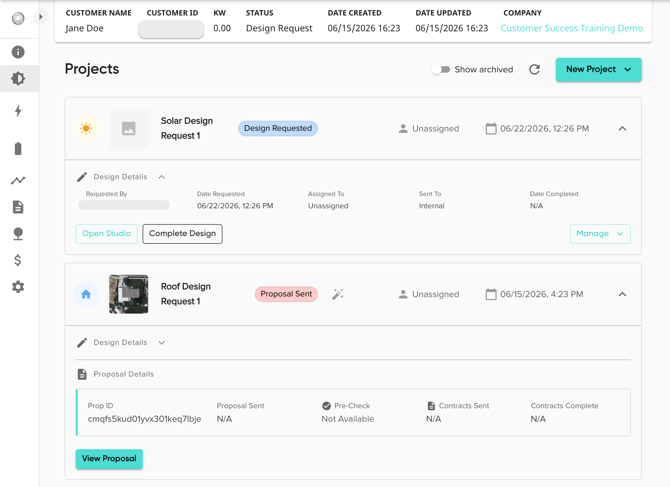
With these page updates will come a brand new Utility Info page! From here, you'll be able to manage all of your customer's utility information. This includes their utility company, rate plans, and usage values. Several tools will be available to allow for all different kinds of usage uploads!
.gif?width=670&height=374&name=Model%20smarter.%20Sell%20with%20confidence.%20(4).gif)
AI Utility Bill Data Extractor
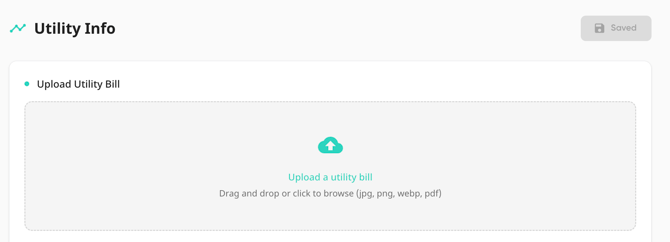
Using AI, the utility bill upload feature will soon automatically review the uploaded image and input the utility data directly into the customer's profile! Whether it's during customer creation or from the customer's utility bill info page, you can instantly input utility information with a click of a button!
Default Modules Improvements in MissionControl
Now that we've updated the default behavior for inverters in MissionControl and Solo Studio, we are turning the focus to applying this functionality to Modules as well! This will make it easy for owners to set a default module that can be easily referenced in the Solo Studio design tool!
GoodLeap Home Improvement Financing
Soon, those with a GoodLeap integration on their proposals will be able to dynamically display and submit for GoodLeap Improvement loans on Battery and Roofing proposals.
🎉 As always, we’re here to support your success!
💬 Have questions about these updates? Explore the available walkthroughs and articles right here in the Help Center, or reach out to your Account Manager for personalized support.
We hope you enjoy the latest improvements & let us know what you think! 💖