
There are two ways to set up pricing for batteries in MissionControl:
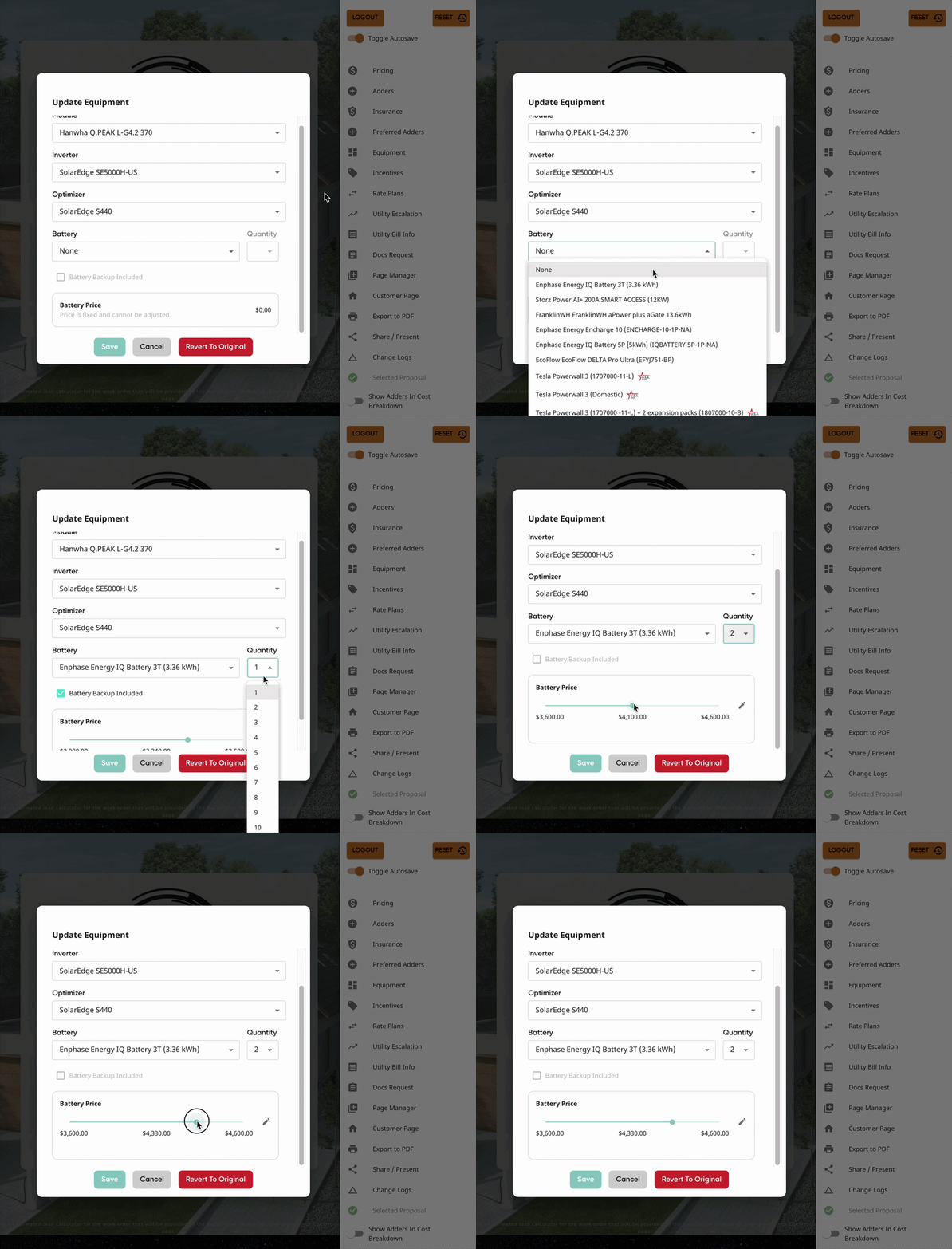
- Fixed - create set pricing for each battery and battery quantity, for both backup and non-backup.
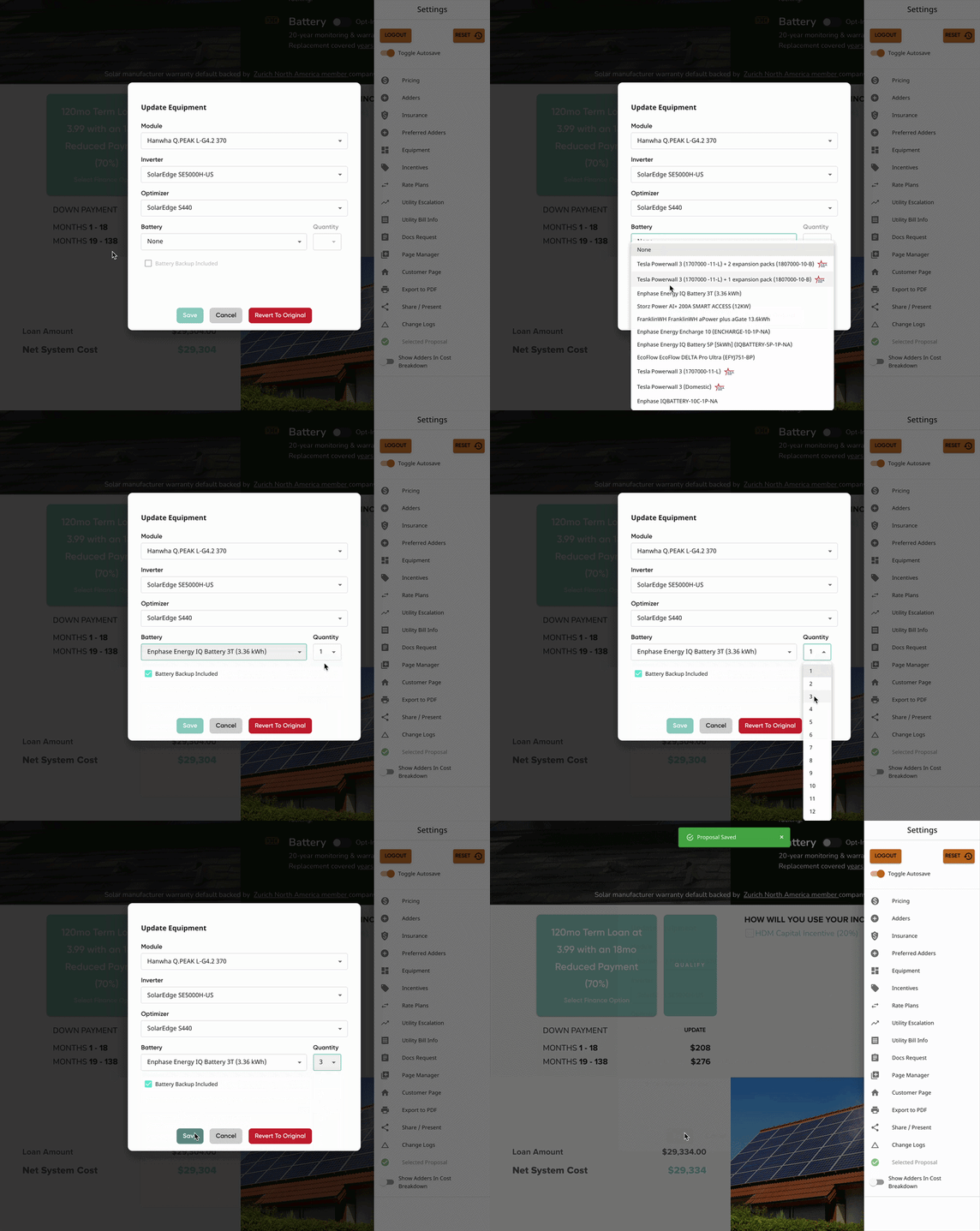
- Input - allow your reps to input battery pricing within a minimum and maximum.
In this article:
Fixed Pricing
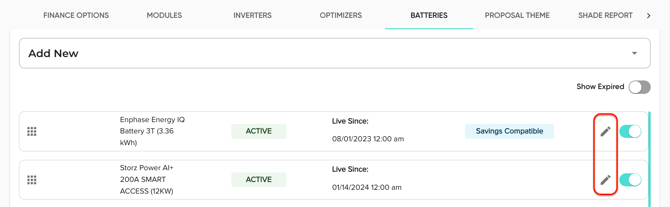
- Open the battery whose pricing you'd like to edit.
- If you're wanting to add a new battery, use this article HERE to do so.
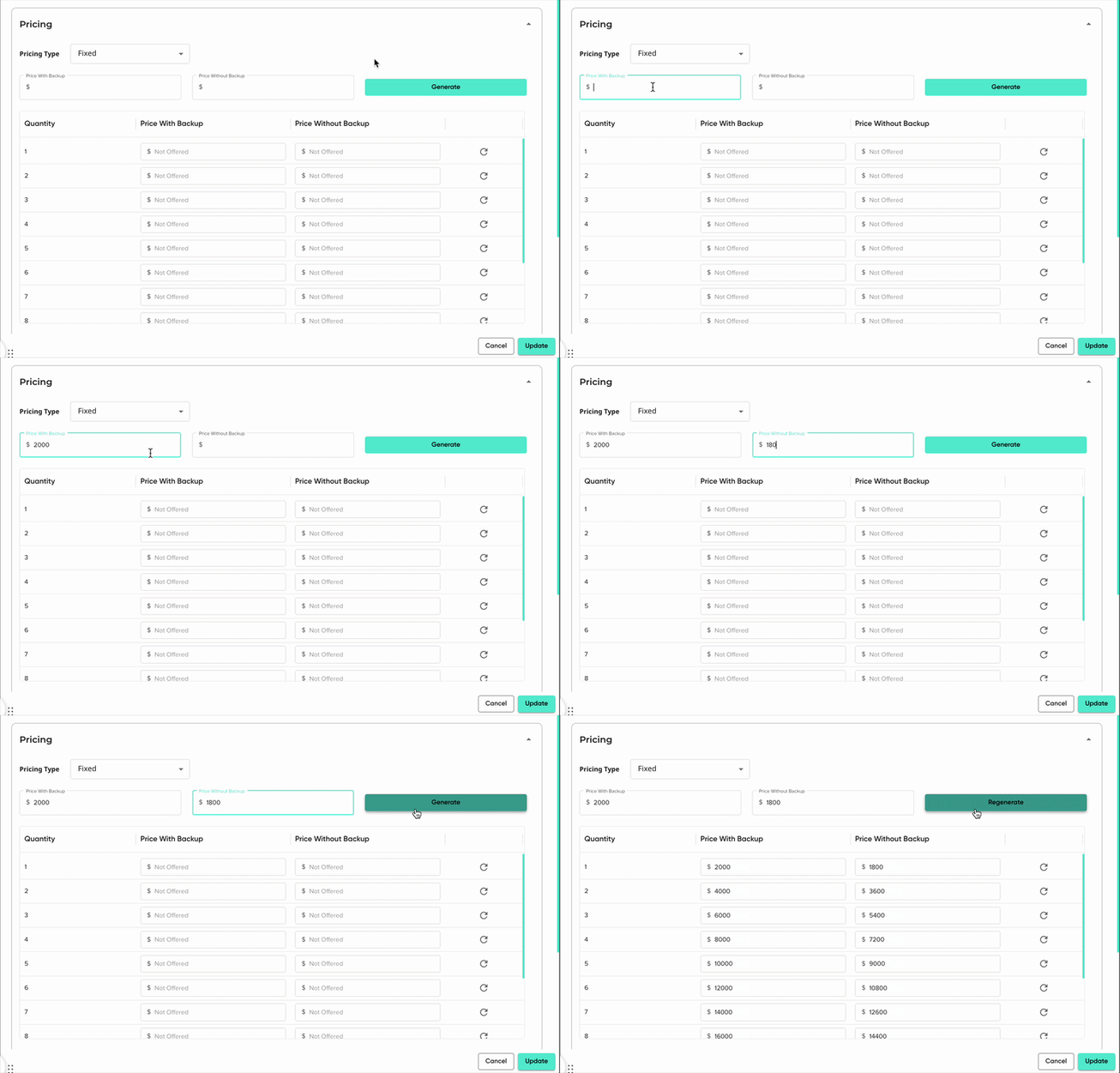
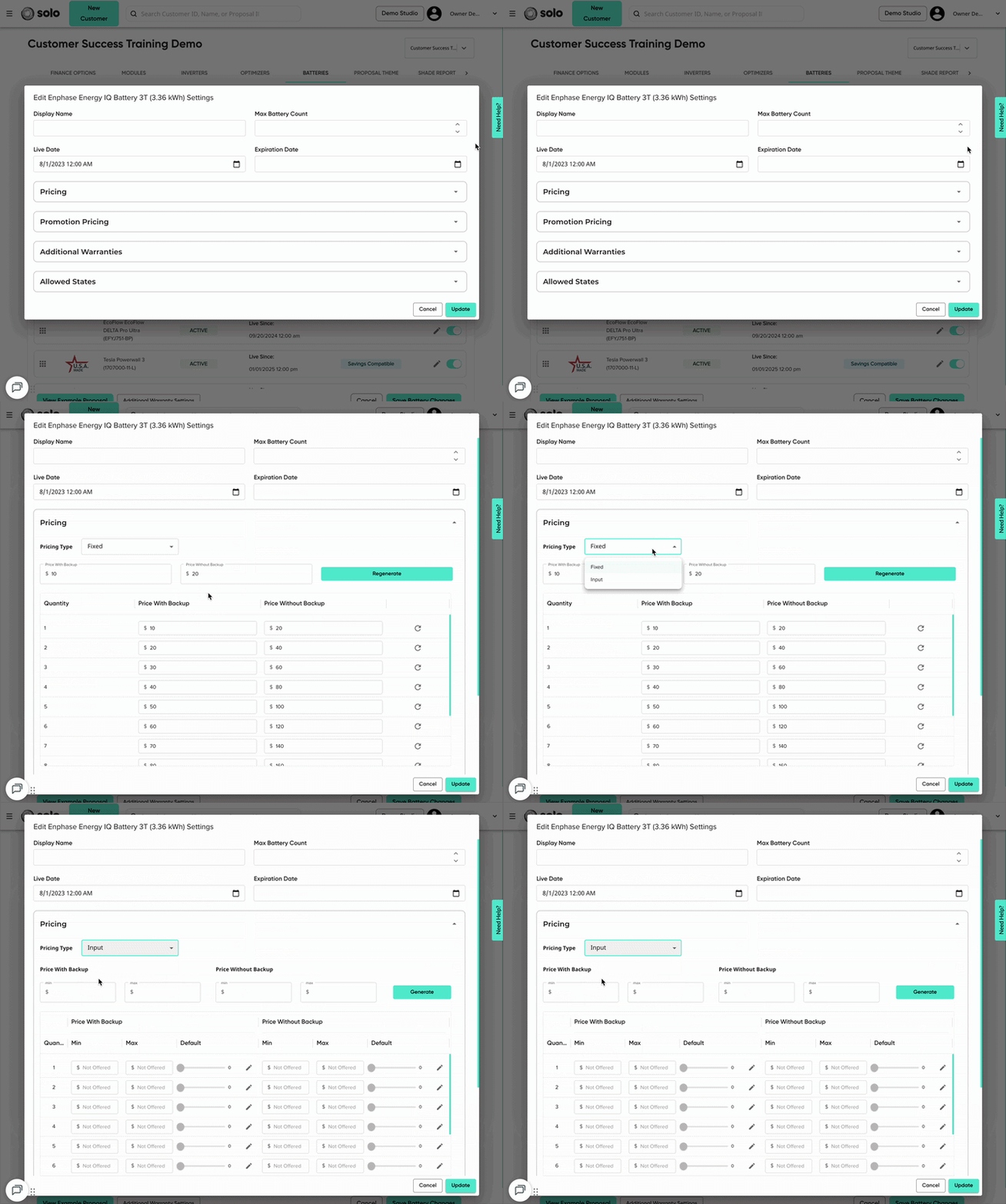
- Under the 'Pricing' section, select 'Fixed' for the Pricing Type.
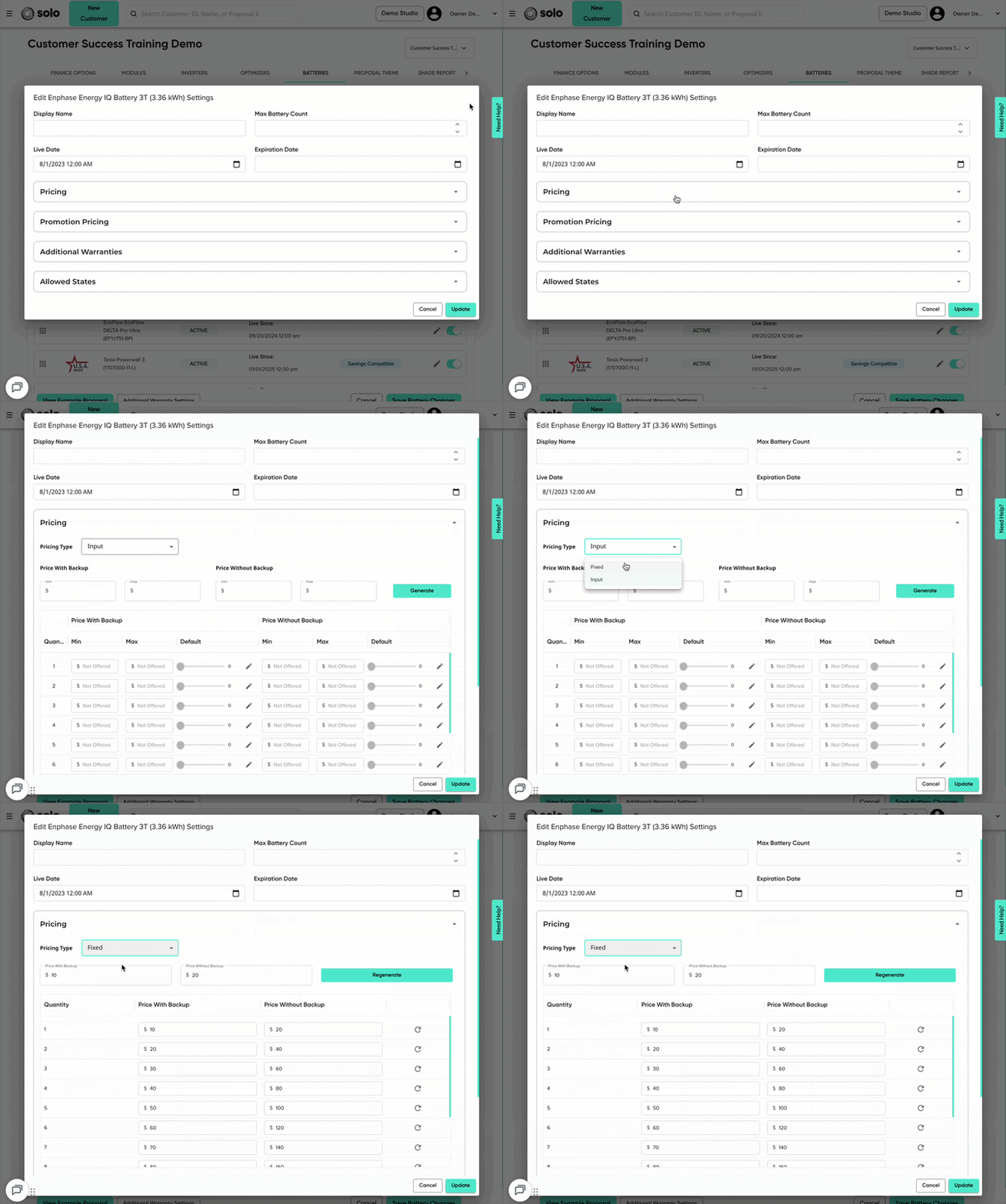
- Enter your 'Price With Backup' and/or the 'Price Without Backup'. These will be the prices for a quantity of one.
- Click 'Generate' to automatically generate amounts for each quantity.
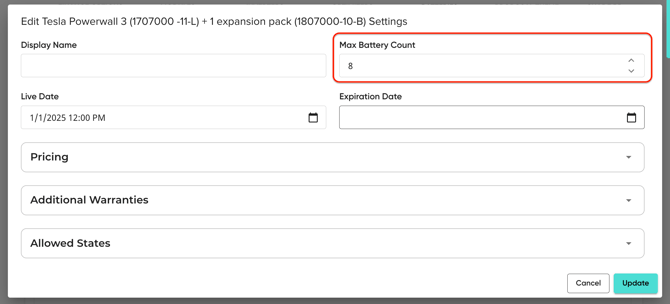
- This generate quantities up to the battery's 'Max Battery Count'. If none has been entered, it will default to generating 4.
- If you're updating an existing battery's pricing, this button will say 'Regenerate'.
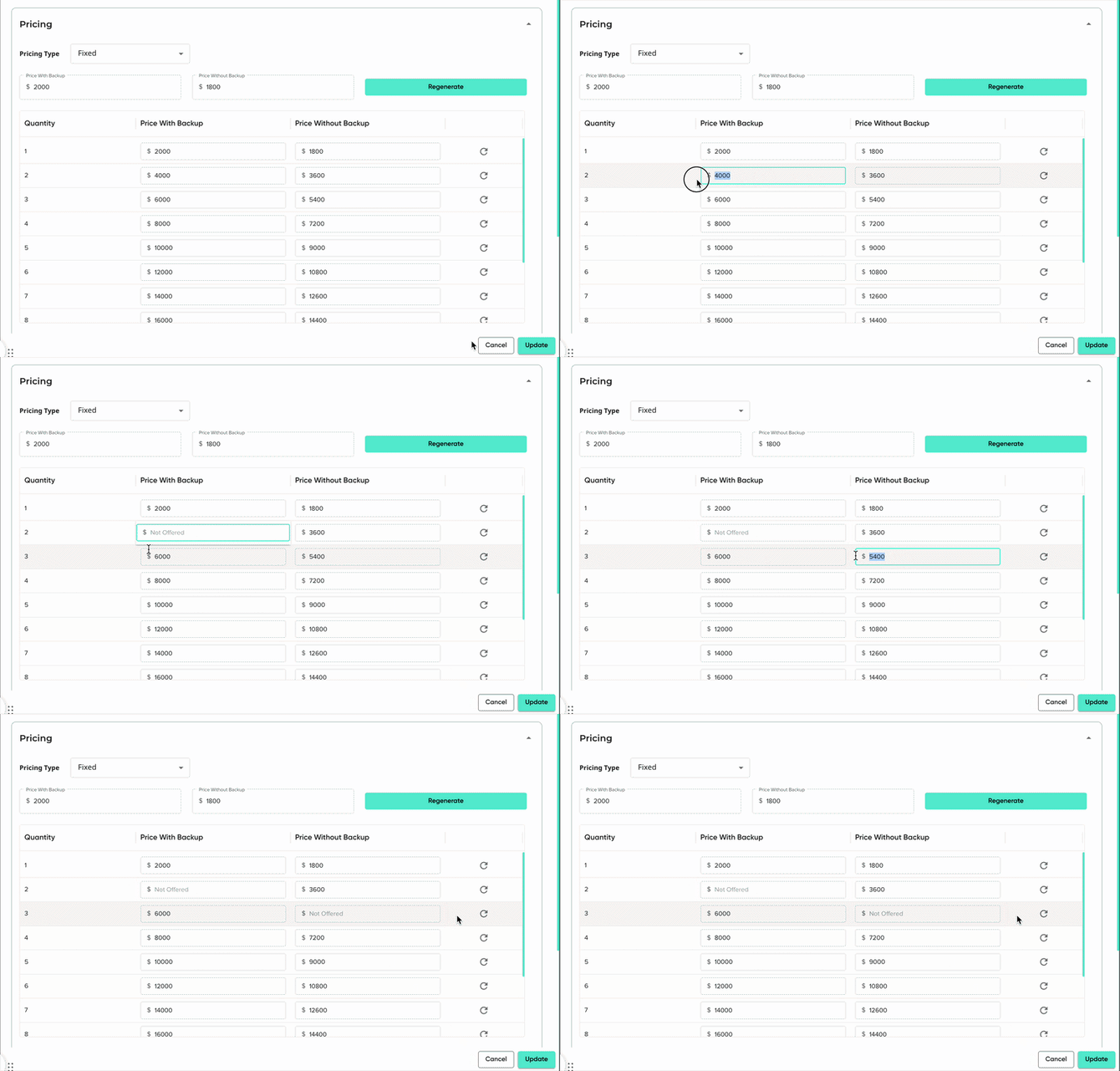
- Make any edits to the quantity pricing as needed.
- For any quantity for backup/non-backup that you do not offer, remove pricing from the field.
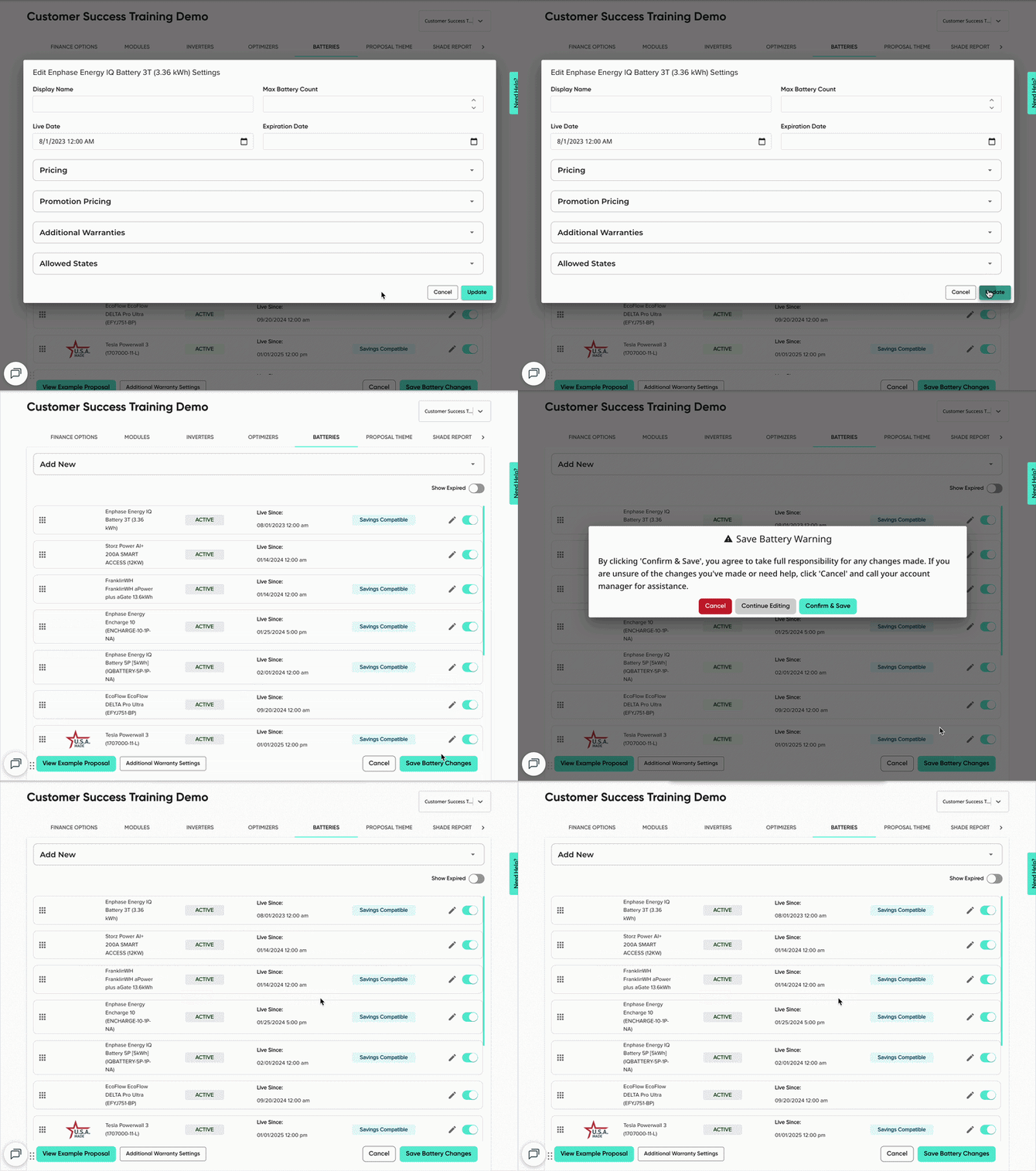
- Click 'Save'/'Update' in the bottom right.
- Click 'Save Battery Changes'.
To increase the number of battery quantities you offer, update the 'Max Battery Count' field.
Input Pricing
- Open the battery whose pricing you'd like to edit.
- If you're wanting to add a new battery, use this article HERE to do so.
- Under the 'Pricing' section, select 'Input' for the Pricing Type.
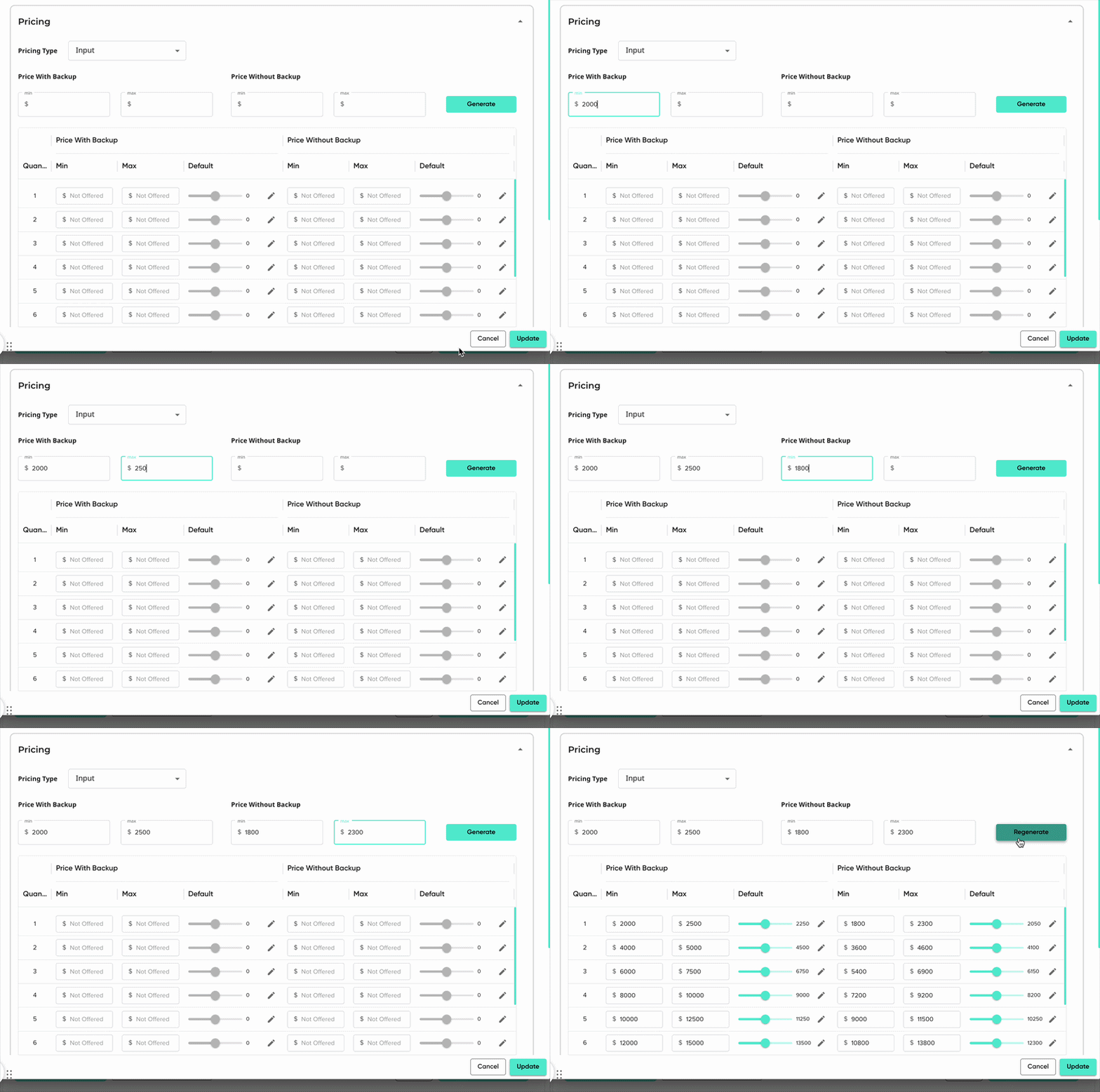
- Enter your minimum and maximum price for 'Price with backup' and/or 'Price without backup'. This will be for a battery quantity of one.
- Click 'Generate' to automatically generate minimum and maximum price amounts for each quantity.
- This generate quantities up to the battery's 'Max Battery Count'. If none has been entered, it will default to generating 4.
- If you're updating an existing battery's input pricing, this button will say 'Regenerate'.
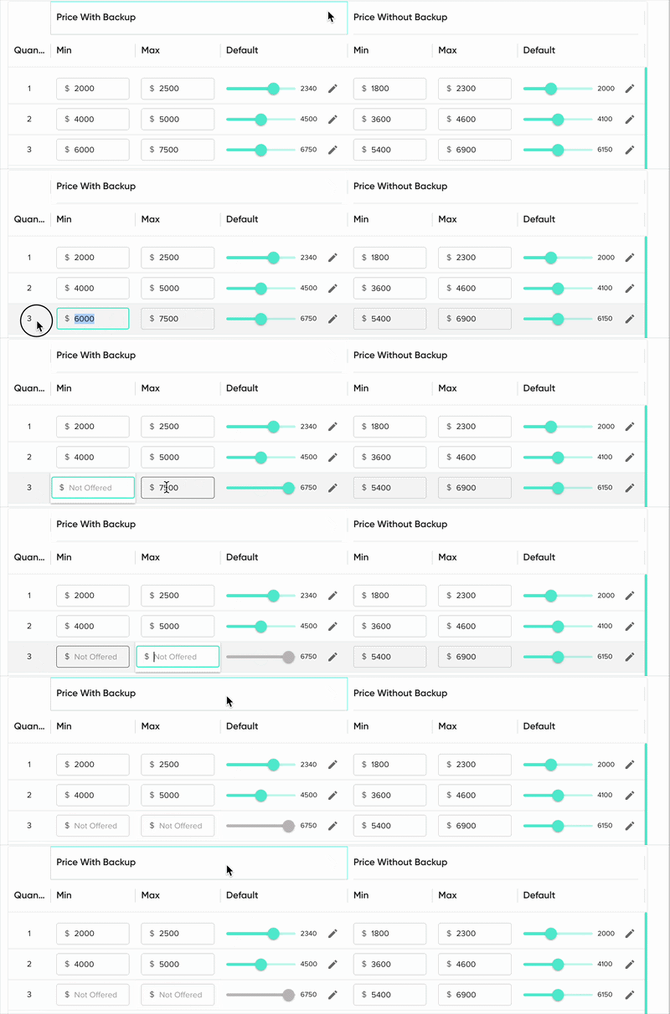
- For each quantity you offer, set price you'd like the proposal to default to when the battery is first selected.

- For any quantity you don't offer, remove the pricing from the field so it says 'Not Offered'.
- Click 'Save'/'Update' in the bottom right.
- Click 'Save Battery Changes'.
To increase the number of battery quantities you offer, update the 'Max Battery Count' field.
Want to set up promotion pricing? Refer to this article!