
In this article:
Fetching & Selecting Options
- When you're ready to begin financing on the proposal, scroll down to the Finance page of the proposal.
- Open the 'Select Finance Option' modal and in the first dropdown select 'EnFin Solar Finance'.
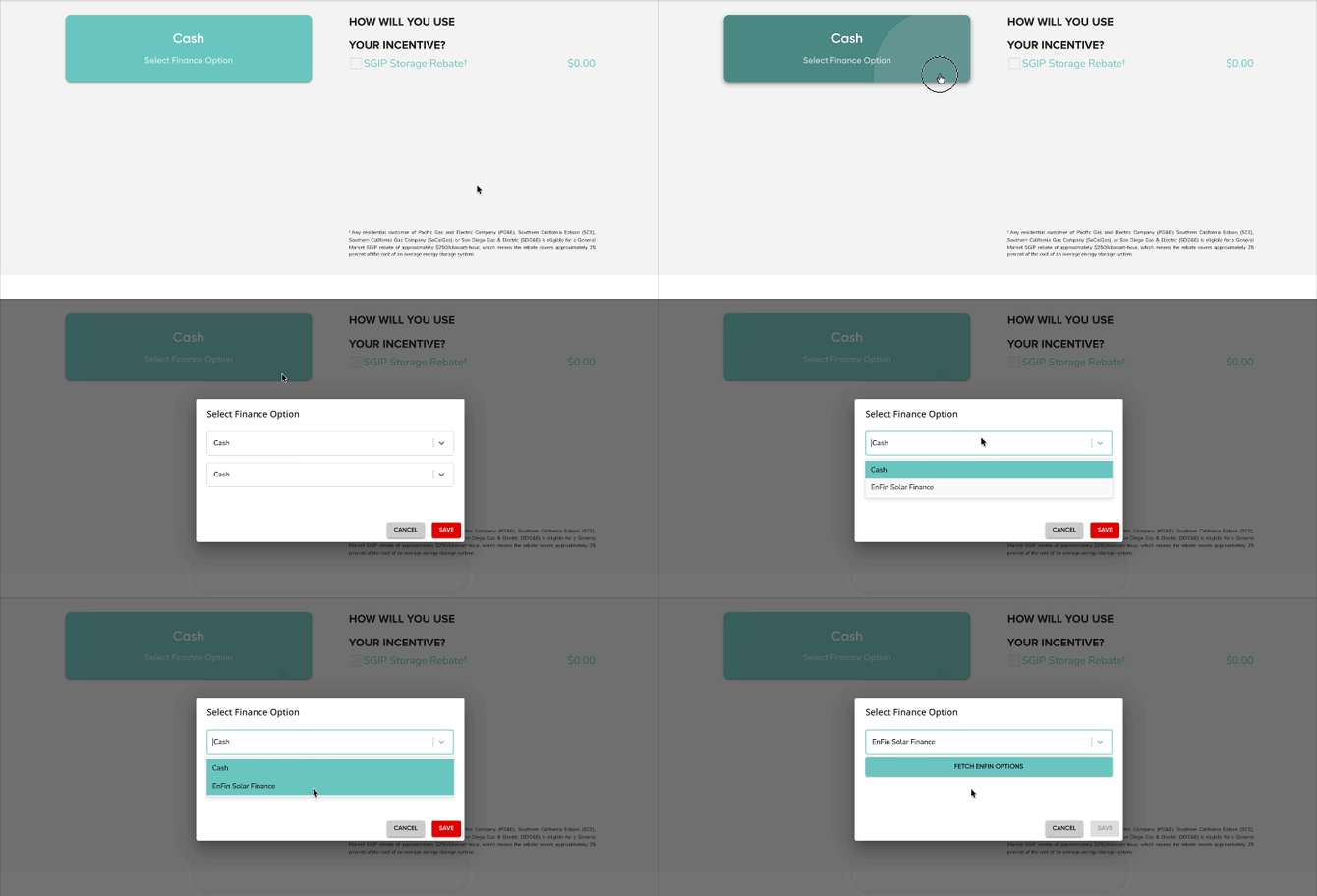
- Click 'Fetch EnFin Options' and the bottom dropdown will populate with the options available for your customer's system.
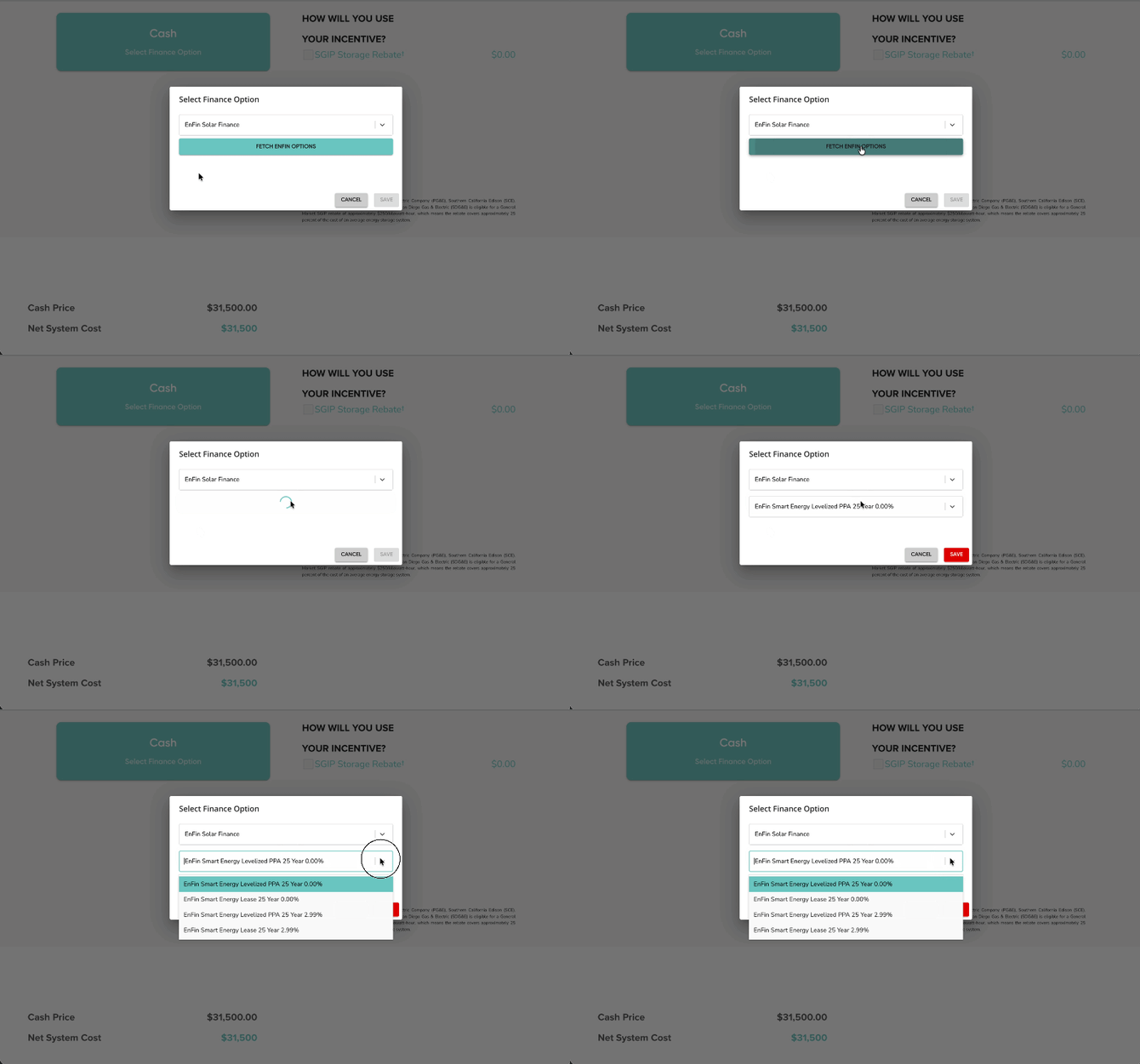
- Click 'Save' once you've selected your desired option. This will load a list of the available pricing options, as provided by EnFin.
- Select your desired pricing, then click 'Confirm'.
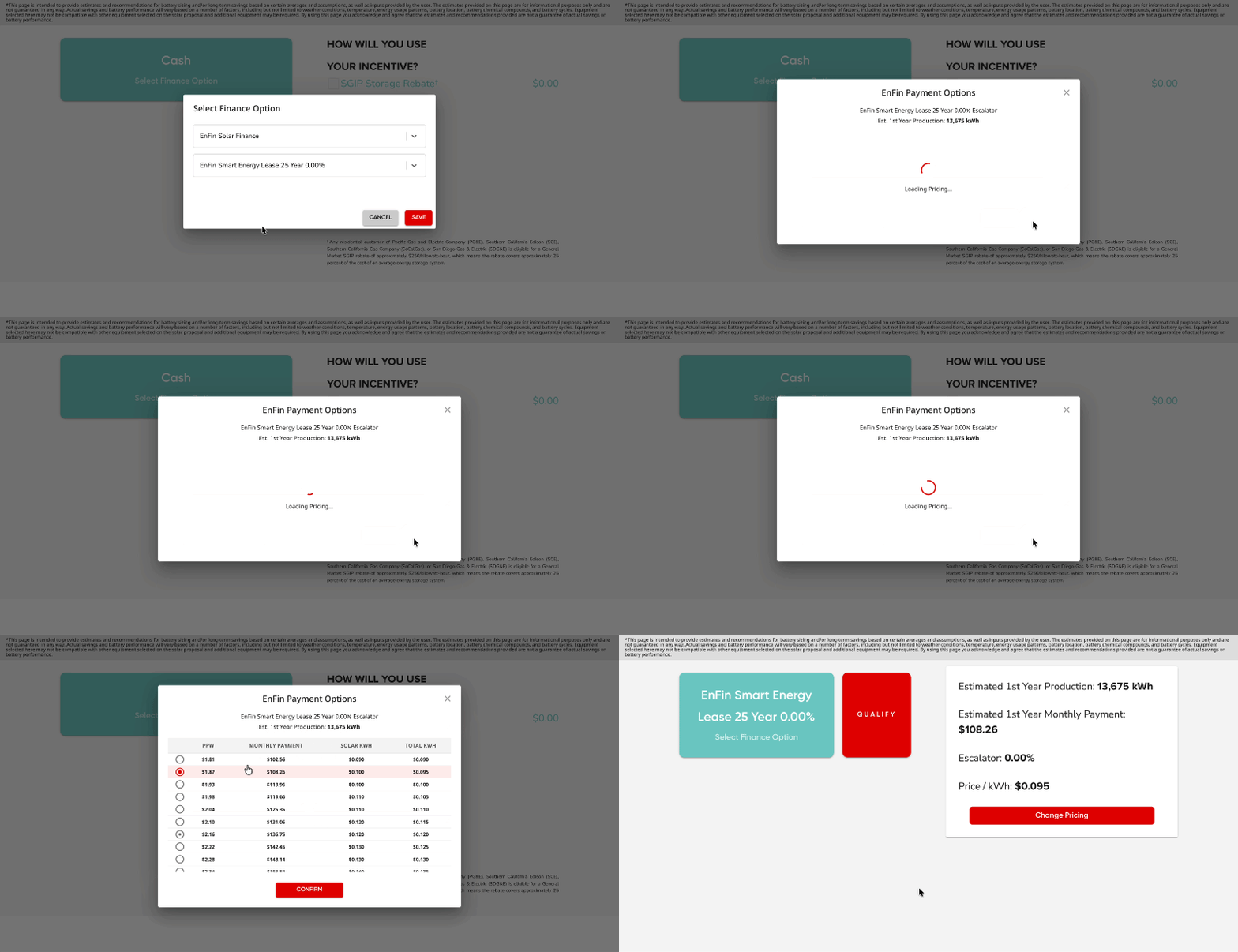
Submitting an EnFin Application
Once you've selected your desired option and pricing for you customer, and your proposal design ready, you can begin qualifying your customer. Follow these steps to submit an application for an EnFin option:
- On the proposal's Finance page, click the 'Qualify' button to start the finance application.
- Review the customer and system information, then click 'Generate Application'.
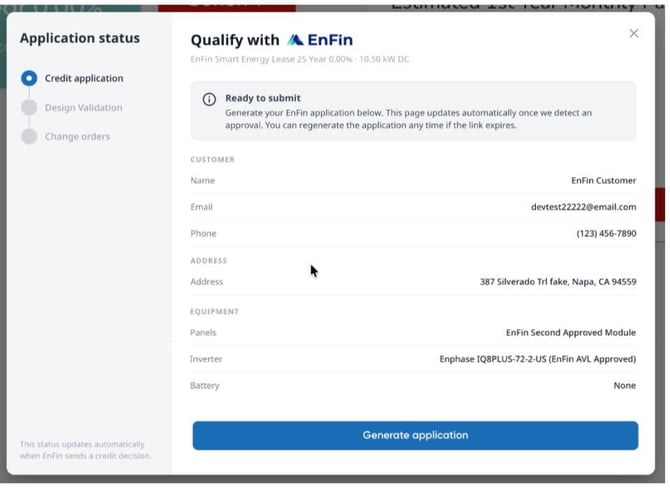
- Fill out the required fields including your customer's personal information and credit application information. Scroll down and click 'Submit'.
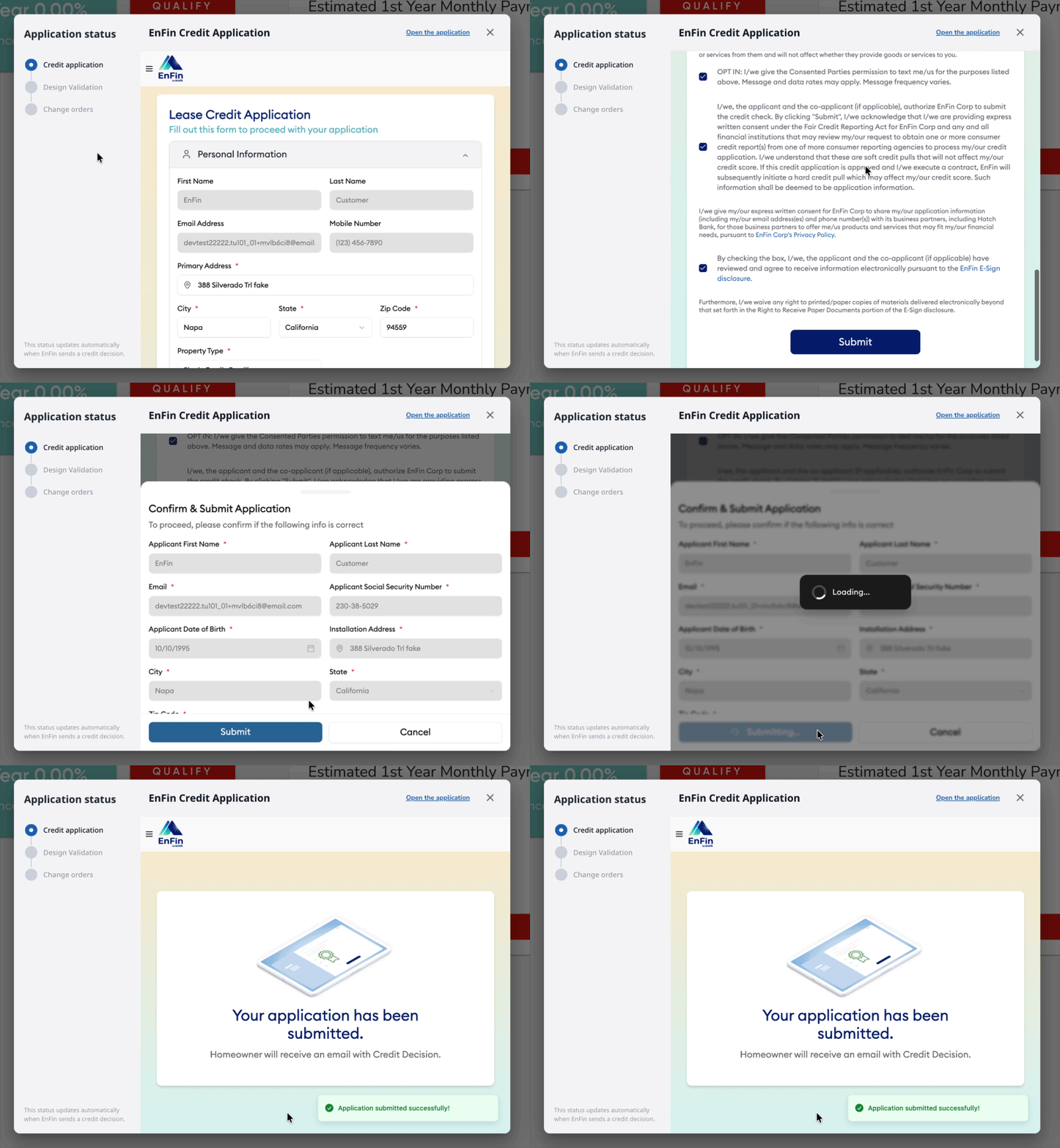
- You will be able to view the status of your customer's application by clicking the X and returning to this screen:
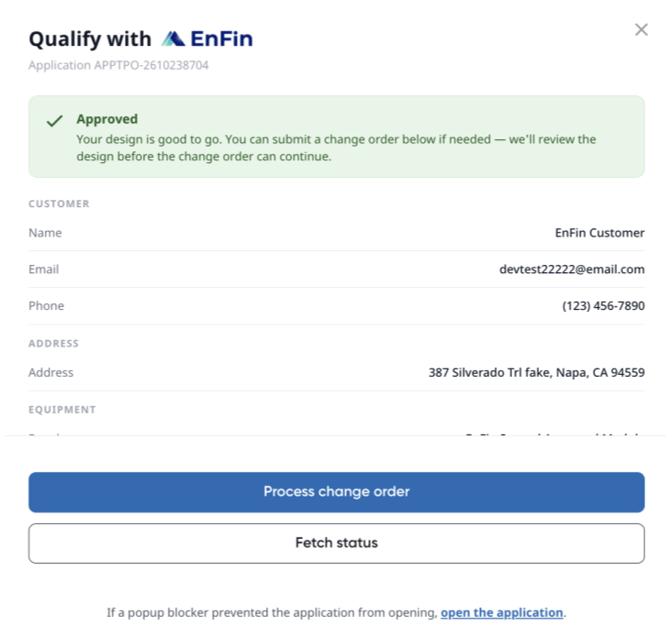
If you need to make a change to your customer's application, you can process a change order from within the proposal. Click here to learn more!