Owner/Admin Feature Only!
This article covers the process of giving a user access to Solo Studio. To learn more about each design permission and what users we recommend giving them to, click HERE!
-
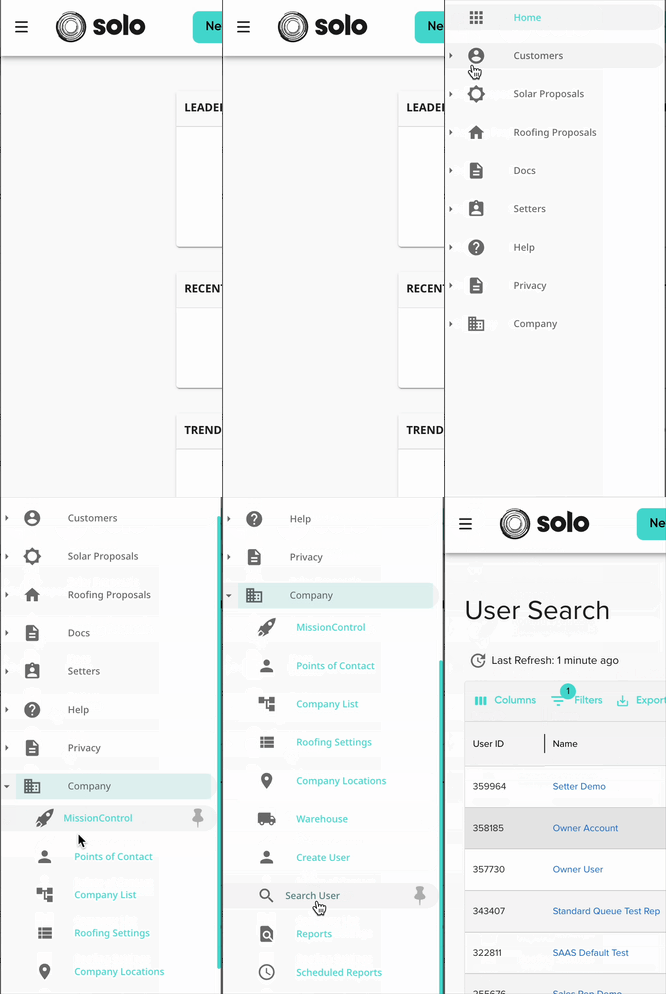
Access the user you'd like to manage using the 'Search User' page.
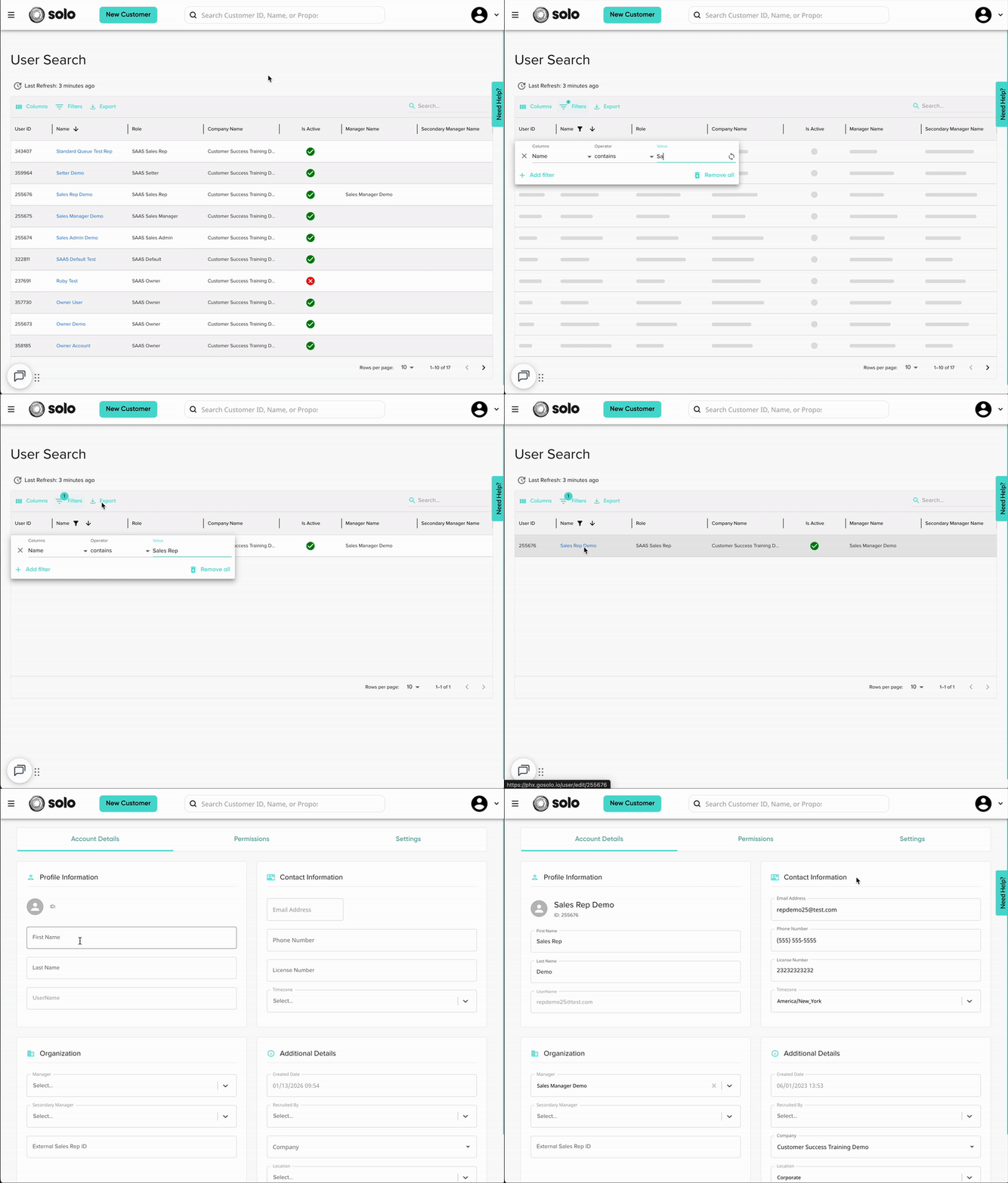
- Open the user account by clicking their name.
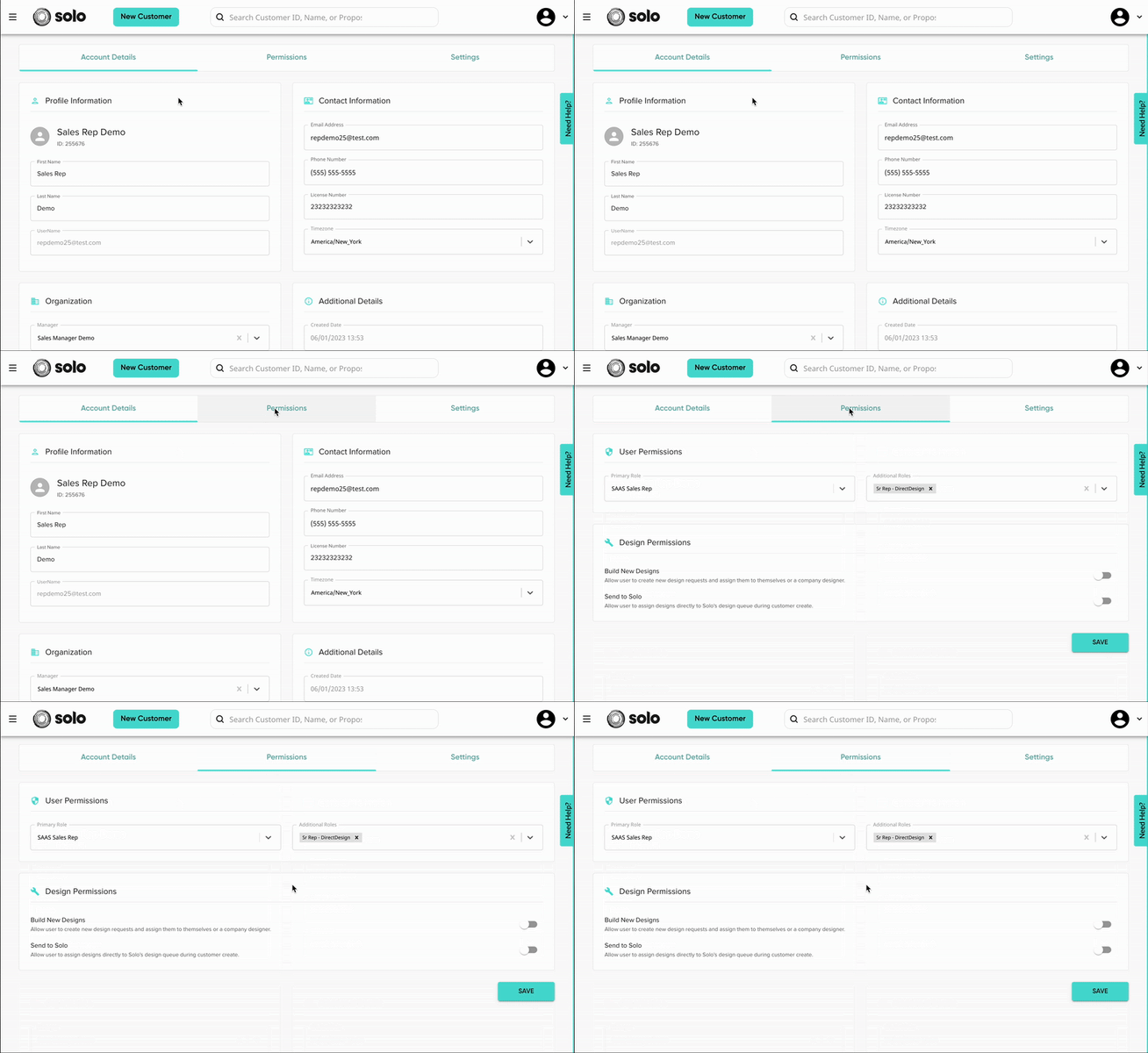
- Open the 'Permissions' tab.
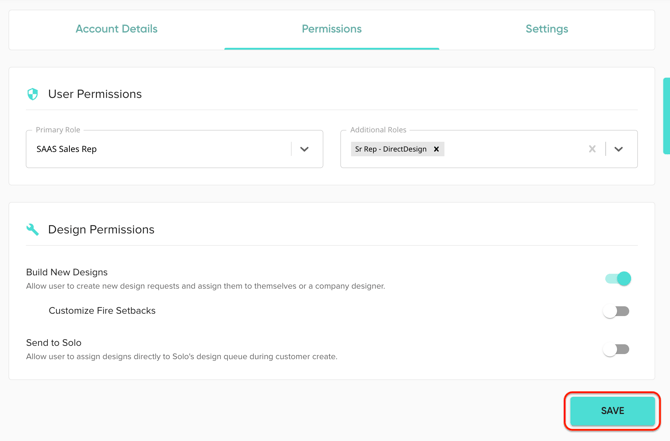
- Use the 'Design Permissions' toggles to give the user access to different Solo Studio aspects. Learn more about these permissions HERE.
- Build New Designs: gives the user access to build designs in Solo Studio. This will also give them access to view designs, other than their own, on the Design Management page.
- Customize Fire Setbacks: gives the user access to add custom fire setbacks on each roof plane. This is a feature that users will see when using the fire setbacks tool in the designer (learn more HERE).
- Send to Solo: gives users access to request a design to be created by a Solo designer, rather than sending it to their own design queue.
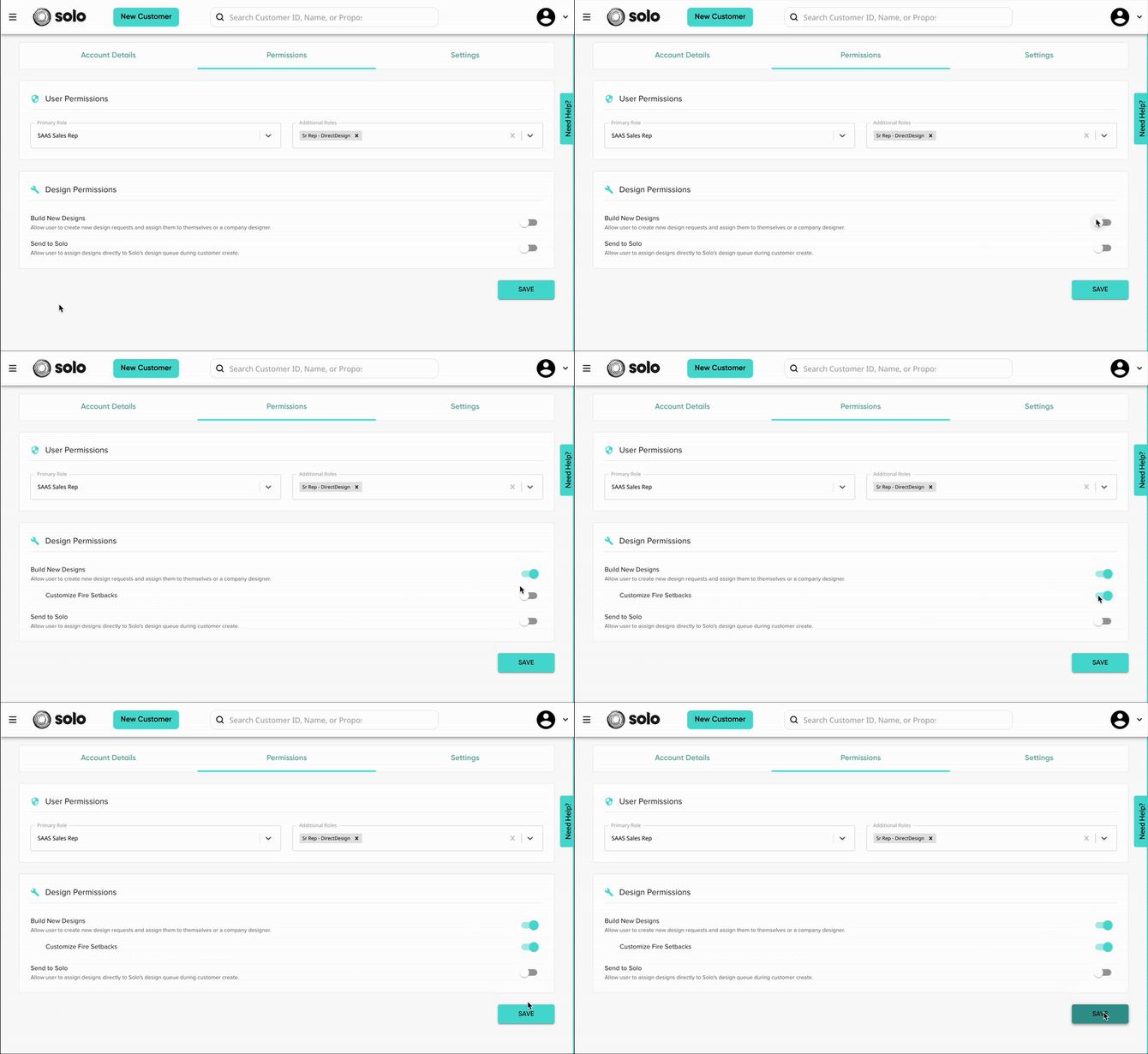
- Make sure to Save!